GIMLI Wiki
Game Induced Markup Language (Interpreter) in pure JavaScript
Brought to you by:
benjaeggi


The ONCLICK / SCRIPTS -array in an ITEM or panel-button will execute commands in the jBash-system. When you press the console-link, you can input script commands directly. All the commands in the console are available for your scripts.
Use cmd to see all the registered commands.
Use man commandname to see a manual for the given command commandname.
This is a screenshot of the console just after loading the start-room:
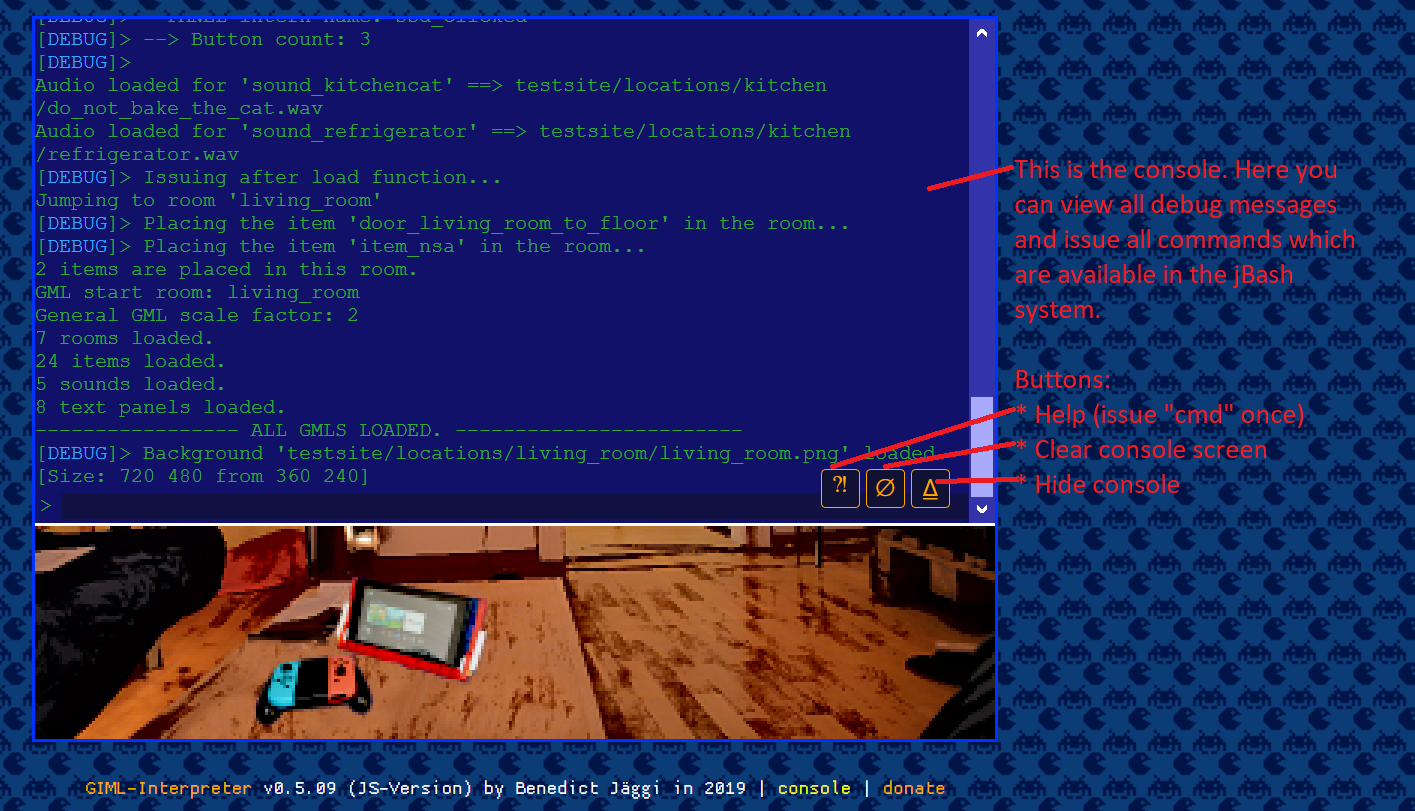
Note that this is a pre-0.6.00 version where the loading process is a little wrong. You see that in the lines:
"Issuing after load function...", which is BEFORE "All GMLs loaded." It should wait for the loading, which it does after 0.6.00.
(TODO) Short: Just make a javascript function with one parameter, add it to jBash and call the jBash-command for it in the "SCRIPT" tag of your item or panel. Only global functions just right now. jBash commands can have several parameters separated by space. All parameters are given as a whole string to your function. They are described here in uppercase letters but converted to lowercase letters in the jBash-system.
As of version 5.0.x you can use more than one script line for the onclick-event of your items or panels.
Some scripting commands are made for using as one-liner like e.g. "panel mypanel closeall", which closes all panels and then opens a new one (mypanel). You could now also use: "panel closeall" and then "panel mypanel" for the same effect. (But not vice versa because it would close the newly opened panel, too.)
Those are the predefined commands exclusively made for GML. There are some others from jBash. You can see a list with all commands in the console with the "cmd"-command and look up the definition with the "man"-command.
Next: The loglevel command.
Wiki: CMD_JUMP
Wiki: CMD_LINK
Wiki: CMD_LOGLEVEL
Wiki: CMD_SHOW
Wiki: GML_EXAMPLE
Wiki: Home
