
Menu
▾
▴
#310 specific tagged windows with custom color borders
Hya
Would really like to have an option to have specific tagged windows/clients have a custom color borders (and border size). It could be very useful to mark root terminals with a red background, remote SSH connections etc.
eg: https://raw.github.com/examon/splitwm/master/img/demo.png
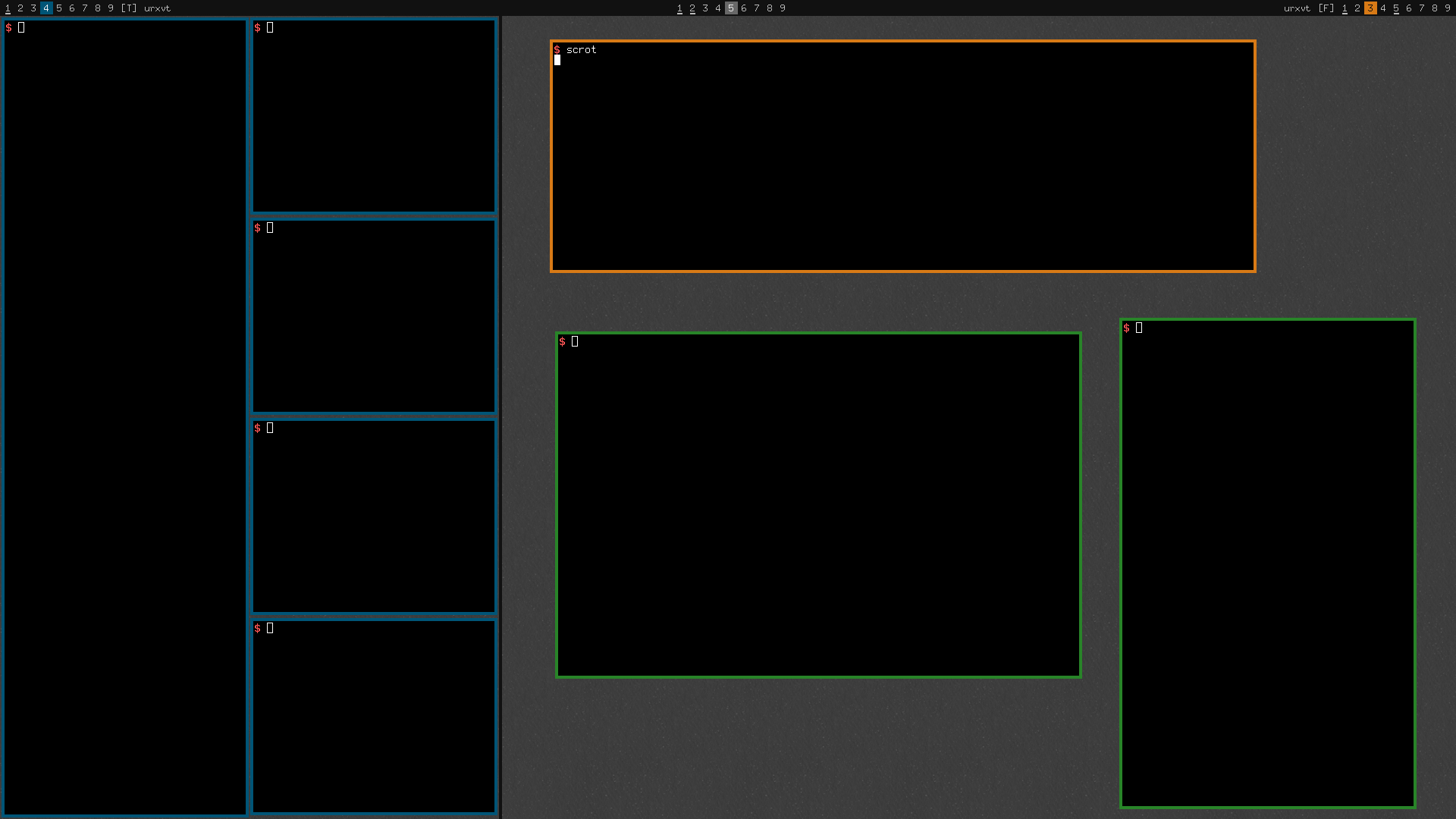
thx
Zeltak

Here is an attempt at 'specs' or config options for the above request
Ideally the coloring and border size would be done by matching specific clients names (IE: WM_CLASS(STRING) = "xfce4-terminal") in the main apps file as commonly done with other window properties.
Thus you define the window in the app file adding border properties (color,size)
[app] (name=xfce4-terminal)
[Sticky] {yes}
[Alpha] {255 255}
[bordercolor] '#33B5E5'
[bordersize] default
[end]
another more complicated method which i am not sure is possible would be dynamic changing of the border colors. IE, one could have bash change the window name,then using the apps file It could match the window name and change the color of the decoration.
good idea. i also think about having a different focus/unfocus look for the border. this might improve the ui in regards to switching between windows quite a lot if the currently focussed window has some kind of different color around it.
Just as a hint on the original feature request:
List of colors for excape codes:
http://superuser.com/questions/270214/how-can-i-change-the-colors-of-my-xterm-using-ansi-escape-sequences
Altering xrdb is permanent, colors are reset by many processes (all those supporting colored output ;-)