whitelist needed for firestick to function properly
Let's make an annoyance free, better open internet, altogether!
Brought to you by:
adroitadorkhan

Originally created by: Thomas499
Type x in between [ ] and make sure there isn't any space between brackets. Example; for Your Selected Issue(s), type like this - [x]
You can select more than one category of issues if you need to!
Write the name of the pack(s) you are using.
Also name the extension(s) if you are using any. If you don't then leave it blank.
If you are submitting this issue for whitelist/blacklist issue, send us the domain(s) for whitelisting/blacklisting here. Kindly use the Code Tag to prevent tracking.
api.amazonalexa.com
dcape-na.amazon.com
arcus-uswest.amazon.com
msh.amazon.com // <- Note: make a judgement call on this one. See details.
Just to ensure there is no issues or conflicts with other app/software/magisk module/extension/source list.
Make sure you are running Energized Protection Service only.
Write us a lil bit more about your issue or query. You can attach any screen shot or log of the issue or advert, this will help to highlight it.

If api.amazonalexa.com is whitelisted it will continue to the page that says "Your Amazon Fire TV Stick 4K is registered to (owners name) Do you want to use this account?"
Once the firestick is setup (even if it was setup on a different network then transported to the new network where api.amazonalexa.com is blocked) then the firestick appears to work properly (in my experience so far). Would never know there was a problem with this url if the room mate hadn't factory reset the firestick by mistake and I had to re-register it. Note: If you just de-register the firestick and re-sign back into an account, this problem doesn't happen. For the issue to occur you have to reset to factory default or use a new firestick.
dcape-na.amazon.com // needed to find apps. For example, if you type in hbo go in the search bar without dcape-na.amazon.com whitelisted it will pull up Movies and TV category and Search in Apps category which doesn't list the hbo go app as shown below.

If dcape-na.amazon.com is whitelisted then it will additionally pull up an App and Games category where the HBO GO app is listed.
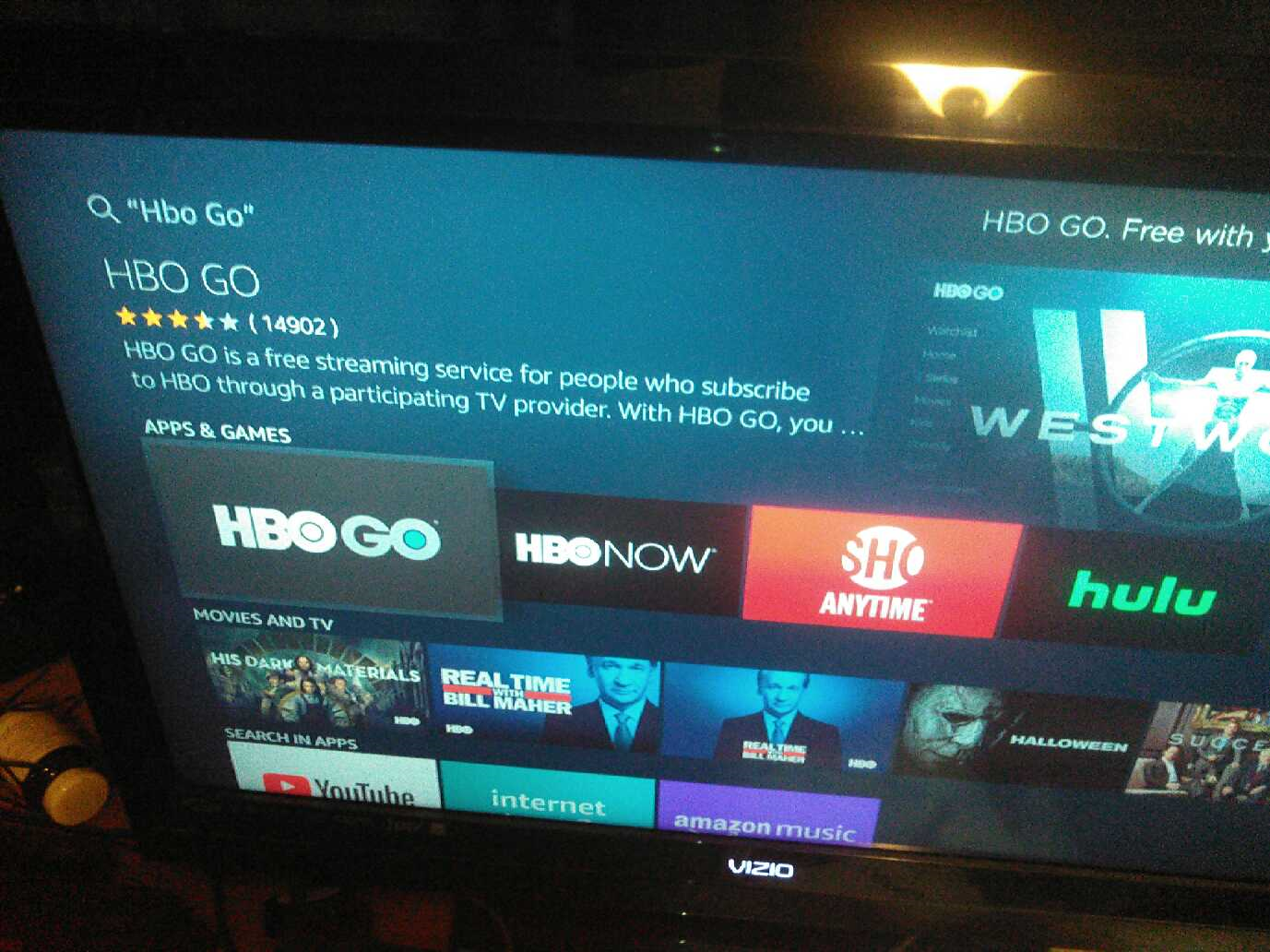
Note: to repeat this issue, you must go to manage install applications and clear data for Appstore, otherwise previous searches will show up as apps and the apps you previously searched for before
dcape-na.amazon.com was blacklisted will still show up as options to download.
In addition, without dcape-na.amazon.com whitelisted the firestick may be the cause for on occasion pull up a screen that says "An authentication error has occurred." This particular authentication error only happened once and I believe it happened when I typed in "Starz" in the search bar to look for the app to download.

Without arcus-uswest.amazon.com whitelisted the firestick will not show you your downloaded apps on the homepage where it says "recent" category and "your apps and channels" category.

arcus-uswest.amazon.com whitelisted it shows "recent" list and "your apps and channels" list as shown below

Note: to repeat this issue, you must go to manage install applications and clear data for Appstore, Alexa shopping, and Prime Video. Also, you will loose the order of your listed apps if you organized them previously.
I also noticed without msh.amazon.com whitelisted, if you download an app it will get to about 90% of the download circle that shows you the status of the download and then freeze for about a minute as shown in the picture below.
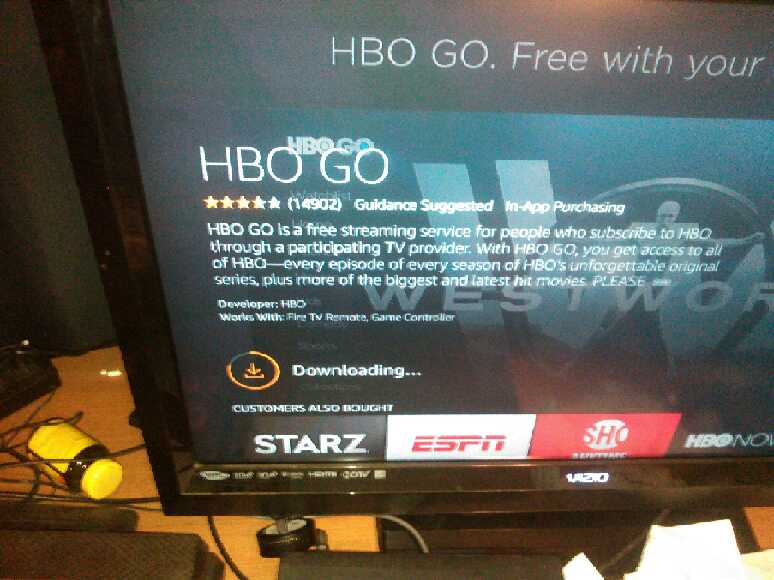
Thus, instead of a 5 second download it takes about a minute to complete. However, other than taking longer to complete downloads I haven't notice any other issues yet with msh.amazon.com blacklisted. So probably would be a good idea to figure out what msh.amazon.com does. If it provides ads or tracking then keep it on the blocklist. If it doesn't do anything bad then whitelist it so the downloads are much faster. Make a judgement call on that one.
A project by Ador with ❤



Originally posted by: Thomas499
Yesterday I de registered a firestick and today I re-registered it. To my surprise, I found that I ran into the same issue that I previously documented for api.amazonalexa.com but even though api.amazonalexa.com was whitelisted I still ran into the same problem and found that whitelisting ftvr-na.amazon.com fixed the problem this time. So I am now wondering if the firestick chooses a random server from the list and if it cant connect then it won't let you register the device?
Originally posted by: AdroitAdorKhan
Hey! First of all, this is a nicely described issue you have made here! :)
I don't have firestick to test physically, but with your well described info, it would be easier for me to find the solution! I will look more into this issue and try to fix asap.
Originally posted by: Thomas499
It appears that all of the listed urls have since been whitelisted. I think the issue can now be closed.
Ticket changed by: Thomas499