LinuxBuild

WARNING: THIS IS FOR ADVANCED USERS FOR USE IN BUILDING AND PORTING.
This is intended to be a minimal impact port, changing just what is required to make it build and run, so no warning fixes, refactoring, changing the build system or other niceties that we really ought to get around too.
So far I've built on the following configurations
- Xubuntu 11.10 64-bit x86, Linux 3.0.0
- Xubuntu 11.10 32-bit x86, Linux 3.0.0
- Debian Squeeze 6.0 32-bit x86, Linux 2.6.32
- Ubuntu Server 12.04 32 bit x86, Linux 3.2.0
- Debian Squeeze 6.0 ARMv5el, Linux 3.1.9+ (Raspberry Pi)
Install some prerequisites
Compile-time and run-time requirements
On Ubuntu, the following packages;
- git (for downloading from source repository)
- build-essentials or build-essential
- libxp-dev
- libxt-dev
- libxmu-dev
- libxft-dev
- libmotif or libmotif3 or libmotif4 (openmotif)
- libmotif-dev (openmotif)
- libx11-dev
- libfreetype6-dev
- tcl-dev
- ksh (required for database to any script, and probably dtksh building)
- m4 (required for nsgmls building)
- ncompress (old style unix 'compress' needed when building help files)
- gsfonts-x11 (will bring in Helvetica and Courier fonts)
- rpcbind (or portmap) requires running in insecure more (-i) see below
- bison
- xbitmaps
On Debian Squeeze,
- byacc
Do not install the following items
- Lesstif
- imake
Get a copy of the repository
Use the git clone command here
https://sourceforge.net/p/cdesktopenv/code/
Change to the linux1 branch
cd cdesktopenv-code
git checkout linux1
Link in X11 headers
cd cdesktopenv-code/cde
mkdir imports
cd imports
mkdir -p x11/include
cd x11/include
ln -s /usr/include/X11 .
Attempt to build
cd cdesktopenv-code/cde
make World
There will be several errors at the end of the build in doc/. Ignore them for now, the build is finished enough for installing.
After you've built World, it should have compiled up the libraries and quite a few of the apps.
To check look in cdesktopenv-code/cde/exports/lib there should be 9 different CDE libraries.
Test running stuff
export LD_LIBRARY_PATH=/path/to/cdesktopenv/cde/exports/lib
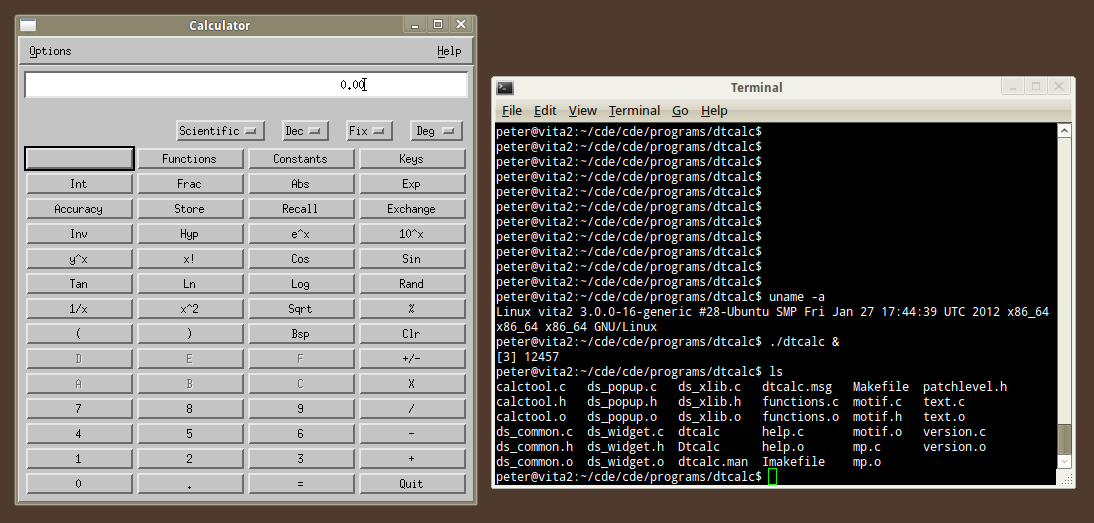
cd cdesktopenv-code/cde/programs/dtcalc
./dtcalc
Stuff that's not building yet
dtinfo (LinuxMachineDefines that should be empty, isn't
dtksh (ast.h missing)
docs - non C help files
docs - man pages
docs - dtinfo pages
Installing
This is bodgy,
# Modify rpcbind to run in insecure mode (-i)
# On Ubuntu
#  Edit /etc/init/portmap.conf
#  Find the line "exec rpcbind $OPTIONS" and replace with
#  "exec rpcbind -i $OPTIONS"
# On Debian
#  Edit /etc/init.d/rpcbind
#  Find the line "OPTIONS="-w" and replace with "OPTIONS="-w -i"

# Install CDE
cd cdesktopenv-code/cde
sudo make install
cd admin/IntegTools/dbTools
sudo ./installCDE -s /path/to/cdesktopenv-code/cde/

sudo cat /usr/dt/config/xfonts/C/fonts.alias >> /etc/X11/fonts/misc/xfonts-base.alias
Note: sometimes Ubuntu will not allow this operation, even as sudo.
The solution is to copy both files to your home directory then
cat fonts.alias >> xfonts-base.alias.
 After this sudo cp xfonts-base.alias /etc/X11/fonts/misc/

# It seems this dir needs to be writable by every user of CDE
sudo mkdir /var/dt
sudo chmod a+rwx /var/dt

# Directory required for calendar service
sudo mkdir -p /usr/spool/calendar
Running (Single User)
Switch to virtual terminal and log in as root
export PATH=$PATH:/usr/dt/bin
rpcinfo -p
# note, you do not need to run rpc.ttdbserver.  If you *really* want to,
# then start it with /usr/dt/bin/rpc.ttdbserver

# kill off xserver.  For example, if you are running lightdm:
service lightdm stop
You can log off root and into your regular user here
# add /usr/dt/bin to your PATH
export PATH=$PATH:/usr/dt/bin
export LANG=C
# Start X in CDE
startx /usr/dt/bin/Xsession
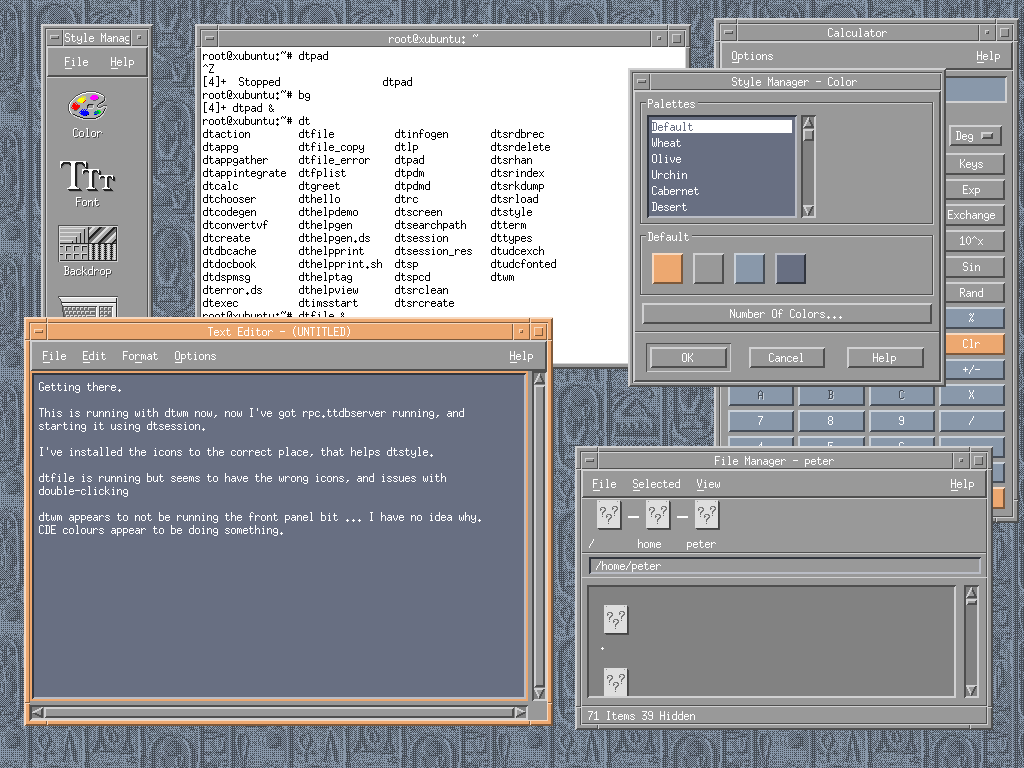
This should boot into the CDE desktop
Running (Login Manager - dtlogin)
Switch to virtual terminal and log in as root
export PATH=$PATH:/usr/dt/bin
rpcinfo -p
# note, you do not need to run rpc.ttdbserver.  If you *really* want to,
# then start it with /usr/dt/bin/rpc.ttdbserver

# kill off xserver.  For example, if you are running lightdm:
service lightdm stop

cd /usr/dt/bin
./dtlogin
This should start the login screen
Known Issues with built stuff
dtmail - "Mailer has not been properly installed, and cannot run because the execution group is incorrectly set."
dtsession_res - refers to /X11/bin/xrdb rather /usr/bin/xrdb
dtlogin - needs to be run from /usr/dt/bin
dtlogin - doesn't actually login with correct username/password - Fixed with update to use getspnam() in addition to getpwnam()
AllApps - missing help files - C Lang help files building
dtwm - locking the screeen doesn't accept your password to unlock the screen again, (dtlogin password check issue duplicate?)