Classic Shell
Screenshots
Description
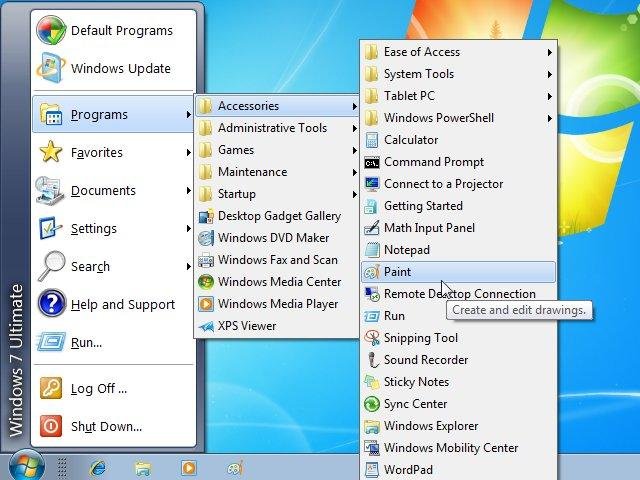
Classic Shell adds some missing features to Windows 7 and Vista like a classic start menu, toolbar for Explorer and others.
Categories
License
Features
- Classic Start Menu for Windows Vista, Windows 7 and Windows 8 (with skins)
- Toolbar for Windows Explorer
- Classic copy UI (Vista and Windows 7 only)
- Show file size in Explorer status bar (Vista and Windows 7 only)
- Title bar and status bar for Internet Explorer (9 and up)
Update Notifications
User Ratings
User Reviews
-
Awesome to make classic menu for win 7
-
The program is very helpful for those who have updated the operating system with windows XP to Windows 7
-
Fantastic. It makes Windows 8 work like Windows 7.1, making it quite usable on a notebook.
-
I went to Windows 8 and hated being forced to use the Tiles menu. Classic Shell allowed me to get my start menu back and is a major reason why I'm now enjoying Windows 8. I wanted the Windows key to still bring up the Tiles menu and Classic Shell made it a snap to bring it back. Great job!
-
Nice tool! Thanks!
-
The younger Windows Users will adapt to W8 but we older Windows User who started with Windows 95 through Windows 7 have contempt for the new UI. Older meaning 45 to 90 years old (you young people will say the same thing when your generation experiences changes in technology "you don't like"). OK. Here's the scoop. You Classic Shell is the best legacy modification to Windows 8 that I have tried to-date (November 30, 2012). I applaud your attention to detail and giving it your all to make W8 look and feel like prior versions of Windows. Now I feel much more confident about helping friends and family who missed the boat on Windows 7 and will end-up buying W8 when XP expires. (I help a lot of people). Kudos to you for creating the Class Shell. IMHO Microsoft should have given Desktop and Laptop users the option (after installation) to quickly find and activate the Start Menu and true Windows Desktop. I know this debate has gone on for along time but we shall see what happens with future versions of Windows. In the meantime. Thank you from me and a dozen other people who count on me to keep their systems "easy to use". KUDOS!!