
 Download
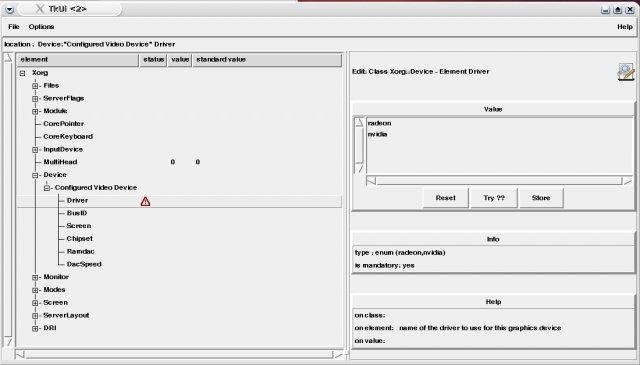
Config::Model enables a project developer to provide a graphical configuration editor for his users. For this, the developer must describe the structure and constraints of his project's config (i.e. the config model). Files are available on CPAN
Project Samples

Categories
Software DevelopmentLicense
GNU Library or Lesser General Public License version 2.0 (LGPLv2)Follow Create config data GUI with validation
Other Useful Business Software
Gen AI apps are built with MongoDB Atlas
MongoDB Atlas provides built-in vector search and a flexible document model so developers can build, scale, and run gen AI apps without stitching together multiple databases. From LLM integration to semantic search, Atlas simplifies your AI architecture—and it’s free to get started.
Rate This Project
Login To Rate This Project
User Reviews
Be the first to post a review of Create config data GUI with validation!
