Solid ExplorerNeatBytes
|
YXFileousaa
|
|||||
Related Products
|
||||||
About
Solid Explorer lets you navigate to files stored on your device and automatically organizes them into collections. You can view, delete, move, rename or share any files. It also allows you to quickly find the files you need through indexed search with filters. Solid Explorer can protect selected files with strong AES encryption and put them in a secure folder, which contents are unreadable for other apps. The file manager will ask for password or fingerprint confirmation when you browse the folder. Even if you uninstall Solid Explorer, the files stay on your device and are still protected. Although this file manager doesn’t feature a dedicated storage analyzer, you can find out which files take up most of space by going to folder properties of internal storage or SD card. You will find the information about the percentage of space each folder takes and the list of biggest files. You can also use search with a file size filter.
|
About
Your computer desktop is cluttered and confused, and the files or applications you want to find are always out of reach?
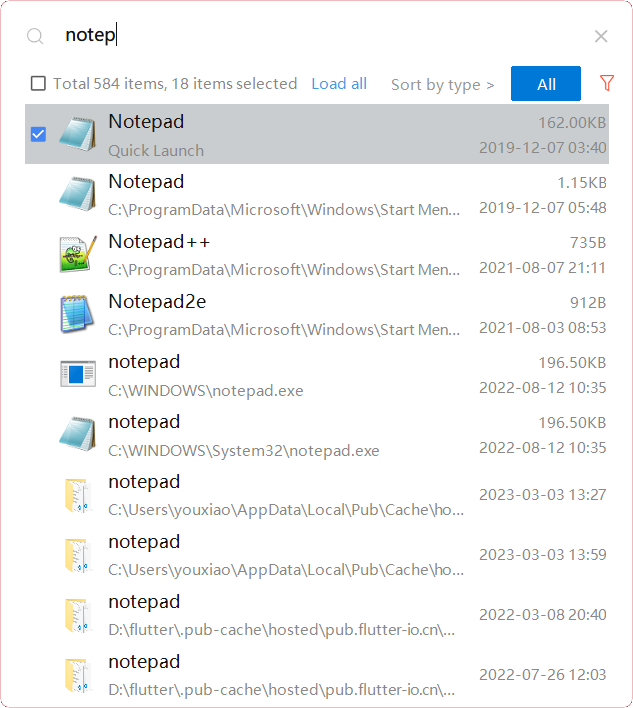
With YXFile you can tagging file, search file, launch apps.
Tag Any File:
YXFile can tag any file type on any file system: the tagging is stored in a database. YXFile won't mess up with your file names or leave hidden files on your disk. Move or rename a file under the same disk partition, its tags will not be lost
Search everything:
Search files and folders by name. as well as file tags and launch items.
Launch Apps:
One of the most powerful and favorite benefits of YXFile users is the Launch App feature. You can type the name of the program or application you want to open, or use a shortcode, click return, and YXFile opens the program.
|
|||||
Platforms Supported
Windows
Not Supported
Mac
Not Supported
Linux
Not Supported
Cloud
Not Supported
On-Premises
Not Supported
iPhone
Not Supported
iPad
Not Supported
Android
Supported
Chromebook
Not Supported
|
Platforms Supported
Windows
Supported
Mac
Not Supported
Linux
Not Supported
Cloud
Not Supported
On-Premises
Not Supported
iPhone
Not Supported
iPad
Not Supported
Android
Not Supported
Chromebook
Not Supported
|
|||||
Audience
Anyone looking for a file management app to protect files with strong encryption
|
Audience
Individual users who want to improve the efficiency of their computer use
|
|||||
Support
Phone Support
Not Supported
24/7 Live Support
Not Supported
Online
Supported
|
Support
Phone Support
Supported
24/7 Live Support
Not Supported
Online
Not Supported
|
|||||
API
Offers API
Not Supported
|
API
Offers API
Not Supported
|
|||||
Screenshots and Videos |
Screenshots and Videos |
|||||
Pricing
Free
Free Version
Supported
Free Trial
Not Supported
|
Pricing
$39/user
One-time payment for lifetime access to Yfile
Free Version
Not Supported
Free Trial
Supported
|
|||||
Reviews/
|
Reviews/
|
|||||
Training
Documentation
Not Supported
Webinars
Not Supported
Live Online
Not Supported
In Person
Not Supported
|
Training
Documentation
Supported
Webinars
Not Supported
Live Online
Not Supported
In Person
Not Supported
|
|||||
Company InformationNeatBytes
Poland
neatbytes.com/solidexplorer/
|
Company Informationousaa
Founded: 2016
China
yxfile.cc/
|
|||||
Alternatives |
Alternatives |
|||||
|
|
||||||
|
|
|
|||||
|
|
|
|||||
Categories |
Categories |
|||||
Integrations
Dropbox
Not Supported
Google Drive
Not Supported
|
||||||
|
|
|