SeleniumSoftware Freedom Conservancy
|
||||||
Related Products
|
||||||
About
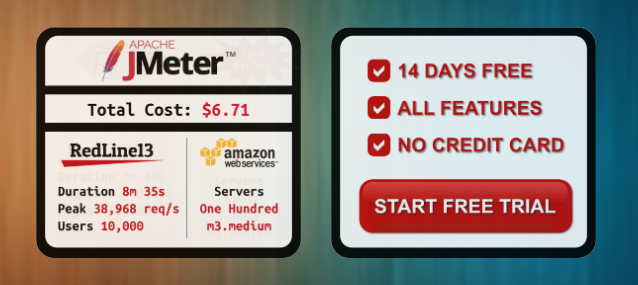
Open Architecture for Building and Running Load Tests. Need to quickly load test a home page, a single URL within your site, or even a mobile API endpoint. We allow you to compose simple tests and then scale them to tens of thousands of users within a few minutes. Apache JMeter, Gatling, Selenium, and WebDriver are more than just open source tools we enable in cloud load testing, they are vibrant communities with deep knowledge and products built on what real users need. Open load tests give you the flexibility of writing load tests in languages and utilities you use every day. You can write custom tests in Python, PHP or Node.js. We provide an open, easy, and cheap way for load testing. We achieve this with an open architecture which provides tuning and control to setting up the cloud load agents.
|
About
Selenium automates browsers. That's it! What you do with that power is entirely up to you. Primarily it is for automating web applications for testing purposes, but is certainly not limited to just that. Boring web-based administration tasks can (and should) also be automated as well. If you want to create robust, browser-based regression automation suites and tests, scale and distribute scripts across many environments, then you want to use Selenium WebDriver, a collection of language specific bindings to drive a browser - the way it is meant to be driven. If you want to create quick bug reproduction scripts, create scripts to aid in automation-aided exploratory testing, then you want to use Selenium IDE; a Chrome and Firefox add-on that will do simple record-and-playback of interactions with the browser. If you want to scale by distributing and running tests on several machines and manage multiple environments from a central point.
|
|||||
Platforms Supported
Windows
Not Supported
Mac
Not Supported
Linux
Not Supported
Cloud
Supported
On-Premises
Not Supported
iPhone
Not Supported
iPad
Not Supported
Android
Not Supported
Chromebook
Not Supported
|
Platforms Supported
Windows
Not Supported
Mac
Not Supported
Linux
Not Supported
Cloud
Supported
On-Premises
Not Supported
iPhone
Not Supported
iPad
Not Supported
Android
Not Supported
Chromebook
Not Supported
|
|||||
Audience
Organizations that want to perform load testing
|
Audience
Web app developers requiring a solution to automate their tasks
|
|||||
Support
Phone Support
Not Supported
24/7 Live Support
Not Supported
Online
Supported
|
Support
Phone Support
Not Supported
24/7 Live Support
Not Supported
Online
Not Supported
|
|||||
API
Offers API
Supported
|
API
Offers API
Not Supported
|
|||||
Screenshots and Videos |
Screenshots and Videos |
|||||
Pricing
$0 per month
Free version
Basic - $75/month (no commitment) Premium - $299/month (no commitment)
Free Version
Supported
Free Trial
Supported
|
Pricing
No information available.
Free Version
Not Supported
Free Trial
Not Supported
|
|||||
Reviews/
|
Reviews/
|
|||||
Pros & Cons from Real UsersPros
Cons
|
||||||
Training
Documentation
Supported
Webinars
Not Supported
Live Online
Not Supported
In Person
Not Supported
|
Training
Documentation
Supported
Webinars
Not Supported
Live Online
Not Supported
In Person
Not Supported
|
|||||
Company InformationRedLine13
Founded: 2009
United States
www.redline13.com
|
Company InformationSoftware Freedom Conservancy
Founded: 2006
United States
www.selenium.dev/
|
|||||
Alternatives |
Alternatives |
|||||
|
|
|
|||||
|
|
||||||
Categories |
Categories |
|||||
Load Testing Features
API Load Testing
Supported
Database Load Testing
Supported
Load Test Performance Reporting
Supported
Mail Load Testing
Not Supported
Multilocation Load Testing
Supported
Multiple Protocol Support
Supported
Test Script Customization
Supported
Web Application Testing
Supported
Performance Testing Features
API Testing
Supported
Benchmarking
Supported
Cross Browser Testing
Supported
Debugging
Not Supported
Historical Reporting
Supported
Load Testing
Supported
Mobile Testing
Supported
Parallel Testing
Supported
Regression Testing
Supported
UI Testing
Supported
Web Testing
Supported
|
Load Testing Features
API Load Testing
Supported
Database Load Testing
Supported
Load Test Performance Reporting
Supported
Mail Load Testing
Supported
Multilocation Load Testing
Not Supported
Multiple Protocol Support
Not Supported
Test Script Customization
Not Supported
Web Application Testing
Supported
Functional Testing Features
Automated Testing
Not Supported
Interface Testing
Supported
Regression Testing
Supported
Reporting / Analytics
Supported
Sanity Testing
Not Supported
Smoke Testing
Not Supported
System Testing
Not Supported
Unit Testing
Not Supported
|
|||||
Integrations
AWS Marketplace
Supported
Dynatrace
Supported
Alithya GoTest
Not Supported
Alumnium
Not Supported
AutomatePro
Not Supported
Blotout
Not Supported
HtmlUnit
Not Supported
Hughes Systique UTAF
Not Supported
LT Browser
Not Supported
Live Proxies
Not Supported
|
Integrations
AWS Marketplace
Supported
Dynatrace
Supported
Alithya GoTest
Supported
Alumnium
Supported
AutomatePro
Supported
Blotout
Supported
HtmlUnit
Supported
Hughes Systique UTAF
Supported
LT Browser
Supported
Live Proxies
Supported
|
|||||
|
|
|