Network SpeedEvozi
|
Speedtest Promifish
|
|||||
Related Products
|
||||||
About
Network Speed a small, fast and free network tool. You can monitor your network speed in real-time and show accurate info instantly in the background. Ever wonder why your webpage is loading slowly or looking for an internet speed meter for monitoring? Now you can check your network speed with ongoing notification or floating widget for real-time statistics at a glance. Real-time internet speed. App usage statistics. Network connections monitor (netstat). App usage statistics, lots of customization options. Track and monitor daily data and WiFi usage from notification. Battery and memory-efficient. Detailed daily data usage statistics. Download & upload speed graph. Daily traffic usage in notification. Monitors your traffic data for the last 30 days. Show ping result on floating widget. Hide when not connected to any network. Accurate data usage monitoring. Data usage alert (Bandwidth monitoring). Unobtrusive notification to let you focus on what's important.
|
About
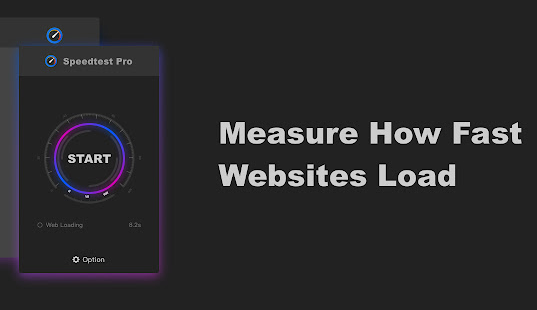
Test your network directly from your toolbar and quickly test your internet performance. One-click testing of the Internet connection, and can reflect the user's network status from multiple angles. Speedtest Pro is a professional-grade speed tester, which can make it easy for users to find out the fault cause. Ping value could be measured and displayed in seconds. Test download speed and upload speed. Test the loading speed of the current web page. Open advanced options, you can choose to test the loading speed of the current web page or not. The time from the PC sends data to the webserver until it receives feedback from the server. It's usually expressed by the degree of network delay in online games. The larger the Ping value is, the more serious the network delay is, and the less smooth the game runs. Upstream traffic of network data per unit time. Ordinary broadband uplink and downlink are not equal, upstream broadband usually speeds limit.
|
|||||
Platforms Supported
Windows
Not Supported
Mac
Not Supported
Linux
Not Supported
Cloud
Not Supported
On-Premises
Not Supported
iPhone
Not Supported
iPad
Not Supported
Android
Supported
Chromebook
Not Supported
|
Platforms Supported
Windows
Not Supported
Mac
Not Supported
Linux
Not Supported
Cloud
Not Supported
On-Premises
Not Supported
iPhone
Not Supported
iPad
Not Supported
Android
Supported
Chromebook
Not Supported
|
|||||
Audience
Individuals interested in a network mobile application to monitor their network speed
|
Audience
Individuals in search of a solution to test their network speed and Internet performance
|
|||||
Support
Phone Support
Not Supported
24/7 Live Support
Not Supported
Online
Supported
|
Support
Phone Support
Not Supported
24/7 Live Support
Not Supported
Online
Supported
|
|||||
API
Offers API
Not Supported
|
API
Offers API
Not Supported
|
|||||
Screenshots and Videos |
Screenshots and Videos |
|||||
Pricing
No information available.
Free Version
Supported
Free Trial
Not Supported
|
Pricing
No information available.
Free Version
Supported
Free Trial
Not Supported
|
|||||
Reviews/
|
Reviews/
|
|||||
Training
Documentation
Not Supported
Webinars
Not Supported
Live Online
Not Supported
In Person
Not Supported
|
Training
Documentation
Not Supported
Webinars
Not Supported
Live Online
Not Supported
In Person
Supported
|
|||||
Company InformationEvozi
United States
www.evozi.com
|
Company Informationmifish
China
chrome.google.com/webstore/detail/speedtest-pro-free-online/ibiejjpajlfljcgjndbonclhcbdcamai
|
|||||
Alternatives |
Alternatives |
|||||
|
|
||||||
|
|
||||||
|
|
|
|||||
|
|
||||||
Categories |
Categories |
|||||
Integrations
No info available.
|
Integrations
No info available.
|
|||||
|
|
|