Maple CalculatorMapleSoft
|
||||||
Related Products
|
||||||
About
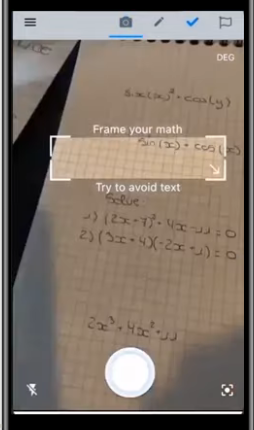
Maple Calculator is a free powerful math solver and versatile math learning tool that gives you answers, 2D and 3D graphs, and even step-by-step solutions! Whether you are doing simple calculations or working on university-level math problems, Maple Calculator can do it all. Enter handwritten and typeset math problems at the click of your camera using powerful AI technology. Or, enter your expression into the calculator using the same mathematical notation your teacher uses, your problem is easy to enter because it looks right. No matter how you enter your problem, you can find integrals, factor polynomials, invert matrices, solve systems of equations, solve ODEs, and much more. The app has the power of the world-leading Maple math engine behind it, so it can do a lot of math! In addition to the answer, you get fully worked, step-by-step solutions to a wide variety of math problems, including solving systems of equations; finding limits, derivatives, and, integrals.
|
About
Quiver is a notebook built for programmers. It lets you easily mix text, code, Markdown and LaTeX within one note, edit code with an awesome code editor, live preview Markdown and LaTeX, and find any note instantly via the full-text search. A note in Quiver is comprised of cells, snippets of text, code, Markdown, LaTeX (via MathJax) or diagrams (sequence diagram, flowchart). You can freely mix different cell types within one note. You can set different languages for different code cells, too. The programmer's notebook should make code editing effortless. Quiver packs the awesome ACE code editor in code cells, with syntax highlighting support for more than 120 languages, over 20 themes, automatic indent and outdent, and much more. Quiver lets you write in Markdown with inline formatting and custom CSS options. A live preview window renders Markdown as you type. Quiver uses MathJax to typeset mathematical equations written in LaTeX.
|
|||||
Platforms Supported
Windows
Mac
Linux
Cloud
On-Premises
iPhone
iPad
Android
Chromebook
|
Platforms Supported
Windows
Mac
Linux
Cloud
On-Premises
iPhone
iPad
Android
Chromebook
|
|||||
Audience
Users that are searching for a solution to learn and get answers to mathematical problems
|
Audience
Programmers and developers looking for a notebook solution to mix and edit text, code, and Markdown
|
|||||
Support
Phone Support
24/7 Live Support
Online
|
Support
Phone Support
24/7 Live Support
Online
|
|||||
API
Offers API
|
API
Offers API
|
|||||
Screenshots and Videos |
Screenshots and Videos |
|||||
Pricing
Free
Free Version
Free Trial
|
Pricing
No information available.
Free Version
Free Trial
|
|||||
Reviews/
|
Reviews/
|
|||||
Pros & Cons from Real UsersPros
Cons
|
||||||
Training
Documentation
Webinars
Live Online
In Person
|
Training
Documentation
Webinars
Live Online
In Person
|
|||||
Company InformationMapleSoft
Canada
www.maplesoft.com/products/MapleCalculator/
|
Company InformationQuiver
Founded: 2019
HappenApps
happenapps.com
|
|||||
Alternatives |
Alternatives |
|||||
|
|
||||||
|
|
||||||
|
|
||||||
Categories |
Categories |
|||||
Integrations
CSS
Dropbox
Google Drive
HTML
JSON
LaTeX
Legion
Markdown
SnippetsLab
iCloud
|
Integrations
CSS
Dropbox
Google Drive
HTML
JSON
LaTeX
Legion
Markdown
SnippetsLab
iCloud
|
|||||
|
|
|