RecropADVA Soft
|
||||||
| Inpaint | Recrop | |||||
|---|---|---|---|---|---|---|
Related Products
|
||||||
Inpaint:
About
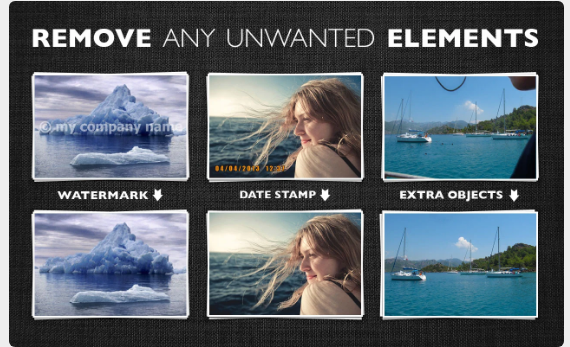
Inpaint will magically fill the selected area with intelligently-generated textures pulled from the surrounding image data. Go to our Tutorials page and see for yourself how easy it is for anyone to do with just a few simple steps. Drop a file here or click to upload an image. The format should be JPG, PNG or WebP. The maximum image size is 10Mb. The maximum image resolution is 4.2 megapixels. Frustrated by nasty tourists stalking back and forth and spoiling the best shots? Take them away from your photos with Inpaint! With a few simple gestures, you will get clear, spectacular pictures, just like you intended them to be. Inpaint allows you to select unnecessary objects or persons on a photo in literally seconds, so all you have to do then is to let Inpaint do the rest. Aside from the information we truly want to see in our photographs, there are also many not so crucial for composition if not worse. So remove it with Inpaint!
|
Recrop:
About
Recrop allows reframing images even after they have already been taken. Move a photo frame or drag its handles toward the inside or outside a photo to recompose the shot. The clever app will automatically fill in the expanded areas based on the content surrounding it. With the list of the most common aspect ratios the app has to offer, you can obtain a photo of the needed proportions fast and with no effort. As soon as a specific ratio is selected, tap the Apply button and the app will crop or uncrop your shot to those specific dimensions. Recrop provides you with a set of the classical composition grids to help you be accurate when recomposing your images. After selecting a grid, just move a photo frame as needed to balance the photo. Straighten a crooked horizon line in a photo by swiping left or right or up or down anywhere outside the photo frame. The resolution of the photo won't be lost — the nearby pixels will be copied and added to the areas created.
|
|||||
Inpaint:
Platforms Supported
Windows
Supported
Mac
Supported
Linux
Not Supported
Cloud
Supported
On-Premises
Not Supported
iPhone
Not Supported
iPad
Not Supported
Android
Not Supported
Chromebook
Not Supported
|
Recrop:
Platforms Supported
Windows
Not Supported
Mac
Not Supported
Linux
Not Supported
Cloud
Not Supported
On-Premises
Not Supported
iPhone
Supported
iPad
Supported
Android
Not Supported
Chromebook
Not Supported
|
|||||
Inpaint:
Audience
Photographers and anyone seeking a solution to remove objects from their photos online
|
Recrop:
Audience
Tool to reframe photos for anyone
|
|||||
Inpaint:
Support
Phone Support
Not Supported
24/7 Live Support
Not Supported
Online
Supported
|
Recrop:
Support
Phone Support
Supported
24/7 Live Support
Not Supported
Online
Supported
|
|||||
Inpaint:
API
Offers API
Not Supported
|
Recrop:
API
Offers API
Not Supported
|
|||||
Inpaint:
Screenshots and Videos |
Recrop:
Screenshots and Videos |
|||||
Inpaint:
Pricing
$19.99 one-time payment
Free Version
Not Supported
Free Trial
Not Supported
|
Recrop:
Pricing
$1.99 per license
Free Version
Not Supported
Free Trial
Not Supported
|
|||||
Inpaint:
Reviews/
|
Recrop:
Reviews/
|
|||||
Inpaint:
Training
Documentation
Supported
Webinars
Not Supported
Live Online
Not Supported
In Person
Not Supported
|
Recrop:
Training
Documentation
Supported
Webinars
Not Supported
Live Online
Not Supported
In Person
Not Supported
|
|||||
Inpaint:
Company InformationInpaint
United States
theinpaint.com
|
Recrop:
Company InformationADVA Soft
Founded: 2007
Germany
adva-soft.com/app-pageRecrop.html
|
|||||
Inpaint:
Alternatives |
Recrop:
Alternatives |
|||||
| Inpaint: |
Recrop:
|
|||||
|
Inpaint:
|
Recrop: | |||||
|
Inpaint:
|
Recrop:
|
|||||
|
Inpaint:
|
Recrop:
|
|||||
Inpaint:
Categories |
Recrop:
Categories |
|||||
Inpaint:
Integrations
No info available.
|
Recrop:
Integrations
No info available.
|
|||||
|
Inpaint:
|
Recrop:
|