TM4JSmartBear
|
||||||
Related Products
|
||||||
About
GitLab is a complete DevOps platform. With GitLab, you get a complete CI/CD toolchain out-of-the-box. One interface. One conversation. One permission model. GitLab is a complete DevOps platform, delivered as a single application, fundamentally changing the way Development, Security, and Ops teams collaborate. GitLab helps teams accelerate software delivery from weeks to minutes, reduce development costs, and reduce the risk of application vulnerabilities while increasing developer productivity. Source code management enables coordination, sharing and collaboration across the entire software development team. Track and merge branches, audit changes and enable concurrent work, to accelerate software delivery. Review code, discuss changes, share knowledge, and identify defects in code among distributed teams via asynchronous review and commenting. Automate, track and report code reviews.
|
About
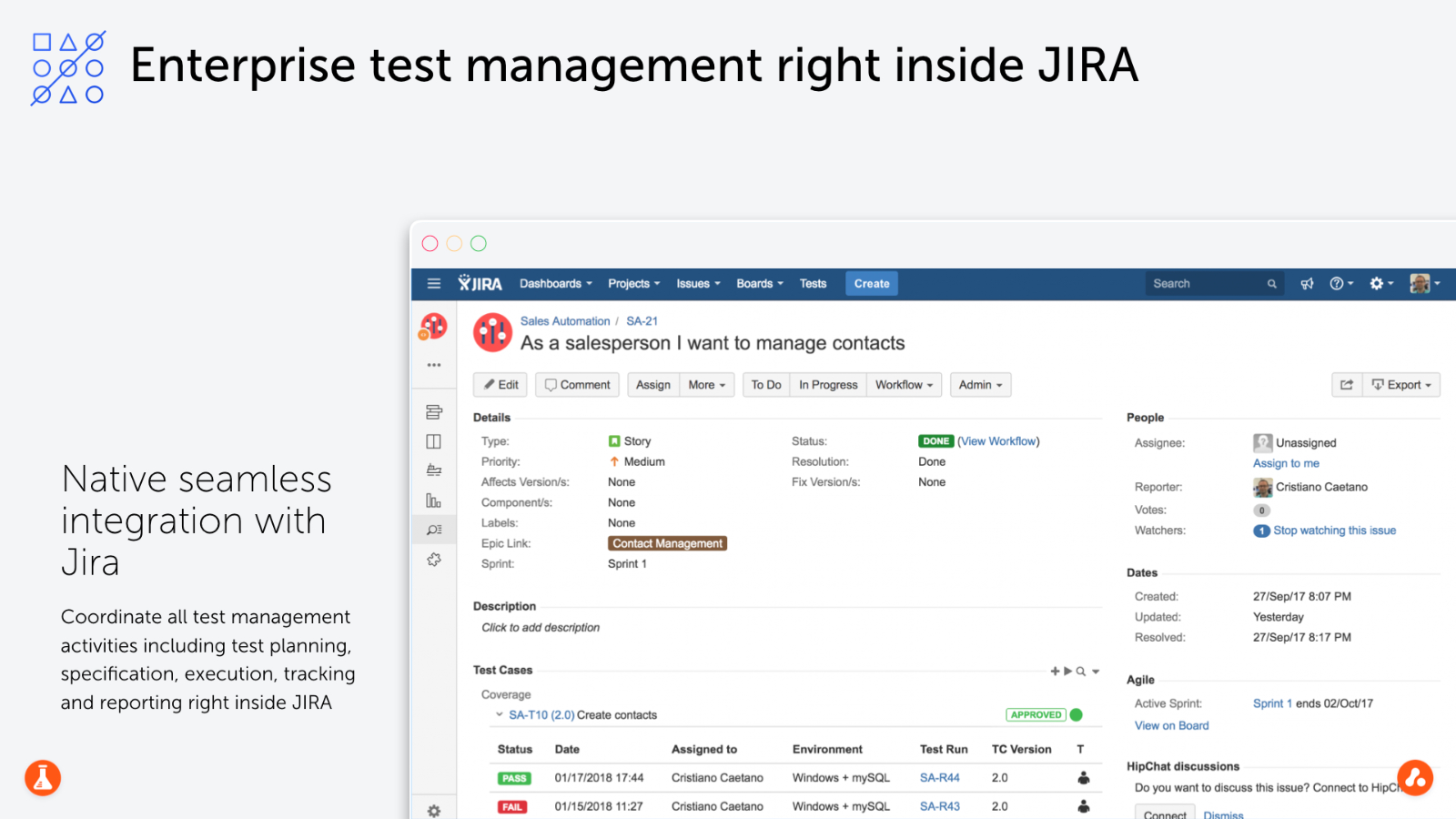
Test Management for Jira (TM4J) is the enterprise test management tool to plan, manage, and measure your entire testing life-cycle inside Jira for both agile and waterfall methodologies.
TM4J offers scalability, availability and performance for mission-critical projects running on any Jira deployment (Cloud, Server and DataCenter). By using TM4J you'll empower agile teams with BDD at scale with Cucumber or your chosen gherkin compatible tool for collaboration between developers, testers and domain experts.
Take advantage of up to 70 built-in reports to make informed decisions based on real-time metrics across your entire software development lifecycle. With our powerful FREE REST API, easily integrate CI servers, DevOps and test automation tools and frameworks you already use to save time and effort.
TM4J is used by more than 3.000 clients worldwide and is the top rated QA and Testing app for Jira.
|
|||||
Platforms Supported
Windows
Not Supported
Mac
Not Supported
Linux
Not Supported
Cloud
Supported
On-Premises
Supported
iPhone
Not Supported
iPad
Not Supported
Android
Not Supported
Chromebook
Not Supported
|
Platforms Supported
Windows
Supported
Mac
Supported
Linux
Not Supported
Cloud
Supported
On-Premises
Not Supported
iPhone
Not Supported
iPad
Not Supported
Android
Not Supported
Chromebook
Not Supported
|
|||||
Audience
Organizations that need a cloud-based DevOps, code repository, and application development platform
|
Audience
Software testers, test managers, QA
|
|||||
Support
Phone Support
Not Supported
24/7 Live Support
Supported
Online
Supported
|
Support
Phone Support
Supported
24/7 Live Support
Not Supported
Online
Supported
|
|||||
API
Offers API
Supported
|
API
Offers API
Not Supported
|
|||||
Screenshots and Videos |
Screenshots and Videos |
|||||
Pricing
$29 per user per month
Free Version
Supported
Free Trial
Supported
|
Pricing
$10.00/month
Free Version
Not Supported
Free Trial
Supported
|
|||||
Reviews/
|
Reviews/
|
|||||
Pros & Cons from Real UsersPros
Cons
|
||||||
Training
Documentation
Supported
Webinars
Supported
Live Online
Not Supported
In Person
Supported
|
Training
Documentation
Supported
Webinars
Not Supported
Live Online
Not Supported
In Person
Not Supported
|
|||||
Company InformationGitLab
Founded: 2011
United States
gitlab.com
|
Company InformationSmartBear
Founded: 2009
United States
smartbear.com/product/tm4j/overview/
|
|||||
Alternatives |
Alternatives |
|||||
|
|
||||||
|
|
||||||
Categories |
Categories |
|||||
Agile Project Management Tools Features
Backlog Management
Supported
Feedback Management
Not Supported
Gantt/Timeline View
Supported
Kanban Board
Supported
Prioritization
Supported
Request Management
Not Supported
Resource Management
Not Supported
Retrospectives Management
Not Supported
Status Tracking
Not Supported
Supports Scrum
Supported
Team Management
Not Supported
Template Management
Not Supported
Workflow Management
Supported
Continuous Integration Features
Build Log
Supported
Change Management
Supported
Configuration Management
Supported
Continuous Delivery
Supported
Continuous Deployment
Supported
Debugging
Supported
Permission Management
Supported
Quality Assurance Management
Supported
Testing Management
Supported
DevOps Features
Approval Workflow
Supported
Dashboard
Supported
KPIs
Supported
Policy Management
Supported
Portfolio Management
Supported
Prioritization
Not Supported
Release Management
Supported
Timeline Management
Not Supported
Troubleshooting Reports
Not Supported
Application Development Features
Access Controls/Permissions
Supported
Code Assistance
Not Supported
Code Refactoring
Supported
Collaboration Tools
Supported
Compatibility Testing
Supported
Data Modeling
Supported
Debugging
Not Supported
Deployment Management
Supported
Graphical User Interface
Not Supported
Mobile Development
Not Supported
No-Code
Supported
Reporting/Analytics
Supported
Software Development
Not Supported
Source Control
Supported
Testing Management
Not Supported
Version Control
Supported
Web App Development
Not Supported
Continuous Delivery Features
Application Lifecycle Management
Supported
Application Release Automation
Supported
Build Automation
Supported
Build Log
Supported
Change Management
Supported
Configuration Management
Supported
Continuous Deployment
Supported
Continuous Integration
Supported
Feature Toggles / Feature Flags
Supported
Quality Management
Supported
Testing Management
Supported
Source Code Management Features
Access Controls/Permissions
Supported
Bug Tracking
Supported
Build Automation
Supported
Change Management
Supported
Code Review
Supported
Collaboration
Supported
Continuous Integration
Supported
Repository Management
Supported
Version Control
Supported
Static Application Security Testing (SAST) Features
Application Security
Supported
Dashboard
Supported
Debugging
Not Supported
Deployment Management
Not Supported
IDE
Not Supported
Multi-Language Scanning
Supported
Real-Time Analytics
Not Supported
Source Code Scanning
Supported
Vulnerability Scanning
Supported
Version Control Features
Branch Creation / Deletion
Supported
Centralized Version History
Supported
Code Review
Supported
Code Version Management
Supported
Collaboration Tools
Supported
Compare / Merge Branches
Supported
Digital Asset / Binary File Storage
Supported
Isolated Code Branches
Supported
Option to Revert to Previous
Supported
Pull Requests
Supported
Roles / Permissions
Supported
|
Agile Project Management Tools Features
Backlog Management
Not Supported
Feedback Management
Not Supported
Gantt/Timeline View
Not Supported
Kanban Board
Not Supported
Prioritization
Not Supported
Request Management
Not Supported
Resource Management
Not Supported
Retrospectives Management
Not Supported
Status Tracking
Supported
Supports Scrum
Not Supported
Team Management
Not Supported
Template Management
Not Supported
Workflow Management
Supported
Automated Testing Features
Hierarchical View
Supported
Move & Copy
Supported
Parameterized Testing
Supported
Requirements-Based Testing
Supported
Security Testing
Not Supported
Supports Parallel Execution
Not Supported
Test Script Reviews
Supported
Unicode Compliance
Not Supported
Continuous Integration Features
Build Log
Not Supported
Change Management
Not Supported
Configuration Management
Not Supported
Continuous Delivery
Supported
Continuous Deployment
Supported
Debugging
Not Supported
Permission Management
Not Supported
Quality Assurance Management
Not Supported
Testing Management
Supported
DevOps Features
Approval Workflow
Supported
Dashboard
Supported
KPIs
Not Supported
Policy Management
Not Supported
Portfolio Management
Not Supported
Prioritization
Not Supported
Release Management
Not Supported
Timeline Management
Not Supported
Troubleshooting Reports
Not Supported
Bug Tracking Features
Backlog Management
Not Supported
Filtering
Supported
Issue Tracking
Supported
Release Management
Supported
Task Management
Not Supported
Ticket Management
Not Supported
Workflow Management
Supported
Issue Tracking Features
Assignment Management
Supported
Dashboard
Supported
Escalation Management
Supported
Issue Auditing
Supported
Issue Scheduling
Supported
Knowledge Base
Not Supported
Project Management
Not Supported
Recurring Issues
Not Supported
Scheduling
Not Supported
Task Management
Not Supported
Performance Testing Features
API Testing
Not Supported
Benchmarking
Not Supported
Cross Browser Testing
Not Supported
Debugging
Not Supported
Historical Reporting
Not Supported
Load Testing
Not Supported
Mobile Testing
Not Supported
Parallel Testing
Not Supported
Regression Testing
Supported
UI Testing
Not Supported
Web Testing
Not Supported
Quality Management Features
Audit Management
Not Supported
Complaint Management
Not Supported
Compliance Management
Not Supported
Corrective and Preventive Actions (CAPA)
Not Supported
Defect Tracking
Supported
Document Control
Not Supported
Equipment Management
Not Supported
ISO Standards Management
Not Supported
Maintenance Management
Not Supported
Risk Management
Not Supported
Supplier Quality Control
Not Supported
Training Management
Not Supported
|
|||||
Integrations
Jira
Supported
QF-Test
Supported
BugHerd
Supported
Cloudoor
Supported
Codacy
Supported
Complyance
Supported
Data V
Supported
DeployRamp
Supported
Flue
Supported
Gatus
Supported
|
Integrations
Jira
Supported
QF-Test
Supported
BugHerd
Not Supported
Cloudoor
Not Supported
Codacy
Not Supported
Complyance
Not Supported
Data V
Not Supported
DeployRamp
Not Supported
Flue
Not Supported
Gatus
Not Supported
|
|||||
|
|
|