Related Products
|
||||||
About
Docker takes away repetitive, mundane configuration tasks and is used throughout the development lifecycle for fast, easy and portable application development, desktop and cloud. Docker’s comprehensive end-to-end platform includes UIs, CLIs, APIs and security that are engineered to work together across the entire application delivery lifecycle. Get a head start on your coding by leveraging Docker images to efficiently develop your own unique applications on Windows and Mac. Create your multi-container application using Docker Compose. Integrate with your favorite tools throughout your development pipeline, Docker works with all development tools you use including VS Code, CircleCI and GitHub. Package applications as portable container images to run in any environment consistently from on-premises Kubernetes to AWS ECS, Azure ACI, Google GKE and more. Leverage Docker Trusted Content, including Docker Official Images and images from Docker Verified Publishers.
|
About
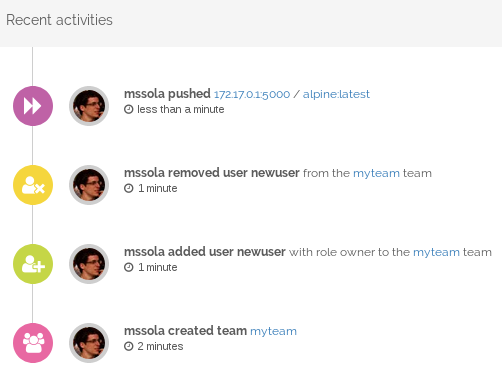
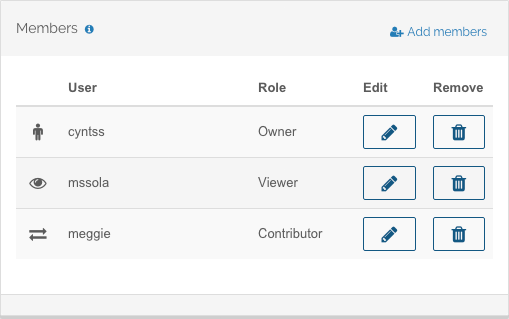
Portus implements the new authorization scheme defined by the latest version of the Docker registry. It allows for fine grained control over all of your images. You decide which users and teams are allowed to push or pull images. Map your company organization inside of Portus, define as many teams as you want and add and remove users from them. Portus provides an intuitive overview of the contents of your private registry. It also features a search capability to find images even faster. User privileges are constantly taken into account, even when browsing the contents of the repository or when performing searches. Keep everything under control. All the relevant events are automatically logged by Portus and are available for analysis by admin users. Non-admin users can also use this feature to keep up with relevant changes.
|
|||||
Platforms Supported
Windows
Not Supported
Mac
Not Supported
Linux
Not Supported
Cloud
Supported
On-Premises
Supported
iPhone
Not Supported
iPad
Not Supported
Android
Not Supported
Chromebook
Not Supported
|
Platforms Supported
Windows
Not Supported
Mac
Not Supported
Linux
Not Supported
Cloud
Supported
On-Premises
Not Supported
iPhone
Not Supported
iPad
Not Supported
Android
Not Supported
Chromebook
Not Supported
|
|||||
Audience
Organizations that need a comprehensive container management solution
|
Audience
IT teams looking for an open source authorization service and user interface solution for the next generation Docker registry
|
|||||
Support
Phone Support
Supported
24/7 Live Support
Not Supported
Online
Supported
|
Support
Phone Support
Not Supported
24/7 Live Support
Not Supported
Online
Supported
|
|||||
API
Offers API
Not Supported
|
API
Offers API
Supported
|
|||||
Screenshots and Videos |
Screenshots and Videos |
|||||
Pricing
$7 per month
Free Version
Not Supported
Free Trial
Not Supported
|
Pricing
No information available.
Free Version
Not Supported
Free Trial
Not Supported
|
|||||
Reviews/
|
Reviews/
|
|||||
Pros & Cons from Real UsersPros
Cons
|
||||||
Training
Documentation
Not Supported
Webinars
Not Supported
Live Online
Not Supported
In Person
Supported
|
Training
Documentation
Supported
Webinars
Not Supported
Live Online
Not Supported
In Person
Not Supported
|
|||||
Company InformationDocker
www.docker.com
|
Company InformationPortus
port.us.org
|
|||||
Alternatives |
Alternatives |
|||||
|
|
||||||
|
|
||||||
|
|
||||||
|
|
||||||
Categories |
Categories |
|||||
Application Development Features
Access Controls/Permissions
Supported
Code Assistance
Not Supported
Code Refactoring
Supported
Collaboration Tools
Supported
Compatibility Testing
Supported
Data Modeling
Supported
Debugging
Not Supported
Deployment Management
Supported
Graphical User Interface
Not Supported
Mobile Development
Not Supported
No-Code
Supported
Reporting/Analytics
Supported
Software Development
Not Supported
Source Control
Supported
Testing Management
Not Supported
Version Control
Not Supported
Web App Development
Not Supported
|
||||||
Integrations
AnduinOS
Supported
AquilaX
Supported
Astro by Astronomer
Supported
Bitergia Analytics
Supported
Flex83
Supported
IPFS Cluster
Supported
KoboToolbox
Supported
LibreChat
Supported
Logishop
Supported
Netris
Supported
|
Integrations
AnduinOS
Not Supported
AquilaX
Not Supported
Astro by Astronomer
Not Supported
Bitergia Analytics
Not Supported
Flex83
Not Supported
IPFS Cluster
Not Supported
KoboToolbox
Not Supported
LibreChat
Not Supported
Logishop
Not Supported
Netris
Not Supported
|
|||||
|
|
|