Designcenter Solid EdgeSiemens
|
Simcenter ComposeSiemens
|
|||||
Related Products
|
||||||
About
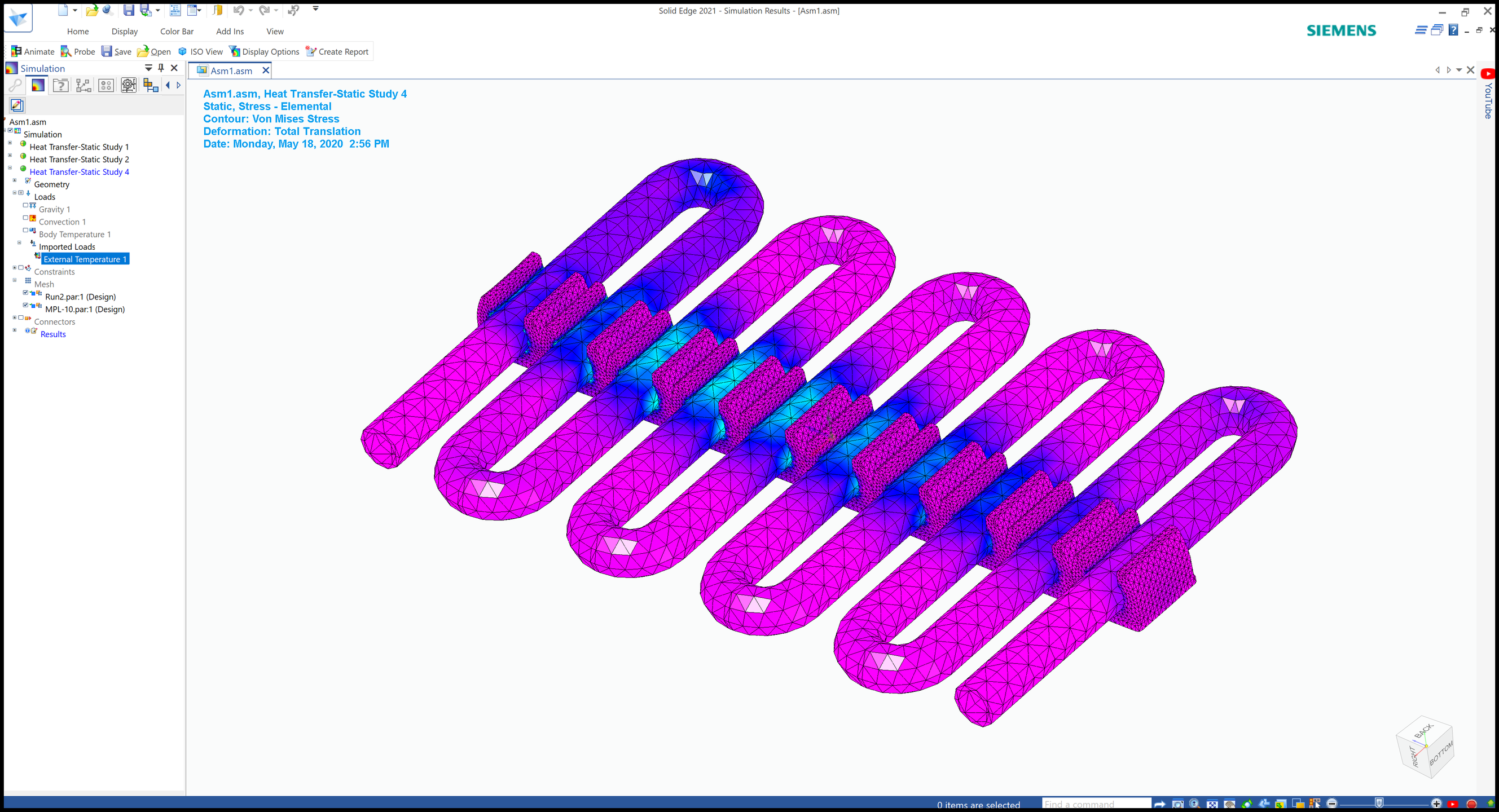
Designcenter Solid Edge is a Siemens product development portfolio that provides tools for mechanical design, electrical design, simulation, manufacturing, technical publications, data management, and collaboration. It combines the speed of direct modeling with the control of parametric design through synchronous technology. The software helps teams create 2D drawings, 3D models, electrical systems, simulations, manufacturing outputs, 3D printing workflows, and technical documentation. Designcenter Solid Edge is designed to be affordable, easy to learn, and scalable for different product development needs. It supports faster design changes, reuse of supplier CAD parts, realistic 3D modeling, and collaboration across engineering and manufacturing teams. With its complete portfolio of connected tools, Designcenter Solid Edge helps companies bring better products to market more efficiently.
|
About
Simcenter Compose is a numerical computing environment from Siemens designed for custom mathematical data operations and CAE pre- and post-processing work. It allows engineers to perform a wide range of math operations, including linear algebra, matrix manipulation, statistics, differential equations, signal processing, control systems, polynomial fitting, and optimization. The software includes native CAE and test result readers that help users better understand systems and support model-based development. Simcenter Compose provides a user-friendly integrated development environment with all capabilities available in one multi-functional tool and no additional toolboxes required. Users can develop reusable scripts, automate repeated calculations, visualize results with 2D and 3D plots, and connect with OML, Octave, and Python environments. It can be used as a standalone tool or alongside other Simcenter products such as Simcenter Embed and Simcenter Twin Activate.
|
|||||
Platforms Supported
Windows
Mac
Linux
Cloud
On-Premises
iPhone
iPad
Android
Chromebook
|
Platforms Supported
Windows
Mac
Linux
Cloud
On-Premises
iPhone
iPad
Android
Chromebook
|
|||||
Audience
Designcenter Solid Edge is best suited for mechanical engineers, product designers, manufacturers, machine builders, CAD users, small businesses, and engineering teams that need affordable, scalable tools for design, simulation, manufacturing, documentation, and data management
|
Audience
Simcenter Compose is best suited for engineers, simulation specialists, CAE analysts, product development teams, and technical organizations that need numerical computing, scripting, data visualization, and model-based development support
|
|||||
Support
Phone Support
24/7 Live Support
Online
|
Support
Phone Support
24/7 Live Support
Online
|
|||||
API
Offers API
|
API
Offers API
|
|||||
Screenshots and Videos |
Screenshots and Videos |
|||||
Pricing
$75/month/user
Free Version
Free Trial
|
Pricing
No information available.
Free Version
Free Trial
|
|||||
Reviews/
|
Reviews/
|
|||||
Training
Documentation
Webinars
Live Online
In Person
|
Training
Documentation
Webinars
Live Online
In Person
|
|||||
Company InformationSiemens
Founded: 1847
Germany
solidedge.siemens.com/en/
|
Company InformationSiemens
Founded: 1847
Germany
www.siemens.com/en-us/products/simcenter/systems-simulation/compose/
|
|||||
Alternatives |
Alternatives |
|||||
|
|
|
|||||
|
|
|
|||||
|
|
|
|||||
|
|
|
|||||
Categories |
Categories |
|||||
CAD Features
2 1/2-Axis Milling
2D Drawing
3-Axis Milling
3D Modeling
4-Axis Milling
5-Axis Milling
Civil
Collaboration
Database Connectivity
Design Analysis
Design Export
Document Management
Electrical
Hole Making
Mechanical
Mechatronics
Presentation Tools
Simulate Cycles
Spiral Output
Structural Engineering
Toolpath Simulation
User Defined Cycles
Computer-Aided Engineering (CAE) Features
CAD/CAM Compatibility
Finite Element Analysis
Fluid Dynamics
Import / Export Files
Integrated 3D Modeling
Manufacturing Process Simulation
Mechanical Event Simulation
Multibody Dynamics
Thermal Analysis
Electrical Design Features
CAD Tools
Change Management
Collaboration
Compliance Management
Document Generation
Drag & Drop
Electrical Parts Catalog
Functions / Calculations
One Line Diagram
PLC Tools
Reusable Designs
Symbol Library
Engineering Features
2D Drawing
3D Modeling
Chemical Engineering
Civil Engineering
Collaboration
Design Analysis
Design Export
Document Management
Electrical Engineering
Mechanical Engineering
Mechatronics
Presentation Tools
Structural Engineering
|
||||||
Integrations
3Dfindit
BoltsEtAl
Box
Check Point IPS
Check Point Infinity
DraftAid
Dropbox
Google Drive
HOOPS Exchange
K-Display Convert
|
Integrations
3Dfindit
BoltsEtAl
Box
Check Point IPS
Check Point Infinity
DraftAid
Dropbox
Google Drive
HOOPS Exchange
K-Display Convert
|
|||||
|
|
|