Designcenter Solid EdgeSiemens
|
||||||
Related Products
|
||||||
About
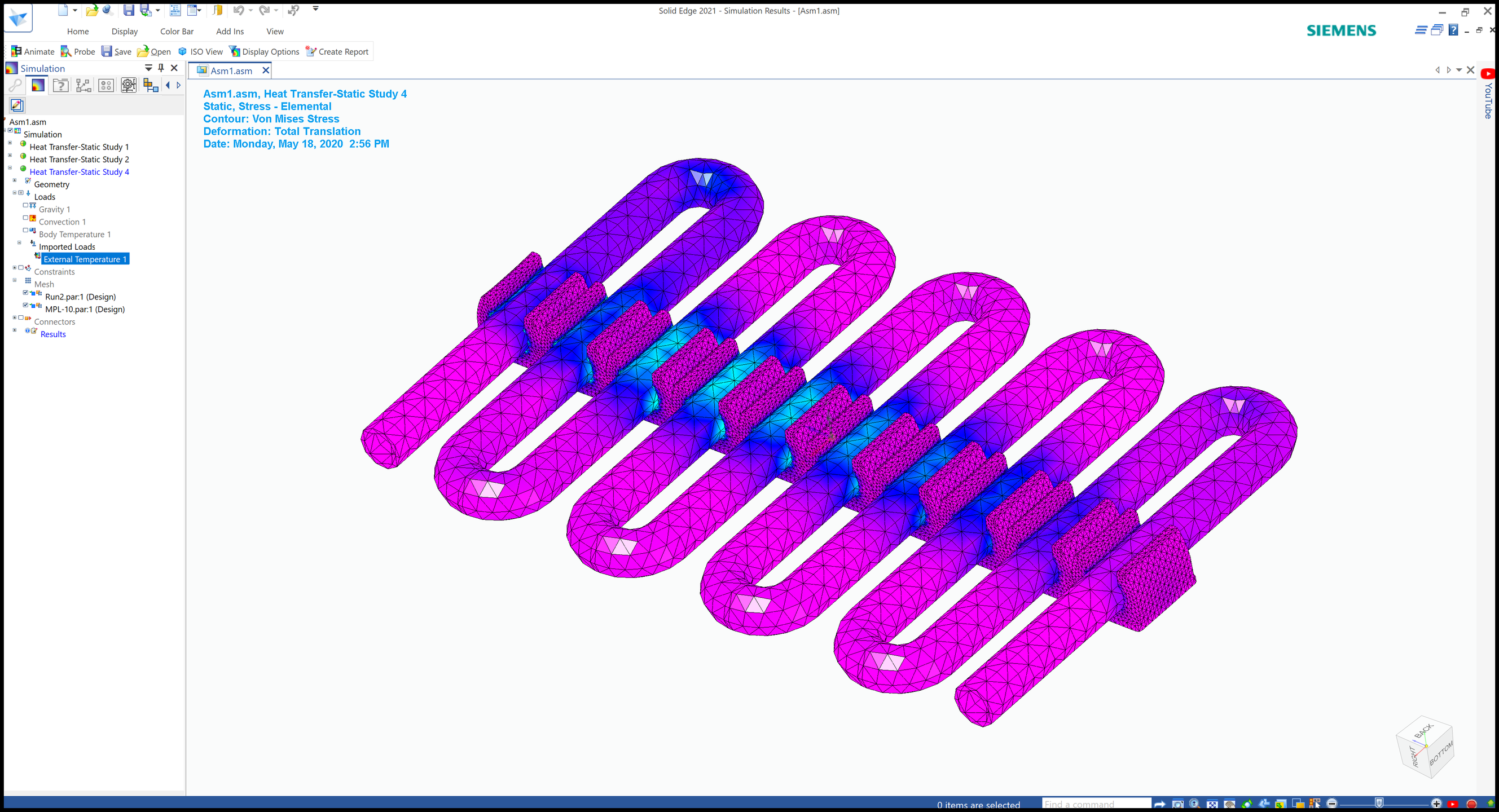
Designcenter Solid Edge is a Siemens product development portfolio that provides tools for mechanical design, electrical design, simulation, manufacturing, technical publications, data management, and collaboration. It combines the speed of direct modeling with the control of parametric design through synchronous technology. The software helps teams create 2D drawings, 3D models, electrical systems, simulations, manufacturing outputs, 3D printing workflows, and technical documentation. Designcenter Solid Edge is designed to be affordable, easy to learn, and scalable for different product development needs. It supports faster design changes, reuse of supplier CAD parts, realistic 3D modeling, and collaboration across engineering and manufacturing teams. With its complete portfolio of connected tools, Designcenter Solid Edge helps companies bring better products to market more efficiently.
|
About
SimScale is a cloud-based web application that plays a key part in simulation software for many kinds of industries. The platform allows the use of Computational Fluid Dynamics (CFD), Finite Element Analysis (FEA), and Thermal Simulation. It also offers 3D simulation, continuous modeling, and motion & dynamic modeling.
|
|||||
Platforms Supported
Windows
Supported
Mac
Not Supported
Linux
Not Supported
Cloud
Supported
On-Premises
Not Supported
iPhone
Not Supported
iPad
Not Supported
Android
Not Supported
Chromebook
Not Supported
|
Platforms Supported
Windows
Not Supported
Mac
Not Supported
Linux
Not Supported
Cloud
Supported
On-Premises
Not Supported
iPhone
Not Supported
iPad
Not Supported
Android
Not Supported
Chromebook
Not Supported
|
|||||
Audience
Designcenter Solid Edge is best suited for mechanical engineers, product designers, manufacturers, machine builders, CAD users, small businesses, and engineering teams that need affordable, scalable tools for design, simulation, manufacturing, documentation, and data management
|
Audience
Engineering and design professionals .
|
|||||
Support
Phone Support
Supported
24/7 Live Support
Not Supported
Online
Supported
|
Support
Phone Support
Supported
24/7 Live Support
Not Supported
Online
Supported
|
|||||
API
Offers API
Not Supported
|
API
Offers API
Not Supported
|
|||||
Screenshots and Videos |
Screenshots and Videos |
|||||
Pricing
$75/month/user
Design and Drafting: $75/month/user
Foundation: $185/month/user Classic: $230/month/user Premium: $329/month/user
Free Version
Supported
Free Trial
Supported
|
Pricing
No information available.
Free Version
Supported
Free Trial
Supported
|
|||||
Reviews/
|
Reviews/
|
|||||
Pros & Cons from Real UsersPros
Cons
|
Pros & Cons from Real UsersPros
Cons
|
|||||
Training
Documentation
Supported
Webinars
Supported
Live Online
Supported
In Person
Supported
|
Training
Documentation
Supported
Webinars
Supported
Live Online
Supported
In Person
Not Supported
|
|||||
Company InformationSiemens
Founded: 1847
Germany
solidedge.siemens.com/en/
|
Company InformationSimScale
Founded: 2012
Germany
simscale.com/_en/
|
|||||
Alternatives |
Alternatives |
|||||
|
|
|
|||||
|
|
||||||
|
|
||||||
|
|
|
|||||
Categories |
Categories |
|||||
Computer-Aided Engineering (CAE) Features
CAD/CAM Compatibility
Supported
Finite Element Analysis
Supported
Fluid Dynamics
Supported
Import / Export Files
Supported
Integrated 3D Modeling
Supported
Manufacturing Process Simulation
Not Supported
Mechanical Event Simulation
Not Supported
Multibody Dynamics
Supported
Thermal Analysis
Supported
CAD Features
2 1/2-Axis Milling
Not Supported
2D Drawing
Supported
3-Axis Milling
Supported
3D Modeling
Supported
4-Axis Milling
Not Supported
5-Axis Milling
Not Supported
Civil
Not Supported
Collaboration
Not Supported
Database Connectivity
Not Supported
Design Analysis
Supported
Design Export
Supported
Document Management
Supported
Electrical
Supported
Hole Making
Supported
Mechanical
Supported
Mechatronics
Not Supported
Presentation Tools
Not Supported
Simulate Cycles
Not Supported
Spiral Output
Not Supported
Structural Engineering
Not Supported
Toolpath Simulation
Not Supported
User Defined Cycles
Not Supported
Electrical Design Features
CAD Tools
Supported
Change Management
Not Supported
Collaboration
Not Supported
Compliance Management
Not Supported
Document Generation
Not Supported
Drag & Drop
Not Supported
Electrical Parts Catalog
Not Supported
Functions / Calculations
Not Supported
One Line Diagram
Not Supported
PLC Tools
Supported
Reusable Designs
Not Supported
Symbol Library
Not Supported
Engineering Features
2D Drawing
Supported
3D Modeling
Supported
Chemical Engineering
Not Supported
Civil Engineering
Not Supported
Collaboration
Supported
Design Analysis
Supported
Design Export
Supported
Document Management
Supported
Electrical Engineering
Supported
Mechanical Engineering
Supported
Mechatronics
Not Supported
Presentation Tools
Supported
Structural Engineering
Not Supported
|
Simulation Features
1D Simulation
Not Supported
3D Modeling
Supported
3D Simulation
Supported
Agent-Based Modeling
Supported
Continuous Modeling
Supported
Design Analysis
Supported
Direct Manipulation
Not Supported
Discrete Event Modeling
Not Supported
Dynamic Modeling
Supported
Graphical Modeling
Not Supported
Industry Specific Database
Supported
Monte Carlo Simulation
Not Supported
Motion Modeling
Supported
Presentation Tools
Supported
Stochastic Modeling
Not Supported
Turbulence Modeling
Supported
|
|||||
Integrations
3Dfindit
Supported
BoltsEtAl
Supported
Box
Supported
DraftAid
Supported
Dropbox
Supported
Google Drive
Supported
HOOPS Exchange
Supported
K-Display Convert
Supported
MacroFusion
Supported
Microsoft OneDrive
Supported
|
Integrations
3Dfindit
Not Supported
BoltsEtAl
Not Supported
Box
Not Supported
DraftAid
Not Supported
Dropbox
Not Supported
Google Drive
Not Supported
HOOPS Exchange
Not Supported
K-Display Convert
Not Supported
MacroFusion
Not Supported
Microsoft OneDrive
Not Supported
|
|||||
|
|
|