Related Products
|
||||||
About
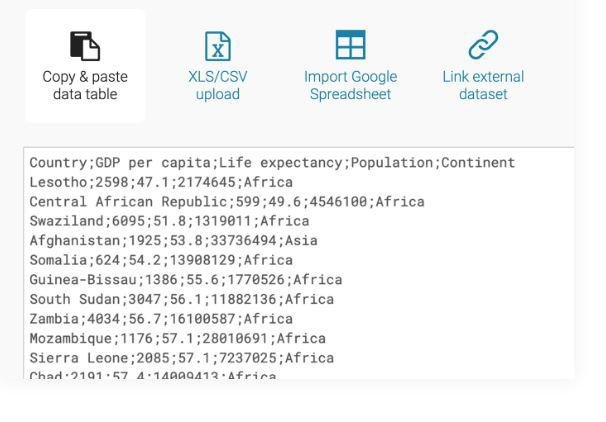
Enrich your stories with charts, maps and tables. Use one of our 19 interactive & responsive chart types ranging from simple bars and lines to arrow, range and scatter plots. We offer three interactive & responsive map types for making anything from locator maps to thematic choropleth & symbol maps. Our shiny new responsive data tables allow for lots of styling options and let you include bar & line charts, images, a search bar and pagination. Datawrapper helps some of the world's best teams to tell their stories with data. Our goal is to enable everyone to create beautiful charts, maps & tables. Including you. Copy your data from the web, Excel or Google Sheets. You can also upload CSV/XLS files or link to an URL or Google Sheet for live-updating charts. Choose from many chart and map types with one click. Then customize and annotate your chart to make it more effective.
|
About
Excelmatic is an AI‑powered Excel companion that transforms raw spreadsheets into instant insights, analytics, and visualizations through a conversational interface. Users simply upload files, ask questions in natural language, and receive real‑time answers, charts, and KPI summaries without writing a single formula. Behind the scenes, Excelmatic automates data preparation, cleaning complex tables with customizable rules, intelligent type recognition, and batch processing, then applies advanced statistical analysis (trend analysis, anomaly detection, multi‑dimensional breakdowns) and generates professional charts (bar, line, pie, etc.) with dynamic updates and style customization. Its formula assistant further accelerates workflows by converting plain‑English prompts into accurate functions, offering an extensive library, error correction suggestions, and support for nested or array formulas. Additional capabilities include one‑click extraction of tabular data.
|
|||||
Platforms Supported
Windows
Not Supported
Mac
Not Supported
Linux
Not Supported
Cloud
Supported
On-Premises
Not Supported
iPhone
Not Supported
iPad
Not Supported
Android
Not Supported
Chromebook
Not Supported
|
Platforms Supported
Windows
Not Supported
Mac
Not Supported
Linux
Not Supported
Cloud
Supported
On-Premises
Supported
iPhone
Not Supported
iPad
Not Supported
Android
Not Supported
Chromebook
Not Supported
|
|||||
Audience
Users, companies and businesses looking for a charts, maps and tables software solution for their visual needs
|
Audience
Business analysts, financial professionals and non‑technical users needing a tool to streamline Excel data analysis and visualization by leveraging AI‑driven automation and natural language interaction
|
|||||
Support
Phone Support
Not Supported
24/7 Live Support
Not Supported
Online
Supported
|
Support
Phone Support
Not Supported
24/7 Live Support
Supported
Online
Supported
|
|||||
API
Offers API
Supported
|
API
Offers API
Not Supported
|
|||||
Screenshots and Videos |
Screenshots and Videos |
|||||
Pricing
€199 per month
Free Version
Not Supported
Free Trial
Not Supported
|
Pricing
$9.99 per month
Free Version
Supported
Free Trial
Supported
|
|||||
Reviews/
|
Reviews/
|
|||||
Pros & Cons from Real UsersPros
Cons
|
||||||
Training
Documentation
Supported
Webinars
Not Supported
Live Online
Not Supported
In Person
Supported
|
Training
Documentation
Supported
Webinars
Not Supported
Live Online
Supported
In Person
Not Supported
|
|||||
Company InformationDatawrapper
Founded: 2012
Germany
www.datawrapper.de/
|
Company InformationExcelmatic
United States
excelmatic.ai/
|
|||||
Alternatives |
Alternatives |
|||||
|
|
||||||
|
|
||||||
|
|
|
|||||
Categories |
Categories |
|||||
Data Visualization Features
Analytics
Supported
Content Management
Not Supported
Dashboard Creation
Not Supported
Filtered Views
Not Supported
OLAP
Not Supported
Relational Display
Not Supported
Simulation Models
Supported
Visual Discovery
Not Supported
|
||||||
Integrations
Microsoft Excel
Supported
Google Sheets
Supported
Nocode HQ
Supported
SPP.co
Supported
|
Integrations
Microsoft Excel
Supported
Google Sheets
Not Supported
Nocode HQ
Not Supported
SPP.co
Not Supported
|
|||||
|
|
|