


| Name | Modified | Size | Downloads / Week |
|---|---|---|---|
| Parent folder | |||
| SHA256SUMS.txt | 2026-11-24 | 744 Bytes | |
| Yonder_universal.app.tar.gz | 2026-11-24 | 5.7 MB | |
| Yonder_1.0.8_universal.dmg | 2026-11-24 | 5.7 MB | |
| Yonder_1.0.8_amd64.AppImage | 2026-11-24 | 82.1 MB | |
| Yonder-1.0.8-1.x86_64.rpm | 2026-11-24 | 3.6 MB | |
| Yonder_1.0.8_amd64.deb | 2026-11-24 | 3.6 MB | |
| Yonder_1.0.8_x64-portable.zip | 2026-11-24 | 2.8 MB | |
| Yonder_1.0.8_x64-setup.exe | 2026-11-24 | 2.3 MB | |
| Yonder_1.0.8_x64_en-US.msi | 2026-11-24 | 3.0 MB | |
| README.md | 2026-11-24 | 3.7 kB | |
| Yonder 1.0.8 source code.tar.gz | 2026-11-24 | 36.1 MB | |
| Yonder 1.0.8 source code.zip | 2026-11-24 | 36.1 MB | |
| Totals: 12 Items | 181.0 MB | 0 | |
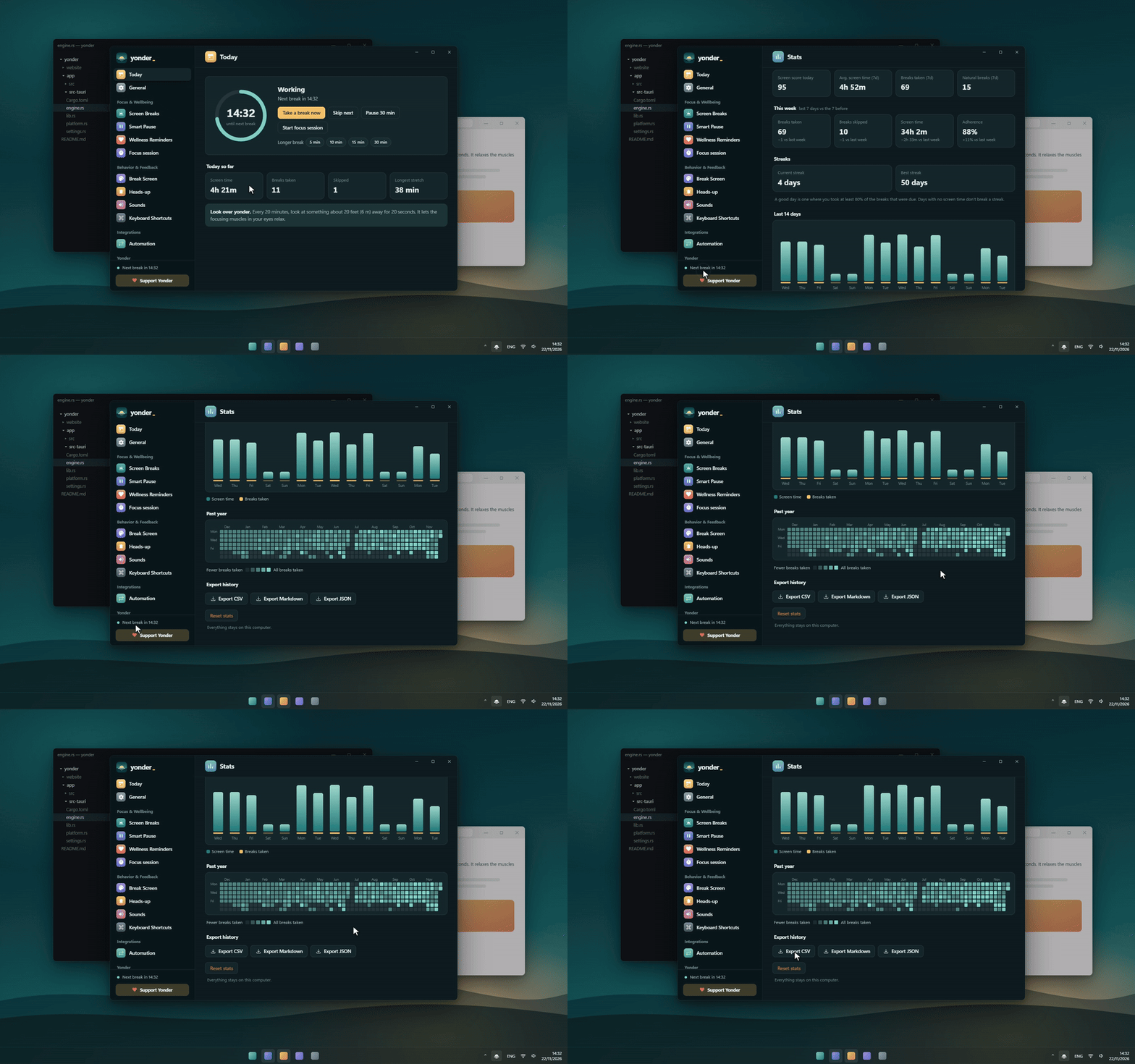
Streaks and a year heatmap in Stats, scripting with yonder:// links, and you decide what happens when a break is due during a game.
New
- Stats that motivate (#14, [#32])
- This week vs last week: breaks taken, skipped, screen time and adherence
- Streaks: your current and best run of good days (at least 80% of breaks taken)
- A year heatmap of the days you took your breaks
- Export your history to CSV or Markdown, next to the existing JSON export
- Your call during games and fullscreen apps (#37). In Settings → Smart Pause, choose what happens when a break is due:
- Wait until you leave fullscreen (the default, as before)
- A quiet notification instead of a break
- Show the break anyway
- Skip it
Calls, Do Not Disturb and screen sharing still always hold breaks.
- Script Yonder (#16). Use
yonder://links or command-line options:yonder --pause 30,yonder --focus 25,yonder://break,yonder://resume,yonder://skipand more. Use them from Shortcuts, AutoHotkey, cron or a Stream Deck. Every command is in the docs. - See what holds your break. When smart pause holds a break, the Today page and the tray popover now name the cause, including the app when Yonder can tell, for example you're in a call (Discord) or the fullscreen game. Once the break is due, the countdown shows Due instead of 0:00, and the status says when it will start: right after, after your Wait after the activity ends delay, or at the hold limit at the latest.
- Countdown in the Windows tray icon (#11). Optionally draws the minutes left right into the icon. Turn it on in Settings → General.
- Version in the sidebar. Settings shows which version you're on, and names the new one when an update is out. Click it to go to About.
- Logs for bug reports. Yonder now keeps a small rotating log, about 1 MB at most. It holds app names and Yonder's own events, never what you type or see. Settings → About has an Open logs folder button and an optional detailed mode, and the bug report form tells you where to find the log.
Fixed
- Windows: double-clicking the tray icon now opens Settings. Before, it just opened and closed the popover.
- A break that was held for the full hold limit no longer waits for a pause in your typing as well. In a game the keys never stop, so it sat at 00:00. The heads-up now also says when it is waiting for typing.
- The heads-up card resizes with its message, so a longer one such as You've been busy for a while no longer cuts off the buttons on the right.
Install
| Platform | How |
|---|---|
| macOS | brew install --cask rmoura98/tap/yonder (or brew upgrade --cask yonder), or the .dmg below |
| Windows | scoop install yonder/yonder after scoop bucket add yonder https://github.com/RMoura98/scoop-bucket, Yonder_1.0.8_x64-setup.exe, or the portable zip below |
| Debian / Ubuntu | the signed apt repository, then sudo apt install yonder |
| Other Linux | .AppImage, .deb or .rpm below |
Verify downloads with SHA256SUMS.txt. On 1.0.1 or later, Yonder will tell you about this update itself.
The new texts are translated into all seven languages; corrections from native speakers are very welcome. Ideas in Discussions.