


| Name | Modified | Size | Downloads / Week |
|---|---|---|---|
| Parent folder | |||
| SHA256SUMS.txt | < 16 hours ago | 751 Bytes | |
| Yonder_universal.app.tar.gz | < 16 hours ago | 5.8 MB | |
| Yonder_1.0.12_universal.dmg | < 16 hours ago | 5.9 MB | |
| Yonder_1.0.12_x64-portable.zip | < 16 hours ago | 2.9 MB | |
| Yonder_1.0.12_x64-setup.exe | < 16 hours ago | 2.3 MB | |
| Yonder_1.0.12_x64_en-US.msi | < 16 hours ago | 3.1 MB | |
| Yonder_1.0.12_amd64.AppImage | < 16 hours ago | 82.3 MB | |
| Yonder-1.0.12-1.x86_64.rpm | < 16 hours ago | 3.8 MB | |
| Yonder_1.0.12_amd64.deb | < 16 hours ago | 3.8 MB | |
| README.md | < 16 hours ago | 2.3 kB | |
| Yonder 1.0.12 source code.tar.gz | < 16 hours ago | 43.4 MB | |
| Yonder 1.0.12 source code.zip | < 16 hours ago | 43.5 MB | |
| Totals: 12 Items | 196.9 MB | 0 | |
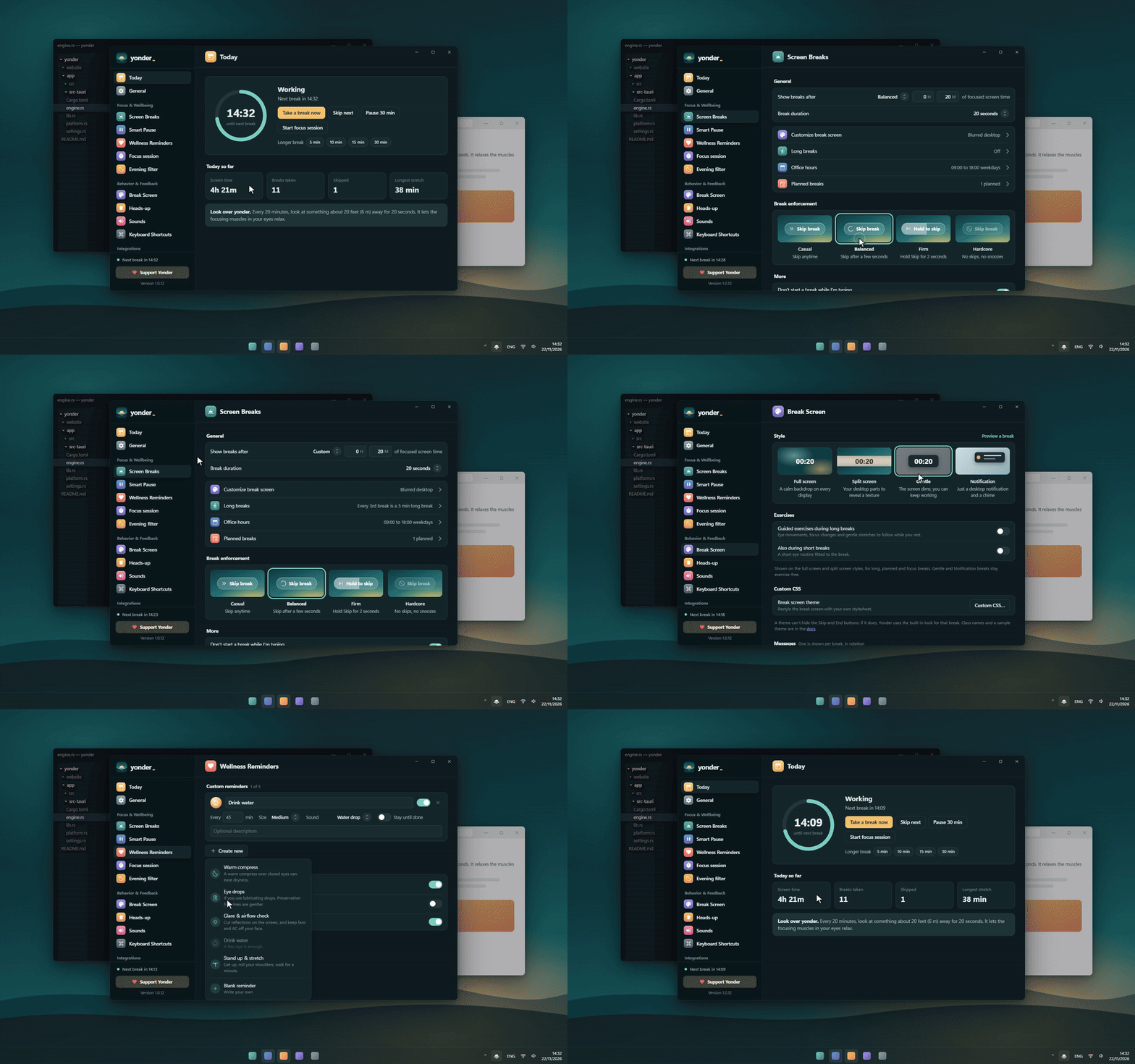
Eye-care reminder presets, reminders that never pile up, your own break screen theme, and trackpad haptics on macOS.
New
- Reminder presets (#22). Settings → Wellness Reminders → Create new now offers:
- Warm compress
- Eye drops
- Glare & airflow check
- Drink water
- Stand up & stretch
- or a blank reminder
They're comfort tips, not medical advice, and you can change anything after adding one.
- Theme the break screen with your own CSS (#17). Settings → Break Screen → Custom CSS…
- The docs list the class names and include a sample theme.
- A theme can't lock you in: Skip, End and Esc always stay usable, and a theme that hides them is turned off for that break.
- Themes can't load files from the internet.
- Your theme is included when you export your settings.
- Trackpad haptics on macOS (optional) (#25). Settings → Sounds → Haptic taps during breaks: a soft tap when a break starts, a tick on its last three seconds and a double pulse at the end. macOS only plays them while your finger rests on the trackpad.
Better
- Reminders never pile up. When two are due at the same time, only the one that waited longest shows, and the other waits for its next turn. With the defaults, that's one reminder every 15 minutes, never posture and blink together. Reminders set to Stay until done always show, one after another.
- A divider under the logo in the settings sidebar.
Install
| Platform | How |
|---|---|
| macOS | brew install --cask rmoura98/tap/yonder (or brew upgrade --cask yonder), or the .dmg below |
| Windows | scoop install yonder/yonder after scoop bucket add yonder https://github.com/RMoura98/scoop-bucket, Yonder_1.0.12_x64-setup.exe, or the portable zip below |
| Debian / Ubuntu | the signed apt repository, then sudo apt install yonder |
| Other Linux | .AppImage, .deb or .rpm below |
Verify downloads with SHA256SUMS.txt. On 1.0.1 or later, Yonder will tell you about this update itself.