


| Name | Modified | Size | Downloads / Week |
|---|---|---|---|
| Parent folder | |||
| SHA256SUMS.txt | 2026-11-25 | 751 Bytes | |
| Yonder_universal.app.tar.gz | 2026-11-25 | 5.8 MB | |
| Yonder_1.0.10_universal.dmg | 2026-11-25 | 5.8 MB | |
| Yonder_1.0.10_amd64.AppImage | 2026-11-25 | 82.3 MB | |
| Yonder-1.0.10-1.x86_64.rpm | 2026-11-25 | 3.8 MB | |
| Yonder_1.0.10_amd64.deb | 2026-11-25 | 3.8 MB | |
| Yonder_1.0.10_x64-portable.zip | 2026-11-25 | 2.8 MB | |
| Yonder_1.0.10_x64-setup.exe | 2026-11-25 | 2.3 MB | |
| Yonder_1.0.10_x64_en-US.msi | 2026-11-25 | 3.1 MB | |
| README.md | 2026-11-25 | 3.2 kB | |
| Yonder 1.0.10 source code.tar.gz | 2026-11-25 | 42.2 MB | |
| Yonder 1.0.10 source code.zip | 2026-11-25 | 42.2 MB | |
| Totals: 12 Items | 194.1 MB | 0 | |
An evening filter, a quieter heads-up next to your cursor, blurred breaks on Linux, and breaks that behave on every monitor.
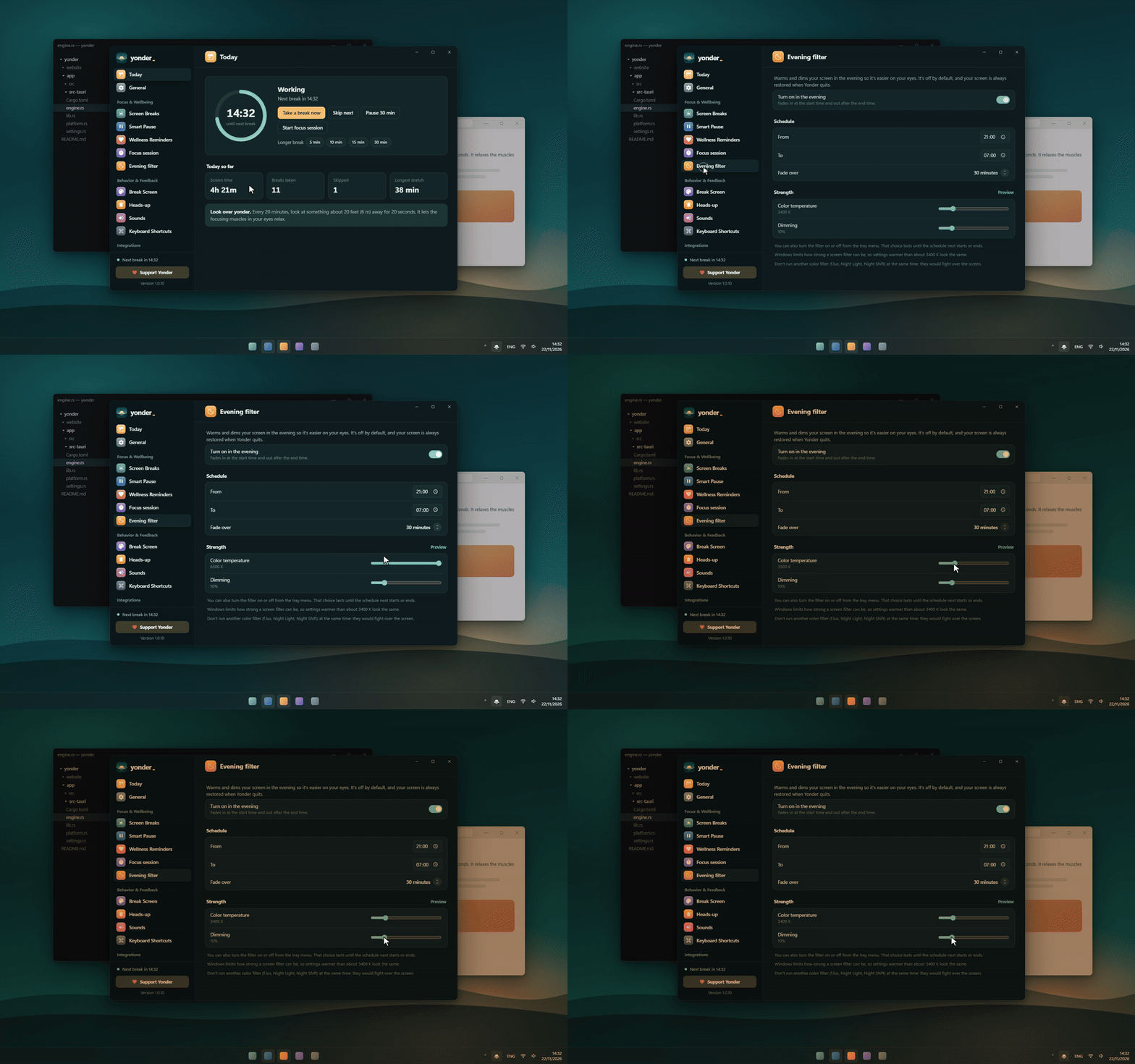
New
- Evening filter (optional) (#28). Warms and dims your screen on a schedule, for example 21:00 to 07:00, fading in and out over half an hour.
- Pick the colour temperature and dimming in Settings → Evening filter.
- Turn it on or off for tonight from the tray menu.
- Off by default. Your screen is always restored when Yonder quits, and after a crash on the next start.
- Works on Windows, macOS and Linux on X11. On Wayland, use GNOME Night Light or KDE Night Color; Settings says so.
- A quieter heads-up. The default heads-up is now a small "Break in 0:54" next to your cursor. It fades away after a few seconds and never takes the keyboard. The card with Start now, +1m, +5m and +15m is one click away in Settings → Heads-up. The card's buttons are no longer cut off.
- Blurred-desktop and split-screen breaks on Linux (#5).
- X11 captures the screen directly.
- GNOME and KDE on Wayland use the screenshot portal, which may ask for permission once.
- Sway and Hyprland use
grimif it's installed. - If capture isn't possible, the break simply uses your background.
- Idle detection on more Wayland desktops (#12). Sway, Hyprland, river, Wayfire and niri now notice when you step away, through
ext-idle-notify, so time away counts as a break.
Better
- Multiple monitors (#8).
- Each screen blurs its own desktop, also left of or above the main screen and with mixed display scaling.
- Monitors plugged in or out during a break get or lose their overlay.
- The heads-up and reminders appear on the screen you're using, correctly placed at any scaling.
- macOS:
- Setup asks for Screen Recording when your break look needs it, and Yonder returns to the same screen after macOS's Quit & Reopen.
- The heads-up no longer steals focus from what you're typing.
- Settings stays in the background after a break or the popover, and focus goes back to your app.
- Double-clicking the menu bar icon opens Settings, like on Windows.
Install
| Platform | How |
|---|---|
| macOS | brew install --cask rmoura98/tap/yonder (or brew upgrade --cask yonder), or the .dmg below |
| Windows | scoop install yonder/yonder after scoop bucket add yonder https://github.com/RMoura98/scoop-bucket, Yonder_1.0.10_x64-setup.exe, or the portable zip below |
| Debian / Ubuntu | the signed apt repository, then sudo apt install yonder |
| Other Linux | .AppImage, .deb or .rpm below |
Verify downloads with SHA256SUMS.txt. On 1.0.1 or later, Yonder will tell you about this update itself.
The Linux screen capture and Wayland idle detection are new and haven't been tried on every desktop. If something doesn't work on yours, please open an issue and attach the log (Settings → About → Open logs folder).