
 Download Latest Version
PixiEditor-2.1.1.4-amd64-linux.tar.gz (112.6 MB)
Download Latest Version
PixiEditor-2.1.1.4-amd64-linux.tar.gz (112.6 MB)

Get an email when there's a new version of PixiEditor
| Name | Modified | Size | Downloads / Week |
|---|---|---|---|
| Parent folder | |||
| PixiEditor-2.1.0.20-amd64-linux.tar.gz | 2026-04-18 | 109.5 MB | |
| PixiEditor-2.1.0.20-amd64-linux.deb | 2026-04-18 | 87.6 MB | |
| PixiEditor.2.1.0.20.x64-win.zip | 2026-04-18 | 73.8 MB | |
| PixiEditor-2.1.0.20-setup64-win.zip | 2026-04-18 | 54.0 MB | |
| PixiEditor-2.1.0.20-setup-x64-win.exe | 2026-04-18 | 54.6 MB | |
| PixiEditor-2.1.0.20-universal-macos.zip | 2026-04-18 | 242.6 MB | |
| PixiEditor-2.1.0.20-universal-macos.dmg | 2026-04-18 | 243.0 MB | |
| 2.1.0.20 source code.tar.gz | 2026-04-18 | 88.5 MB | |
| 2.1.0.20 source code.zip | 2026-04-18 | 89.8 MB | |
| README.md | 2026-04-18 | 6.7 kB | |
| Totals: 10 Items | 1.0 GB | 0 | |
Brush Engine
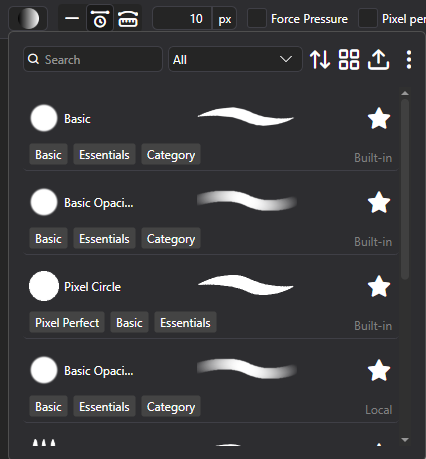
Likely, the most awaited of features, you can now create your own Brushes with PixiEditor's Node Graph!
Use the new Brush Picker within Pen Tool to select, duplicate and edit brushes.
Along the Brush Engine, full drawing tablet support has been added. For Windows, both Ink and WinTab APIs are supported.
Check out the documentation to learn how to create your own brushes.
Brushes behave differently within Pixel Art and Painting toolset!
Extension Browser Beta
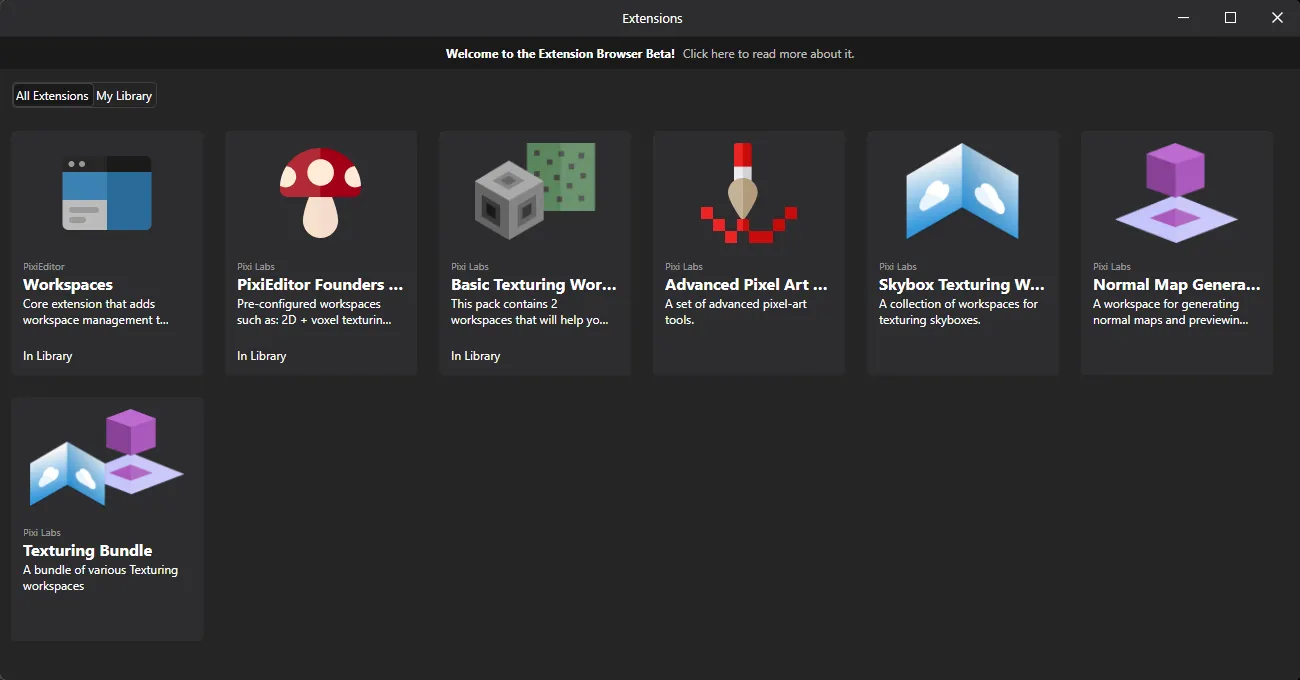
You can now browse and install extensions! Learn more about the beta
In short:
- This is a Phase 1, so the amount of extensions is very limited and only developed by Pixi Labs,
- Phase 1 is focused on preparing the system for community extensions and funding the further phases
Precise paint engine
PixiEditor now uses precise paint engine. Previously all brush stamps were rounded to pixels, starting from version 2.1, you can paint with sub-pixel precision. Snapped pixels are still an option per-brush.
Stabilizers
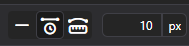
We've added 2 stabilizers: Distance based and Time based. They are available within pen tool settings in the viewport.
Time based: Stabilization is calculated based on time passed between previous position and new position.
Distance based: You need to move X pixels before brush follows your pointer. It's like dragging something with a rope, you need to move far enough for the rope to become tight, before it draggs the thing on the other side.
Smart Layers
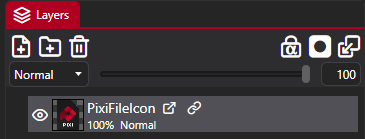
PixiEditor now supports smart layers. You can use other .pixi files within your document, embed .svg files directly as layers and more.
PixiEditor's advanced Node Graph allows to expose values to parent document, if they are embedded as a nested document (smart layer). Additionally, with new Blackboard feature, you can define inputs to your smart layers.
So for example you can create a nice text animation template and create "Text" blackboard input. Then after embedding this animation within other file, you can type your text and it will be passed to the nested document.
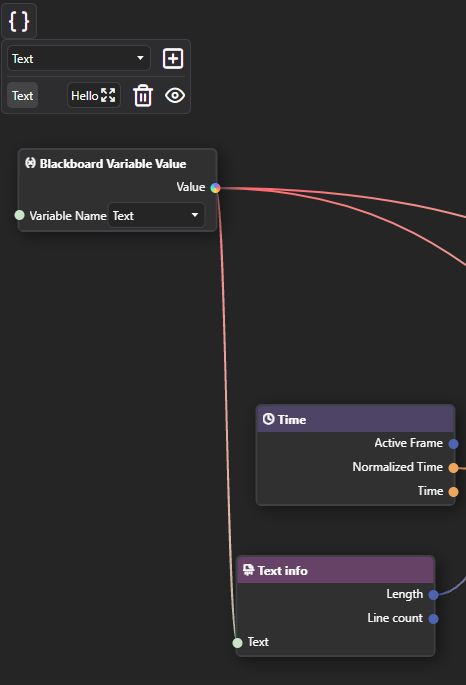
This way you can reuse one file multiple times and compose your graphics/animations much more easily.
Blackboard
Blackboard is our solution for multiple, important things:
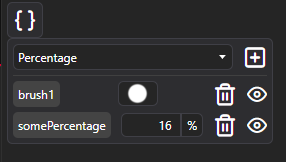
- It serves as a way to define and reuse constants within one Node Graph
- It defines Brush settings, that are exposed in Pen tool settings when brush is picked
- It allows for defining inputs for graphs. Inputs are a gateway to pass data between parent document and embedded one. If you prefer programming comparision, you can think of a nested graph as a function and inputs as function parameters.
Improved animation timeline
This is something many of you requested. We’ve overhauled the timeline and workflow of the animation system. This is the very first community proposal coming to life.
New Renderer
As a response to a few important issues, We rewrote a lot of core rendering components. There are plenty of new optimizations and characteristics. A few issues, that the new renderer is trying to solve:
- Bad performance when running some animations
- Better responsiveness of the app
New Nodes
- Gradient Node: Create gradients procedurally
- Pattern Node: Draw vector stroke out of input image.
- Viewport Info: Information about active viewport
- Blackboard Variable Value: Access blackboard variables
- Stroke Info: Info about current Brush stroke, only works within Brushes
- Brush Output: A node for defining brushes, see Brush Engine section
- Pixel Perfect Ellipse: New shape, that creates pixel-perfect ellipses
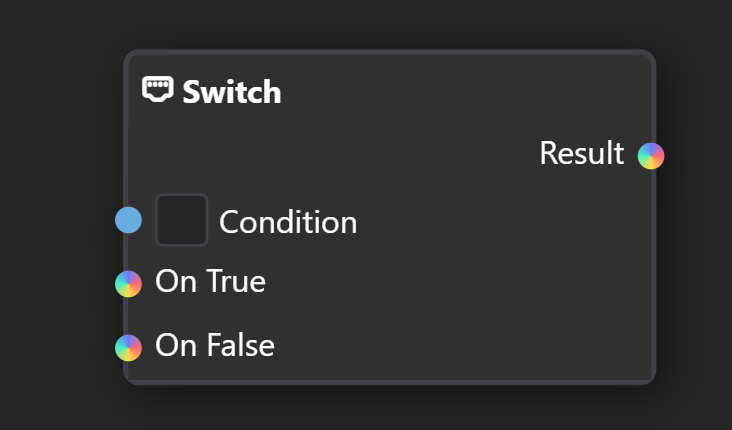
- Switch: Choose a value based on a condition
- Equals: Are two items equal
- Expose Value: Exposes arbitrary value from the graph as a output, when nested into other document.
- Editor Info: Info about current editor state, currently only Primary and Secondary color
- Nested Document: Smart Layer node. Allows for picking any document file.
- Pointer Info: Info about current pointer, such as pressure, position on canvas and more.
- Keyboard Info: Information about keyboard state, currently bools about modifier keys.
- Array: Create an array out of items
- Array Element: Get an element from array by index
- Array Length: Get length of an array
New Sockets
You may notice new colorful inputs in the graph, they mean that any type can be plugged into them.
Customizable Toolsets and Brush Tools
You can now create your own toolsets and tools based on Brushes.
Check out the documentation to learn how.
Other enhancements
- Importing images now embed them as smart layers by default.
- Added Mushy advisor to various parts of the app, to help you understand how to use them.
- Improved string editor. Now it supports syntax highlighting for shaders, search and replace and more.
- Improved stability of OpenGL render api
- Clipboard should now work much better and more stable.
- Tons of other smaller improvements, features and bug fixes, that you can check out in the full changelog
New Contributors
- @Francespo made their first contribution in https://github.com/PixiEditor/PixiEditor/pull/1256
- @dependabot[bot] made their first contribution in https://github.com/PixiEditor/PixiEditor/pull/1274
- @bajsucks made their first contribution in https://github.com/PixiEditor/PixiEditor/pull/1348
- @volcanofr made their first contribution in https://github.com/PixiEditor/PixiEditor/pull/1429
Full Changelog: https://github.com/PixiEditor/PixiEditor/compare/2.0.1.19...2.1.0.20

