


| Name | Modified | Size | Downloads / Week |
|---|---|---|---|
| Parent folder | |||
| Mactoy-0.7.0.dmg | 2026-10-28 | 8.3 MB | |
| README.md | 2026-10-28 | 5.9 kB | |
| v0.7.0_ Boot menu themes and a new icon source code.tar.gz | 2026-10-28 | 4.0 MB | |
| v0.7.0_ Boot menu themes and a new icon source code.zip | 2026-10-28 | 4.1 MB | |
| Totals: 4 Items | 16.4 MB | 0 | |
Mactoy v0.7.0: boot menu themes, and a new icon
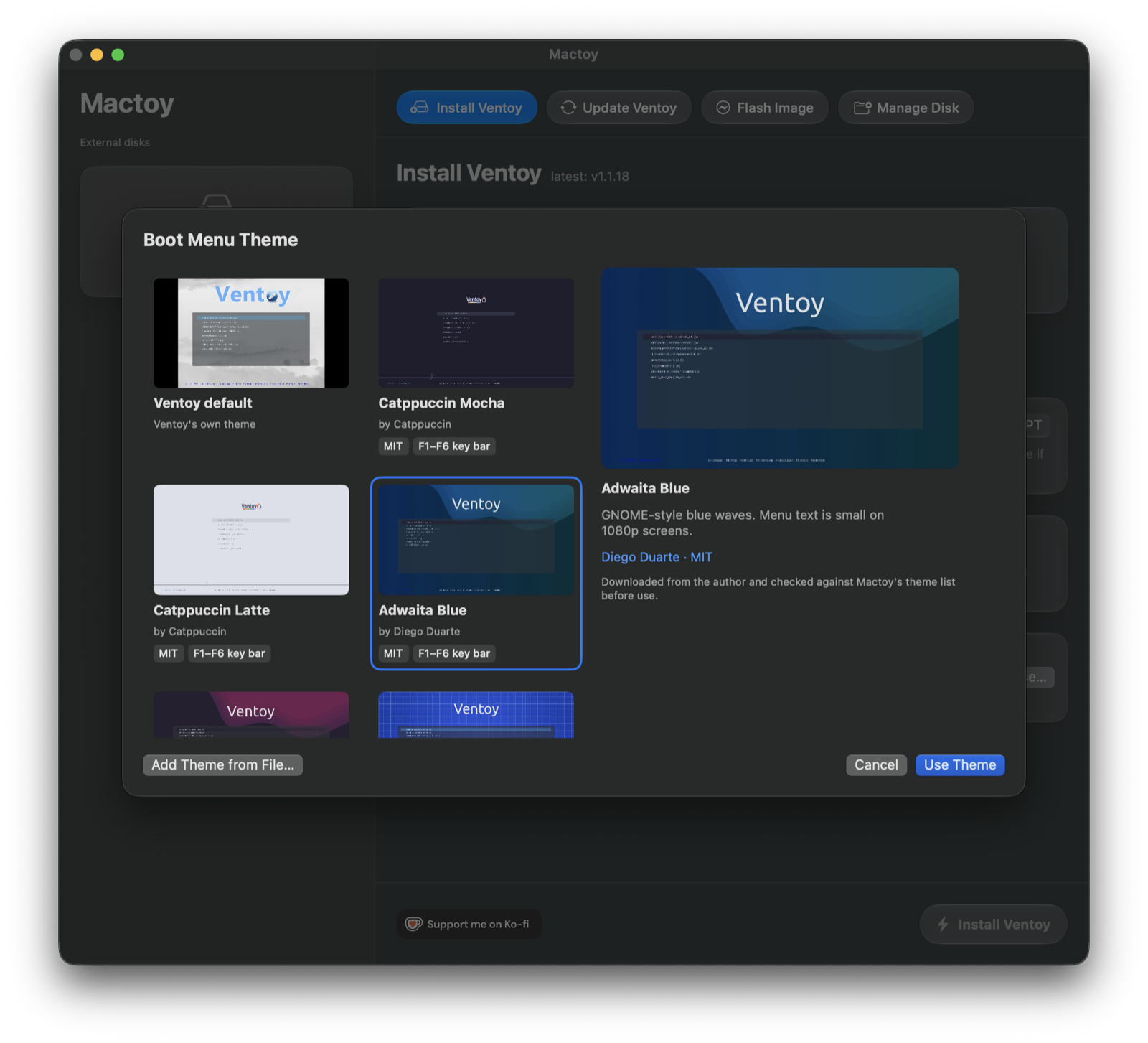
Ventoy's boot menu is plain out of the box. Ventoy supports themes, but setting one up meant finding a theme, copying the right files onto the drive and editing ventoy.json by hand. Mactoy now does that for you.
What's new
Pick a theme, with previews
The theme picker shows 14 community themes. Each preview is a capture of that theme booted in Ventoy, so what you see is what you get.
- New drives get Catppuccin Mocha unless you choose otherwise. That's an opinionated default, so the Install tab says so, and picking Ventoy default keeps Ventoy's own look. Mactoy remembers your choice. Catppuccin Mocha is built into the app, so a fresh install doesn't need to download it.
- Existing drives: on Manage Disk, click Change Theme…. Mactoy changes only the
themesetting inventoy.jsonand keeps the rest of your setup. It saves your originalventoy.jsononce, asventoy.json.mactoy-backup.
Bring your own theme
Add Theme from File… takes a theme's .zip, its folder or its theme.txt. It doesn't matter whether the theme is at the top of the download or a few folders down. If a download holds several themes, such as a repository with a few colour variants, Mactoy asks which one you want and lists the ones made for Ventoy first.
Themes you add are kept in My Themes, so you can use them on other drives.
Your current theme is safe
If a drive already has a theme that Mactoy doesn't know, Mactoy offers to save it to My Themes before replacing it, and before erasing the drive for a fresh install. Save to My Themes on Manage Disk makes a copy without changing anything.
When a theme's download disappears
Themes are downloaded from their authors' GitHub pages, which can move. If a download is gone or has changed, Mactoy says so plainly rather than showing a download error. It offers to report it, to open the theme's page, or to add the theme from a file you found yourself, and marks it Unavailable in the picker. A connection problem gets its own message.
Add your favourite theme
The list lives in this repository as themes/catalog.json (github.com). To add a theme, open a pull request with a screenshot. Here's how.
New icon
Mactoy has a new icon: a USB stick drawn like a blueprint, made from scratch as vector layers in Icon Composer. It replaces the old AI-generated one.
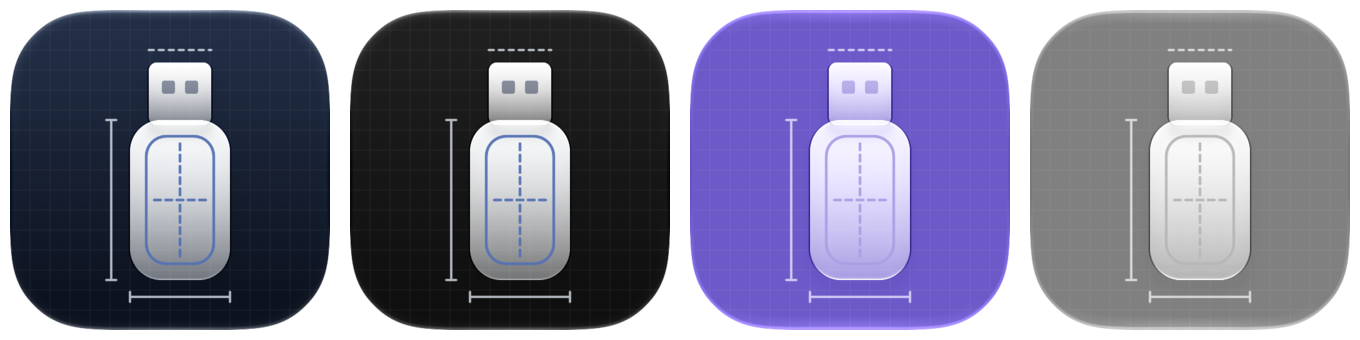
On macOS 26 it's a Liquid Glass icon that follows your icon style: default, dark, tinted or clear, shown above from left to right. On macOS 13 to 15 you get the default look as a standard icon.
Smaller fixes
- Several commands running at once could stall until their time limit. Each now reads its output on its own thread.
Safety
Theme files come from other people, so Mactoy is careful with them:
- Each theme in the list is pinned to one exact download by SHA-256. A download that doesn't match is refused.
- Only
.txt,.png,.jpg,.jpeg,.tgaand.pf2files are copied..cfgfiles never are, because Ventoy would run them as boot scripts. - A
.zipyou add is checked before it's unpacked, then unpacked in a separate process. - On the drive, Mactoy never follows links and only deletes theme folders it created.
- Mactoy fetches the theme list and previews from this repository on GitHub when it starts and when you open the picker. Nothing about you or your drives is sent.
Install
:::sh
# Download Mactoy-0.7.0.dmg from the release assets.
open Mactoy-0.7.0.dmg
# Drag Mactoy.app into /Applications, replacing the old version.
Apple-notarized. The way the app talks to its background helper hasn't changed, so updating doesn't ask you to approve the helper again.
How this was tested
- 592 automated tests (205 app, 387 library), 86 of them for the theme installer.
- End to end on simulated drives, for all 14 themes:
- A 1 GB raw disk image is attached with
hdiutilas a block device, the way a USB stick appears. - Ventoy is installed on it with Mactoy's install driver (GPT).
- The theme is downloaded, checked against its pinned SHA-256 and written to the exFAT data partition by the same
ThemeFetcherandThemeInstallercode the app uses. - The image is booted in QEMU with UEFI firmware, and Ventoy's menu is captured. Those captures are the previews in the picker.
- CI downloads every theme in the list and checks it against its SHA-256 pin, and checks the copy of Catppuccin Mocha built into the app byte for byte.
- Theme import was tried on real downloads, including a repository archive holding many themes.
- Independent code review of each part of the feature.
Not tested end to end:
- The app's own theme screens (theming right after an install, Change Theme…, save before replacing). Their logic is covered by the automated tests, which write to a temporary folder set up to look like a Ventoy drive, including the
._files macOS leaves on exFAT. - A physical USB stick booted on real hardware.
If anything looks wrong on your drive, please open an issue.
SHA256 of Mactoy-0.7.0.dmg is published below the release assets.
