


| Name | Modified | Size | Downloads / Week |
|---|---|---|---|
| Parent folder | |||
| 3.0 source code.tar.gz | 2026-08-25 | 3.6 MB | |
| 3.0 source code.zip | 2026-08-25 | 3.8 MB | |
| README.md | 2026-08-25 | 4.5 kB | |
| Totals: 3 Items | 7.4 MB | 0 | |
A new name, a new design, a whole set of new features — is it still an update? Barely. AdGuard Content Blocker becomes AdGuard Mini for Android, and it’s the biggest release in the app’s history.
The app still protects you in Samsung Browser and Yandex Browser, but now it goes much further: adds system-wide DNS protection, support for DNS servers and filters, a Statistics screen, and more control over filtering.
Browser protection
AdGuard Mini for Android still blocks ads on websites opened in Samsung Browser and Yandex Browser, but we’ve improved the filtering setup: reorganized the filter lists, added new filters, and removed outdated ones.
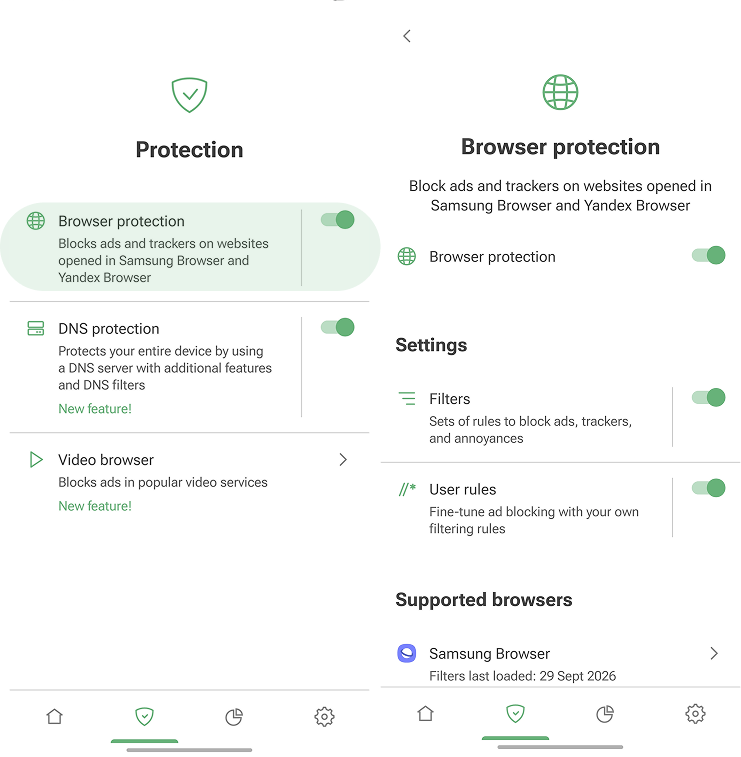
Filter lists are now organized into clear categories, so it’s easier to understand what each one is for and choose the ones you need:
- Ad blocking blocks banners, popups, and other ads
- Social widgets removes social media buttons and embedded widgets
- Annoyances hides cookie notices, newsletter popups, and other distracting elements
- Security blocks known malicious and suspicious domains
- Language-specific includes filters for specific languages and regions
- Other covers additional filters for specific cases
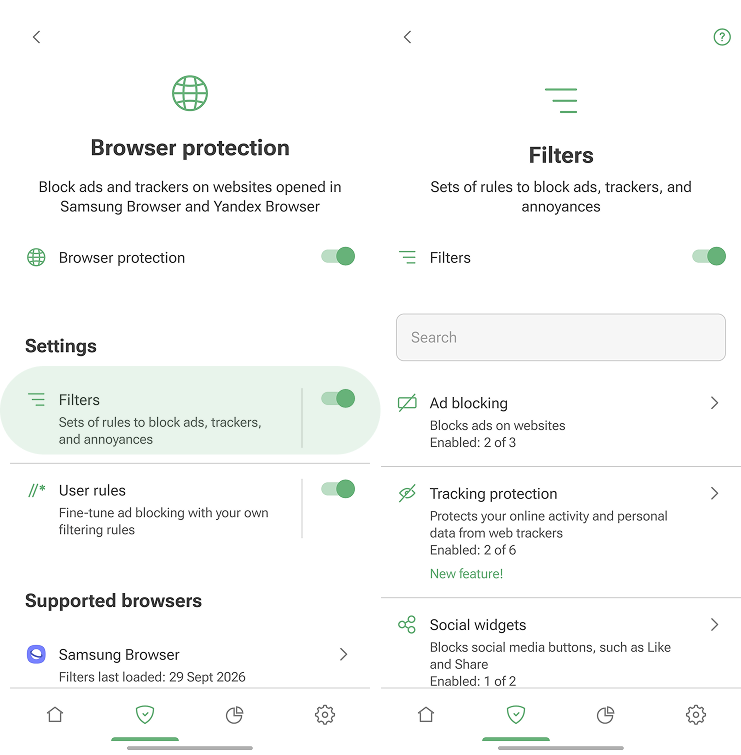
You can also create User rules to adjust filtering manually: block a specific ad, hide an element, or apply a rule to a whole website.
The full version adds Tracking protection and Custom filters.
- Tracking protection blocks web analytics and tracking scripts that monitor your browsing activity
- Custom filters let you add any third-party filter list by URL for more targeted blocking
DNS protection
Browser protection keeps websites cleaner in Samsung Browser and Yandex Browser. But online threats don’t stop there.
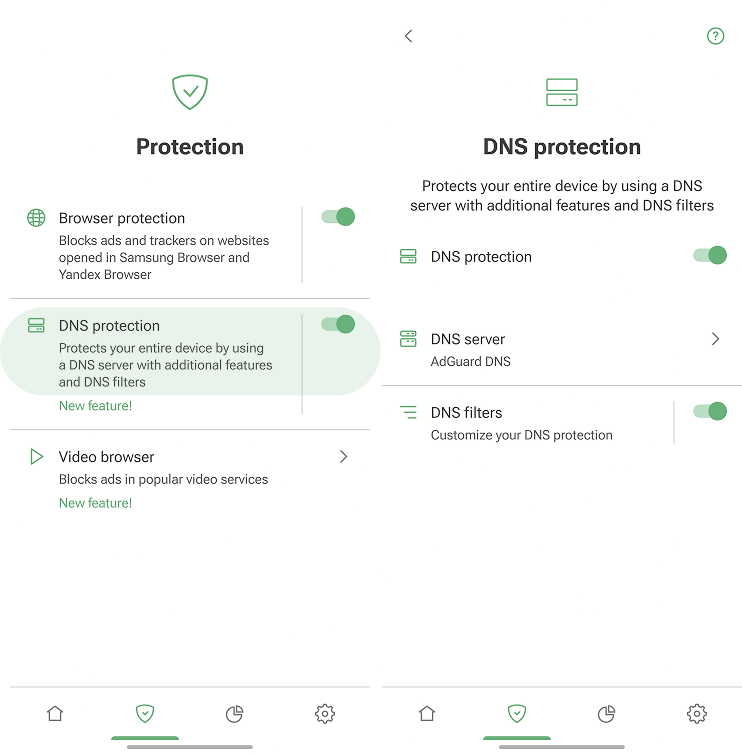
With DNS protection, AdGuard Mini for Android extends protection beyond supported browsers. It helps block trackers before they reach your device. That means less background tracking, and a cleaner experience across your Android phone or tablet.
DNS server
DNS server handles your device’s DNS requests. In AdGuard Mini for Android, you can choose a DNS server that meets your specific needs.
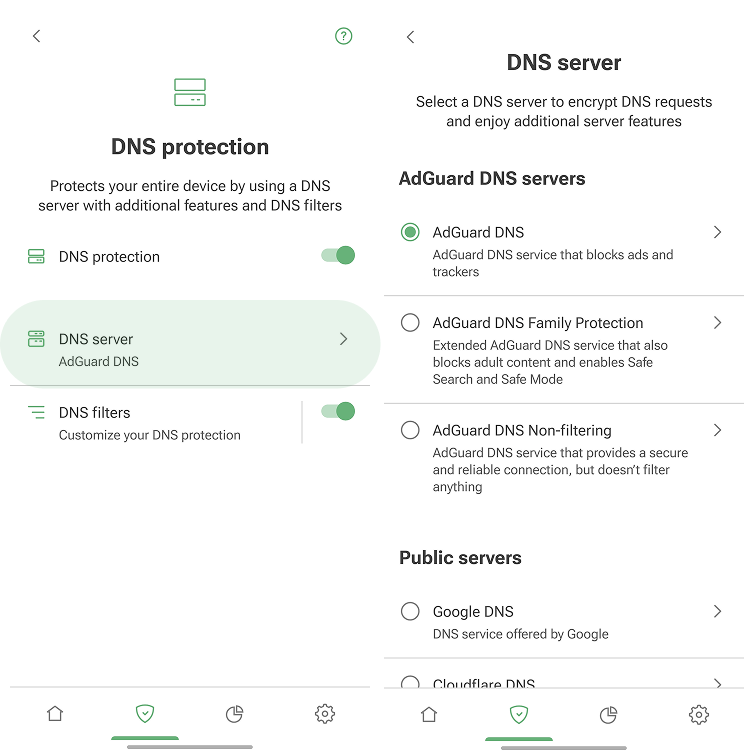
For example, use AdGuard DNS to block ads and trackers or AdGuard DNS Family Protection to block adult content.
DNS filters
The full version also supports DNS filters. They let you fine-tune DNS protection.
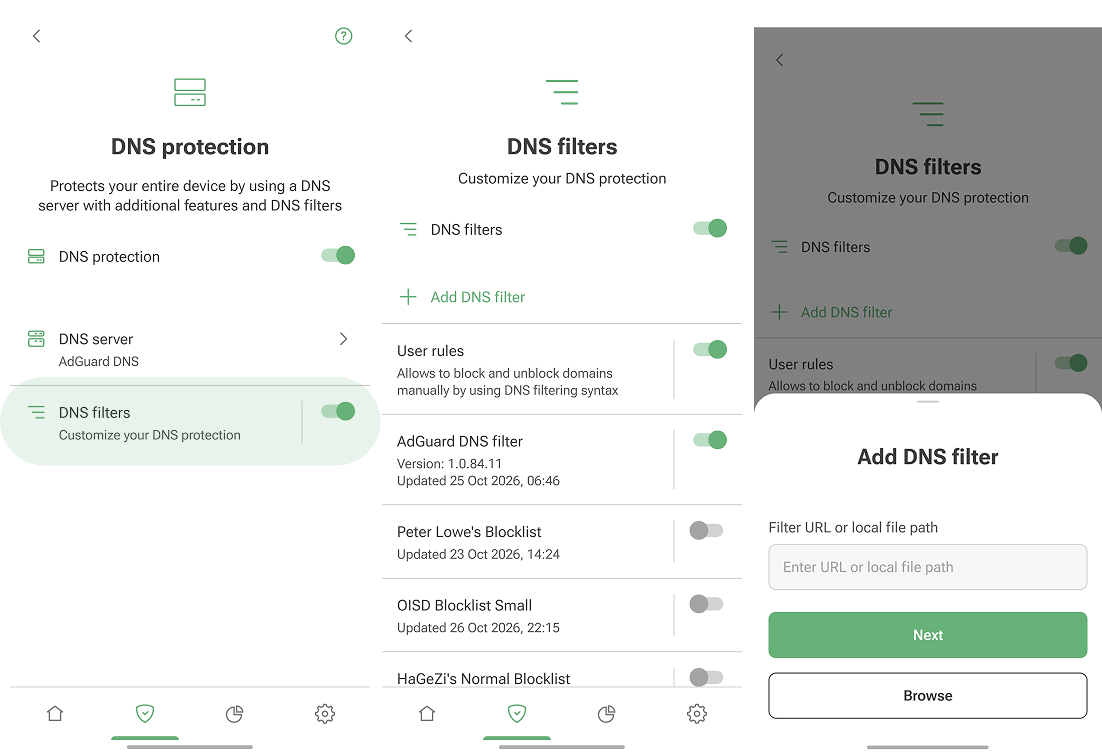
For example, you can use AdGuard DNS for basic DNS-level blocking and add DNS filters to block more unwanted domains. Or you can choose a Non-filtering DNS server and decide what to block with filters.
Video browser
AdGuard Mini for Android now includes Video browser, a built-in browser that lets you open links (including YouTube) and watch videos without ads.
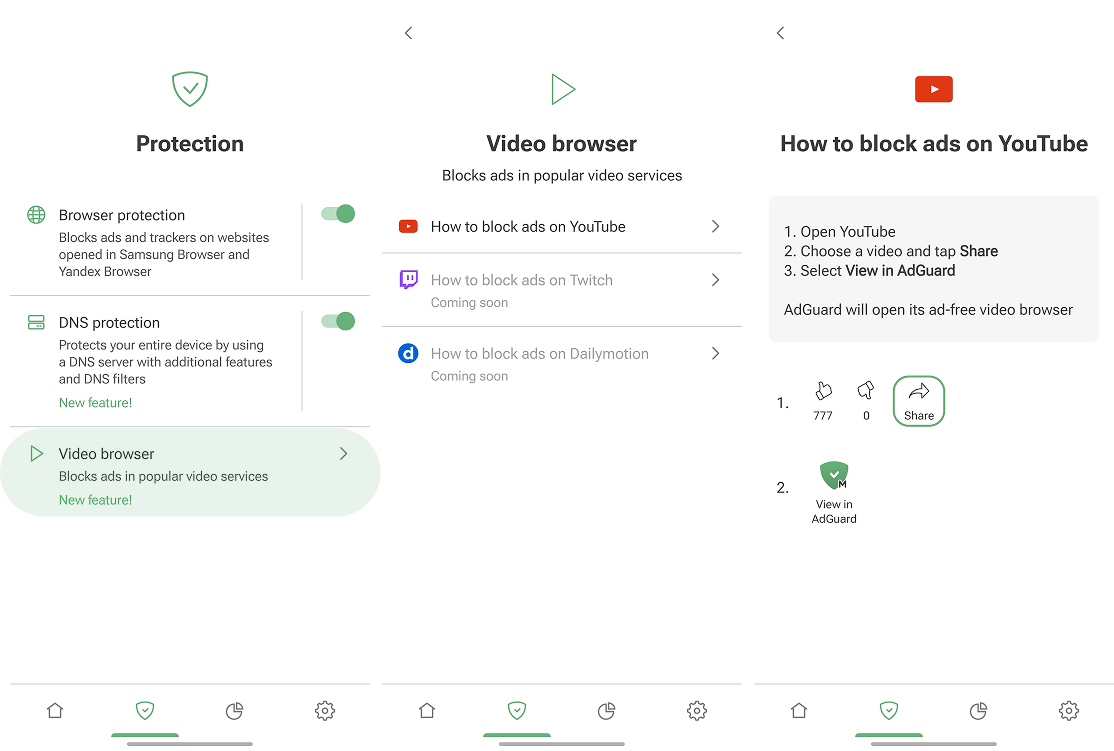
Use it when you want a cleaner watching experience without changing your main browser setup.
Statistics
We’ve also added Statistics, so now you can see how DNS protection works. It shows how many DNS requests AdGuard Mini has blocked.
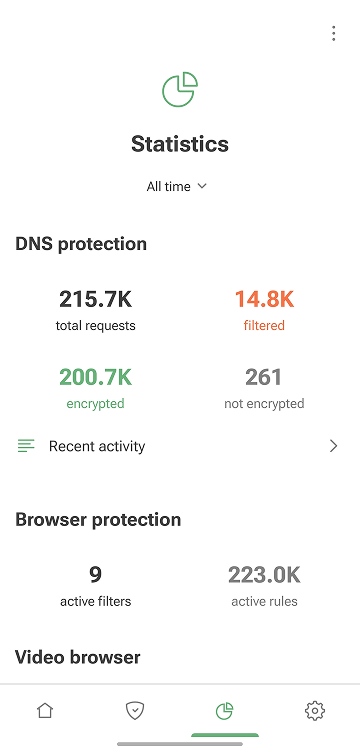
You can also open Recent activity to check DNS requests from websites, apps, and services.
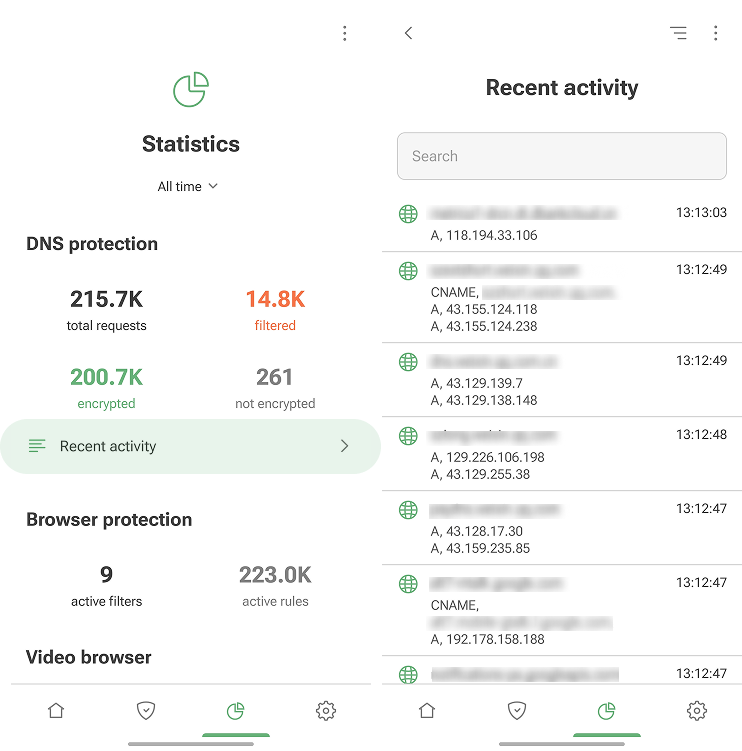
Upgrade to the full version to manage domains directly: block them, allow them, or create custom rules.
