Browse Code

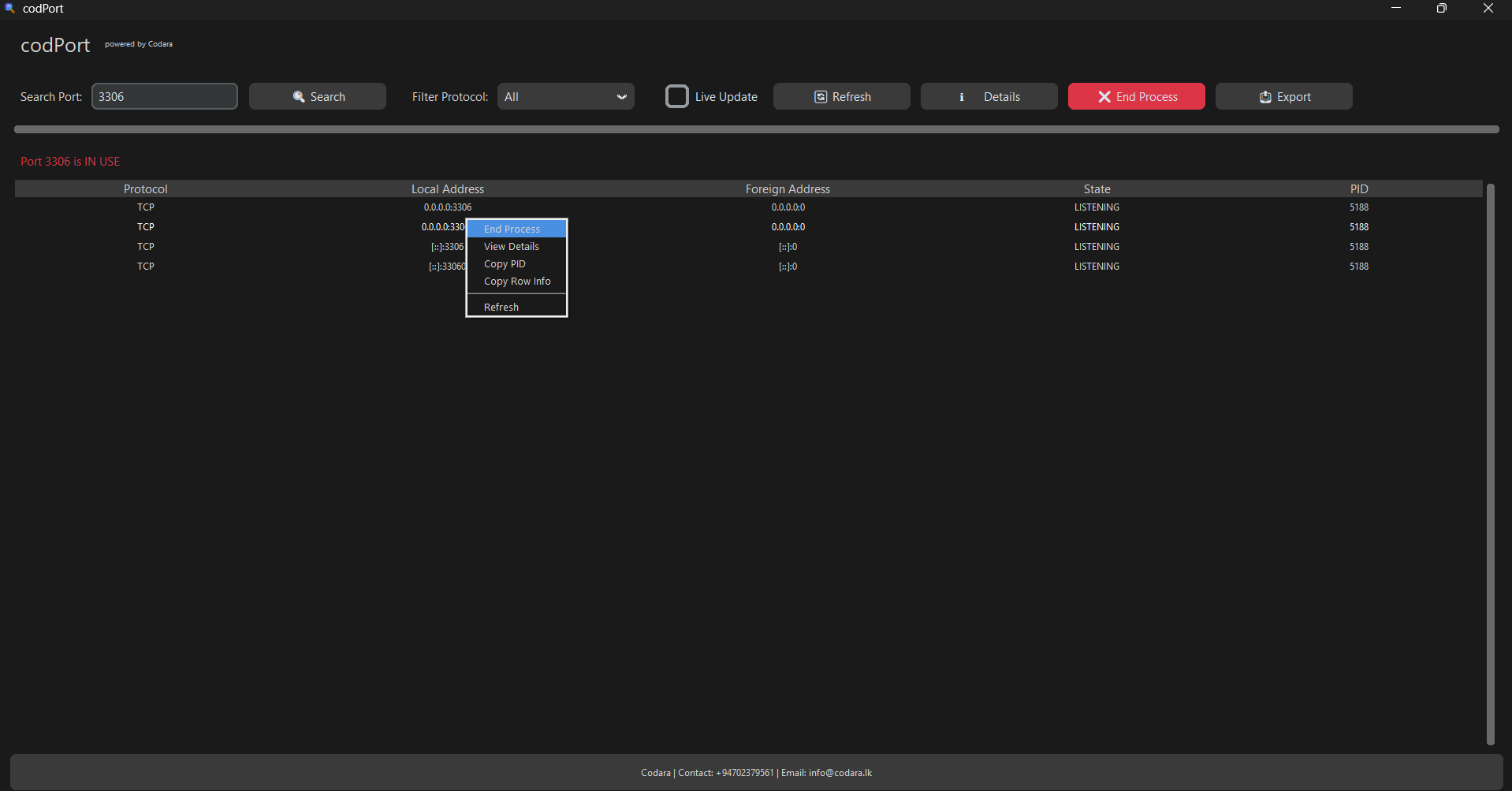
codPort is a powerful and user-friendly Windows port management tool developed by Codara, tailored for developers, network administrators, and IT professionals. Whether you're troubleshooting networking issues or optimizing system resources, codPort gives you full control over your system’s ports.
Effortlessly view, monitor, and manage active TCP/UDP connections, terminate unwanted processes using specific ports, and apply advanced filters for precise control. With its clean and intuitive interface, codPort makes port management efficient and accessible, even for beginners.
Version: 2.1.0
Release Date: May 2, 2025
Platform: Windows 8/10/11
Developer: Codara
System Requirements:
OS: Windows 8 or higher
Processor: 1 GHz or faster
Memory: 2 GB RAM
Disk Space: 50 MB available
.NET Framework: 4.5 or higher
Features
- Kill Processes - sing specific ports with just one click.
- Real-Time TCP/UDP Monitoring - Monitor all active TCP and UDP connections along with connection stats.
- View All Ports & Details - List all active ports, with application names, PIDs, and states.
- Advanced Filtering Options - Filter by port number, protocol, status, or application name.
Project Samples