
Menu
▾
▴

Textfield
Text Entry
The textfield type is used to prompt for and enter text.
textfield
tx.type = textfield
tx.label = Name :
# tx.default = your name
#tx.width = 20
#tx.tooltip = Please enter your name here.
#tx.single = true
#tx.align = left
#tx.mandatory = true
#tx.ispassword = true
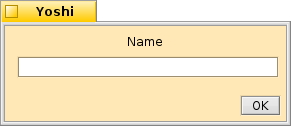
A text entry field
.label The prompt for the user that identfies what information is being requested.
.default Default is used to pre load text into the textfield.
.width This setting will change the number characters the textfield can return. The default length is 35
.tooltip Set a tooltip for the textfield.
.single Display the label and entry field on a single line.
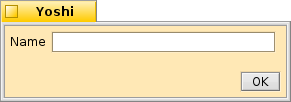
A text entry field on one line
.align aligns the widget. default is center, align can be changed to left or right. .align only has an efect if .single = true.
.mandatory Sets the manditory flag. The text field must have some entry for the default button to be active.
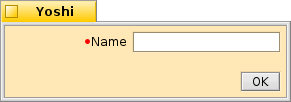
A single line manditory text entry field aligned to the right
.ispassword Sets the textfield to act as a password entry field. It hides whatever is typed into the field and one cannot copy or drag text from the textfield.
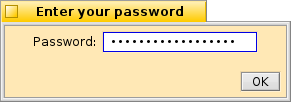
A password text entry field

