
Menu
▾
▴

Text
Text Display
The text type is used to display text on the window. text can be displayed in one or more than one line.
text
txt.type = text
txt.default = Paragraph one, demo text[enter][enter]Paragraph two.[return][return]Paragraph three.
#txt.txtfile = /boot/home/info.txt
txt.lines = 3
txt.scrollbar = 1
txt.bg = white
txt.align = center
txt.tooltip = infiormation about the text.
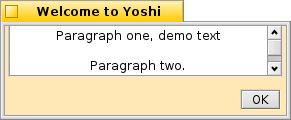
A window showing the example above
This will display text that wraps automaticly depending on the window size.
.default is the text to display. The [return][return] or [enter][enter] will add two new lines, "\n" in the displayed text ( a paragraph break.)
.txtfile specify the path to a textfile to use for the text to display. With this method there is no need to use [enter] or [return] for new lines, the file is read line by line and new lines are added as needed.
.lines manditory This setting will make the display box approximately this many lines tall. If this is set to one, the window will be resized to accomidate the length of the .default text. This makes the text type usable for a label for any section.
.scrollbar Sets the scrollbar. The default is no scrollbar, 1 is a vertical scrollbar.
.bg Can change the background color of the text display to white. The default is the window background color.
.align aligns the text. default is left, align can be changed to center or right.
.tooltip Will add a tooltip for the text.
txt.type = text
txt.default = This is a long label that will resize the window to accommodate the text.
txt.lines = 1
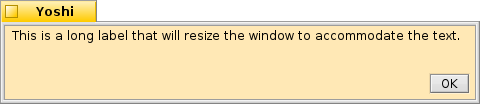
A window showing a long label

