
Menu
▾
▴

Filepanel
File selection
The filepanel type is used to select a file or directory. One may type the path into the textfield, drop a file onto the textfield, or press the select button to open a standard filepanel.
filepanel
opb.type = filepanel
opb.label = Please select an image
opb.default = /DATA/Images/CostaRica/chunk1/DSCN2308.JPG
opb.mode = Load-File
#opb.mode = Load-Directory
#opb.mode = Load-File-and-Directory
#opb.mode = Save-File
opb.width = 250
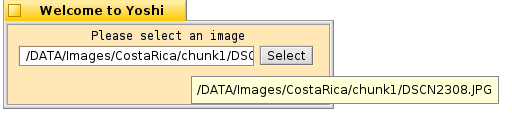
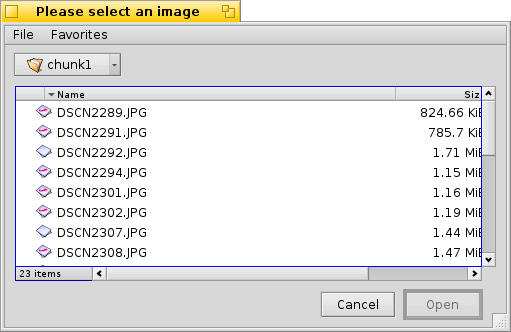
A window showing the example above
.label Sets a label above the filepanel widget.
.default A default path to start with.
.mode Change the mode of the filepanel. The mode can be "Load-File", "Load-Directory", "Load-File-and-Directory" or "Save-File". The Save-File mode will allow the user to type a neme into the filepanel save window. If an existing file is selected, a popup window will ask whether the file should really be overwritten.
.width Specifies how wide in pixels the filepanel widget ( textfield and button ) will be. A larger number will allow more of the path to show in the textfield and will resize the window.

