TFT Font Factory Wiki
Pixel font editor for embedded projects
Status: Alpha
Brought to you by:
tsx777

When you set up basic project options, you are ready to edit individual characters. Main workspace is here:
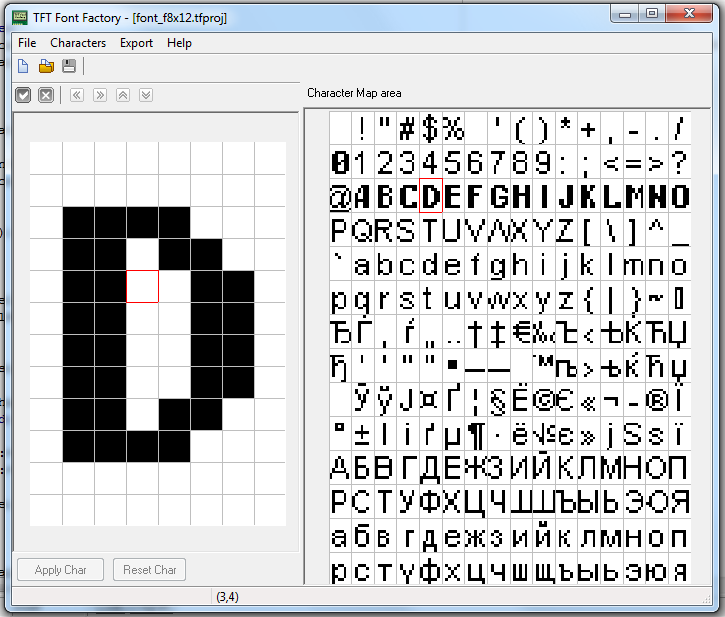
At right side you can see Character Map area. This is a table of characters of your font. Double-click at any available character to load it into Character Edit area (at left side).
Now you can tweak current character (or completely redraw it). Left mouse button click sets a pixel, right button clears it.
When character is ready, click Apply Char to store pixel data in map. Before you apply changes to a character, you can click Reset Char to reload current character from map.
Shift <...> buttons at the top of Edit area allow you to shift image.
Draw bounds button toggle display of actual character bounds
Use Set Baseline button to change font baseline position (not implemented in export now).


