
 Browse Code ▾

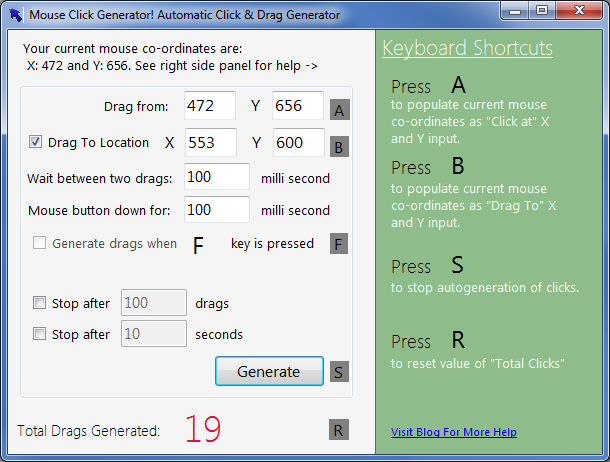
A powerful, fast and yet easy to use automatic mouse click and drag generator. This application allows you to do enormous repetitive clicks and drags with various configuration like adjusting speed and duration of clicks.
No installation required, just download and run.
NEW FEATURE in 1.3.1: You can now configure/change keyboard short cut just by clicking on short cut text.
Features
- Automatic Mouse Clicks
- Automatic Mouse Drags
- Short Cut Keys
- Easy Configuration Short Cut Keys
- Control Mouse Click Speed
- Control Mouse Click Duration
- Easy Point Selection
- Press and hold 'F' (fire) key to generate mouse click at current cursor position
- Game Friendly, works in background (use 'F' key feature)
- Auto Mouse Click
Project Samples


License
Creative Commons Attribution License, GNU General Public License version 2.0 (GPLv2)Follow Auto Mouse Clicker - Super Fast
Other Useful Business Software
MongoDB Atlas runs apps anywhere
MongoDB Atlas gives you the freedom to build and run modern applications anywhere—across AWS, Azure, and Google Cloud. With global availability in over 115 regions, Atlas lets you deploy close to your users, meet compliance needs, and scale with confidence across any geography.
Rate This Project
Login To Rate This Project
User Reviews
-
This software is very good. Very light weight. No need to install it to run it. Solves the purpose. If you don't need any pattern clicking, then this is it.

