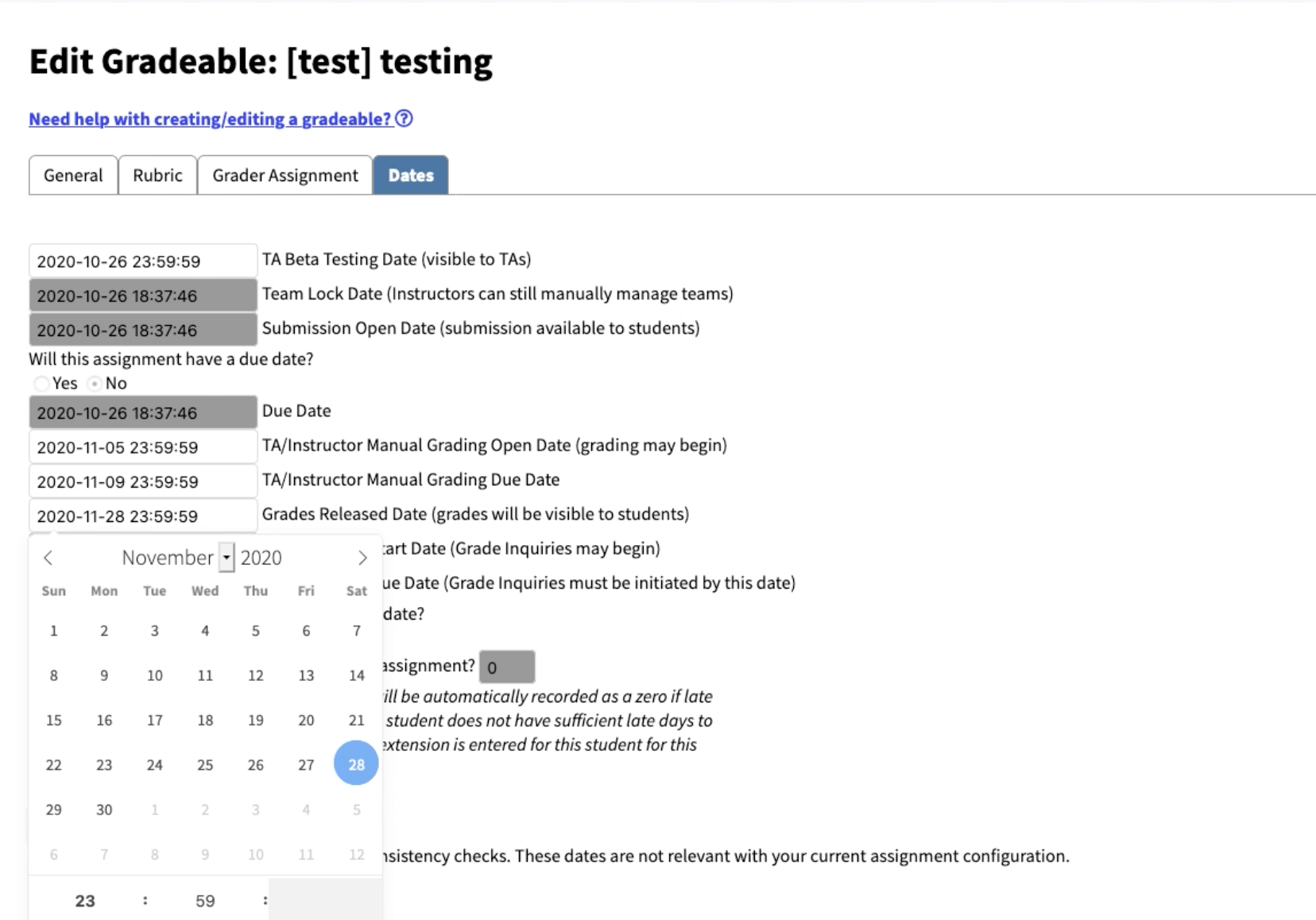
Irrelevant Dates (second values) change when editing Relevant Dates
Homework Submission, Automated Grading, and TA grading system.
Brought to you by:
ernn

Originally created by: semicolon-madness
Describe the bug
Gradeables with type Checkpoint (simple data entry: full/half/no credit) have bugs when setting relevant dates for TA's and instructors: the seconds and minutes change when adjusting calendar dates for customizable categories.
Expected behavior
When selecting relevant dates, other information should not change.
To Reproduce
Steps to reproduce the behavior:
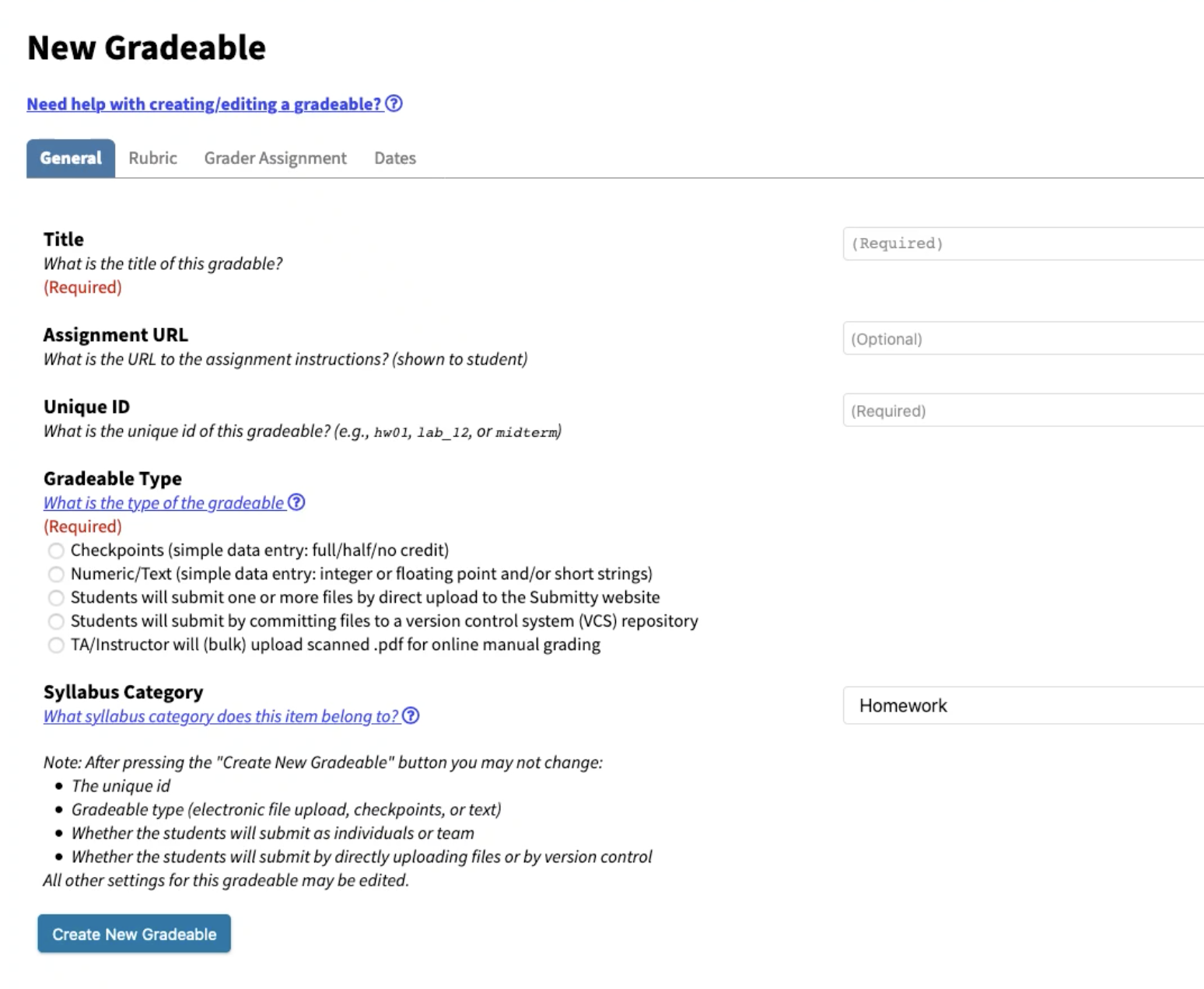
1. Start building a New Gradeable by selecting the "New Gradeable" option in the sidebar
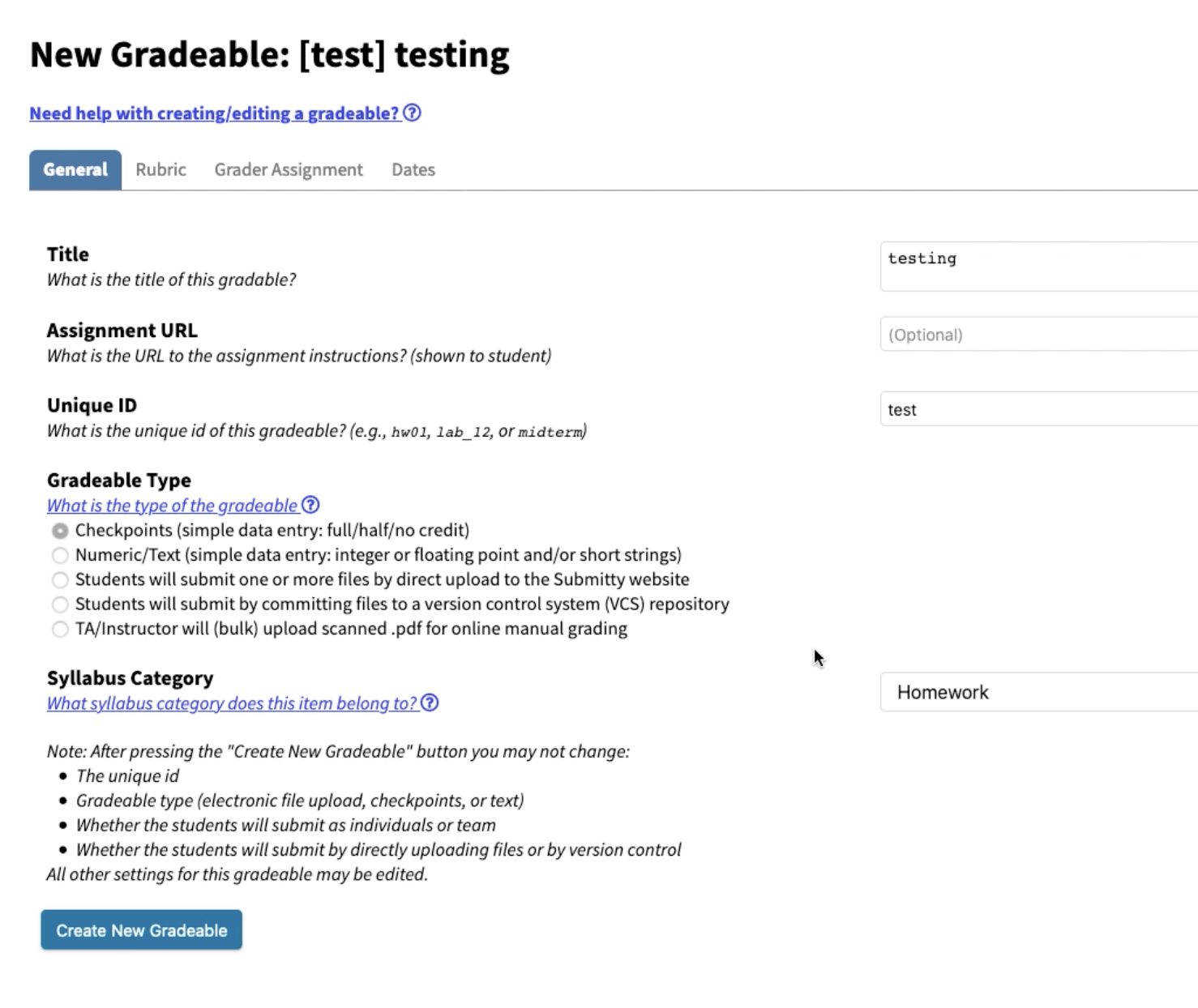
2. Give it a title, unique ID, and select "Checkpoints (simple data entry: full/half/no credit)" as the type.
3. Select "Create New Gradeable"
4. Go to the "Dates" option in your new gradeable
5. Select "Show All Dates"
6. Change the Grades Released Date
4. See error
Configuration
- OS: [iOS]
- Browser [firefox]
Screenshots