PDF Chain PDF Chain NEO
a graphical user interface for the PDF Toolkit (PDFtk)
Status: Alpha
Brought to you by:
m_power3

A graphical user interface for the PDF Toolkit (PDFtk).
The GUI is intended to offer the functions of the command line program pdftk to all users in a easy way.
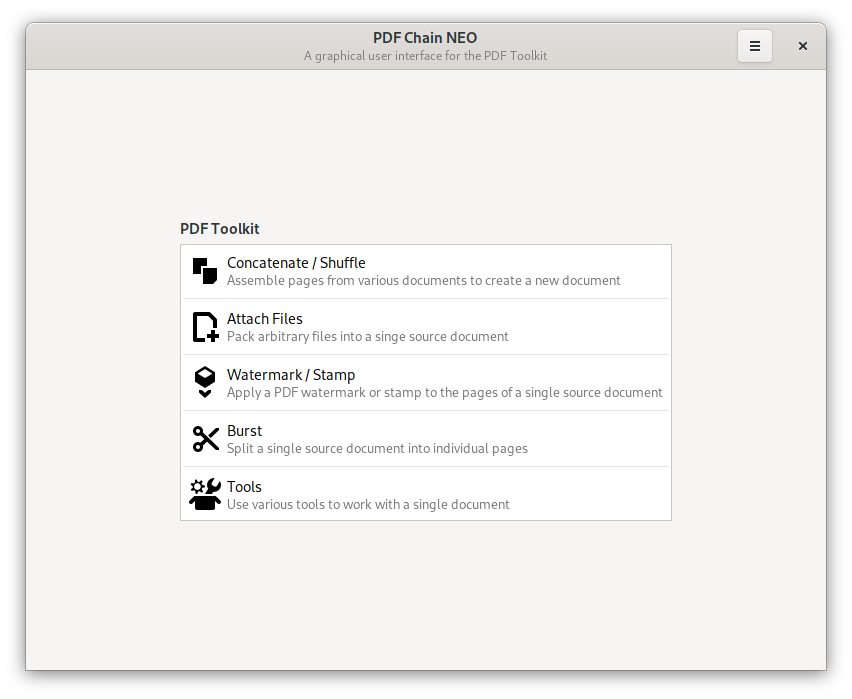
PDF Chain generates a command for the PDF Toolkit from the GUI settings and executes it on the system. Therefore the PDF Toolkit must be already installed on the system.
This version is a is a completely new implementation of PDF Chain in Python with a more modern interface design.
PDF Chain comes without any warranty!
Alternatively
Tools for installing
pip: The PyPA recommended tool for installing Python packages$ pacman -S python-pip
$ apt install python3-pip
Tools for packaging
setuptools: Easily download, build, install, upgrade, and uninstall Python packageswheel: A built-package format for Python$ pacman -S python-setuptools python-wheel
$ apt install python3-setuptools python3-wheel
$ pip3 install --user --upgrade setuptools wheel
$ pip3 install --user --upgrade pdfchain
$ pip3 uninstall pdfchain
$ git clone git://git.code.sf.net/p/pdfchain/neo pdfchain-neo
$ make dist
$ make install
$ make uninstall
$ make clean
Target directories
~/.local/lib/python3.x/site-packages/pdfchain/~/.local/share/~/.local/bin/There is also a Arch Linux build script in the scripts/AUR directory.
$ pdfchain
Command line options are not working yet!
For version 'pdfchain-0.5.0.0.alpha.5' it is necessary to create
the configuration file ~/.config/pdfchain.ini manually.
$ echo -e "[Path]\npdftk = pdftk" > ~/.config/pdfchain.ini
There is a User Documentation for the previous version.


 Martin Singer