Allow editing iFormulas with an external editor
Brought to you by:
jrheinlaender

Can we use external text editor for create/edit math object? Copy-paste isn't enough!
May be is possible to make sript in sublime (in typewriter.NET at last) to replase it
Bonuses:

Anonymous


You can read an external file into a Math object with READFILE. Currently formulas read in like this are not displayed because it is intended as a kind of include-file syntax.
But it would be possible to add a parameter to READFILE which displays all the formulas in the file.
No, I need to run external editor for math object. External file - is just my view how can it be implemented (user must don't know anything about external file)
You mean a new option on the right-click context menu "Open in external editor"? And the editor to use could be defined in the global iMath settings.
Yes! And else button "Create with external text editor" will be useful.
Let it will be here, just for myself, for use iside text editor (if it will be implemented):
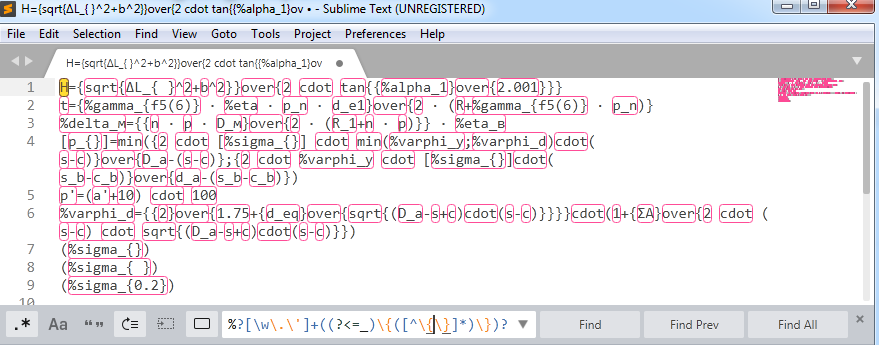
Regex to replace variables by
_ii_VAL(varname)_ii_:Let this highlight file for sublime will be here
Have a look at 2.3.1~beta1 release
Cool!!! This is what I wanted.
But we need fine-tuning:
%%ii*.eqninstead*.txt- for syntax highlighting setup simplifing in editorC:\Programat "Editing" insteadC:\Program Files\Sublime Text 3\sublime_text.exeand only after that writedC:\Program Files\Sublime Text 3at Path andsublime_text.exeat "Editing". Please, allow full path or just write "External editor name (use %PATH% to allow run it by name)". Just "Editing" is not so clear.Hi. Create new equations is now in beta2.
The problem with program name with spaces is that someone could distribute a different package of iMath where the external editor is called "format C:". It is always a security problem calling other programs.
Now I have changed the check so that iMath checks that the program string is really a file. This means that command-line parameters are not possible. That is less restrictive.
Thank you, Jan, now it's usable!
But key binding for new formula is missing (or I can't find?)
...may be use one shortcut for edit selected and create new formula if nothing selected
In ideal case - it would be better to open unselected formula if it exists near caret and create new formula if nothing near caret (it's problem of LibreOffice - missing normal way to select formula without mouse).
Right I forgot the key binding. For workaround now, you can add
to openDialog.xba
OK.
Today I edited formulas in document without iMath. Edition with multiple cursors and brackets highlirghting is significantly easier O_o. So it's needed to allow edit/create not iMath formulas too. Even for not-iMath users.
You are quite right that the standard Math editor has only basic functionality and needs a lot of improvement. But that's a feature request for the LibreOffice Development Team. It has nothing to do with iMath.
Well, Yes, someone suggested they to introduce highlighting in the editor, but they ignore it.
... I should certainly write them this proposal for an external editor. But there is little hope.
It just seems that is no difference - iMath or not iMath formula - only it's text content. And I thought it's possible to edit everything
Else one thing to fine-tuning:
The difference between iMath and not iMath equations is
%%iiexistent only - am I right?May be remove temp files after reading? But if they continue exists - it's not a problem.
More correct highlight for sublime
As a result, I set up cudatext. So, now AUTOTEXT is not needed
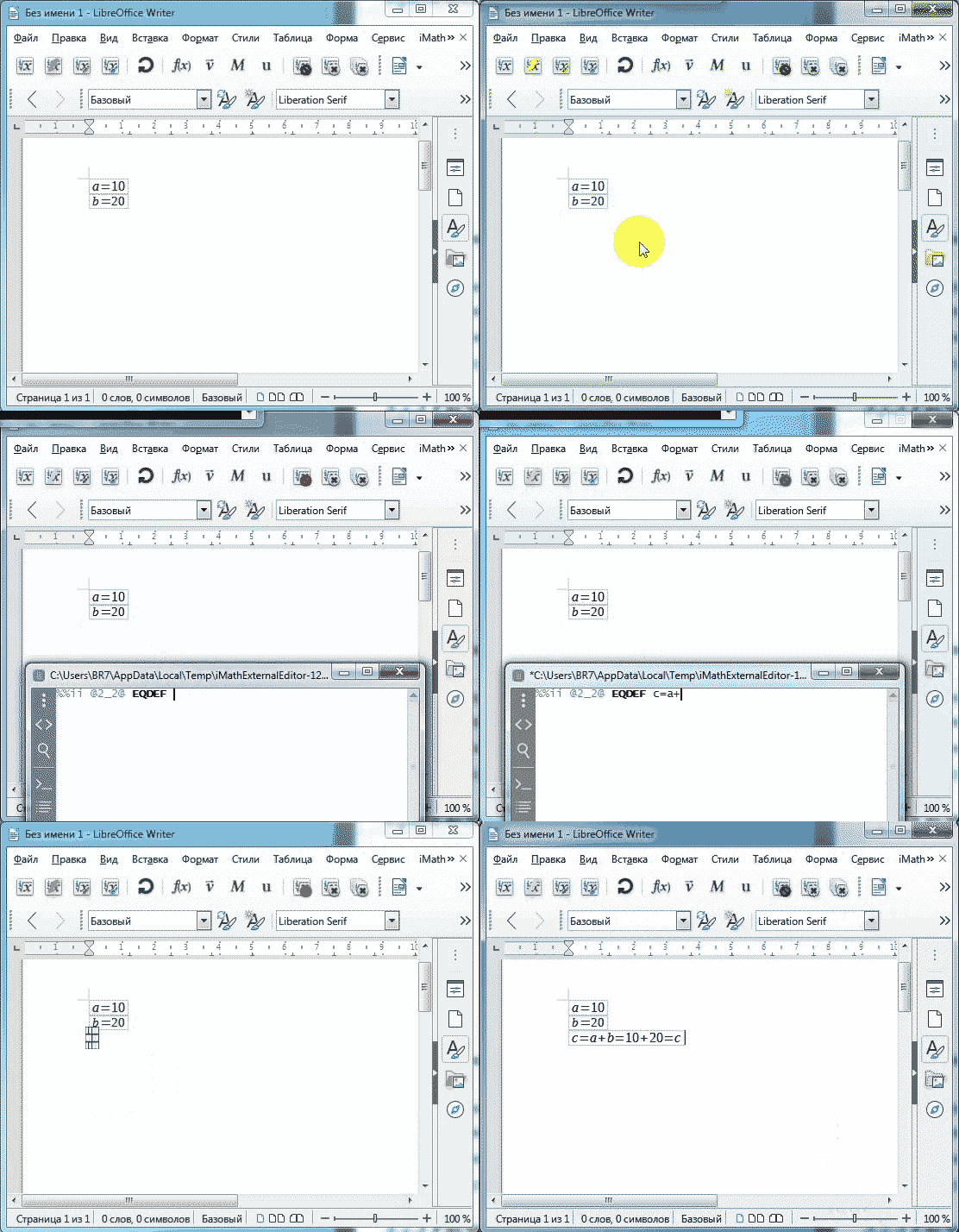
This is cudetext settings (with plugins AutoSave and Macroses):
At this gif I press Ctrl+Shift+E inside cudatext to run "imath:explain EQDEF" macros
Thanks. I created a new folder on the Sourceforge download page at the top level for editor configs, because they do not change with iMath releases.
Can we close this ticket?
It's usable, and it already save many time, but:
a) when edit next formula with disabling autoupdate and when fogot to update manually - it's no good, but this is basically expected;
b) when error on update stops formula updating - it's wasn't expected O_o
Hands do not reach to find out in detail the conditions of occurrence
So: We can close this ticket and I create than other bugs, or continue talk about it there
Hi Sergey,
why do you not want to generate anything on create formula? You always need the %%ii certainly, and what about the equation number?
Some reason exists.
Actualy, I would not want to see even %%ii, вecause I use snippets with aText - they work everywhere: LO Math, CudaText, Notepad, for example:
And when I want to write PRINTVAL, I don't want to erase EQDEF
Then, I may want to just type the formula, without %%ii. And somehow it's annoying that you can't edit ordinary formulas as well as iMath formulas.
Elso, I use some regexpressions, to do more complex things, for example:
transfomates with bat-file in attach and sd to
Equation number is unusable for me. And if label is empty - your iMath generates label by variable name - it's fine and don't need to pregenerate numbers