
 Download

Allows control of fans in Apple computers in Windows and monitoring of temperatures. All Intel Macs supported + any conflicting programs are automatically closed and reopened. Project is no longer being actively developed. See forum for alternatives.
Features
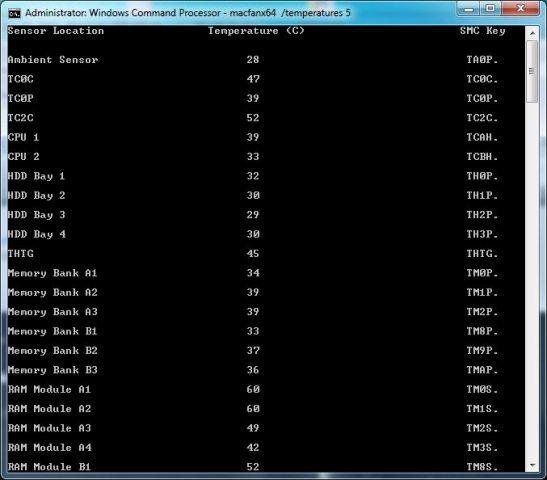
- Controls fans and monitors temperature sensors in Intel based Apple computers
- Does not require BootCamp drivers installed
- READ RELEASE NOTES FOR HOW TO USE!
- 64-bit and 32-bit compatible
- Tested on Vista x32 MBP
- If you have not used the command prompt before, look at the How do I use MacFan? thread in Open Discussion
Project Samples

License
GNU General Public License version 3.0 (GPLv3)Follow Mac/SMC Fan Control for Windows (+ Temp)
Other Useful Business Software
One Monitoring Tool for IT, OT and Cloud | Free Trial
Modern infrastructure spans data centers, cloud platforms and factory floors, and every blind spot between them is a risk. PRTG supports SNMP, WMI, SSH and other standard protocols to monitor IT, OT and hybrid environments through one customizable dashboard. Build the views your team needs, from network health to application performance, without switching tools. Try PRTG free for 30 days now.
Rate This Project
Login To Rate This Project
User Reviews
-
1 out of 5 starsThe app is buggy and outdated. Moreover it doesn't have UI. Do yourself a favor and use free "Macs Fan Control" app (google for it), it supports all apple hardware on Windows and also Mac.
-
5 out of 5 starsExcellent job !!! Good try... I love this app. Bypassed me from many troubles... I had many BSODs (randomly) and I had no idea what was going on... My configuration is a system of an Apple iMac "Core i5" 2.66 27-Inch (Late 2009), with the following identifiers: Late 2009 - MB953LL/A - iMac11,1. - This is a known toaster sytem... I mostly operating this system under Bootcamp partition, wearing Windows 7, Ultimate - 64bit (many applications under Windows platform). I had NO FANS at all. Take a look at the temperatures I had before running MacFan: (Fan #0 (ODD) was running at 1010 rpm) << after MacFan 3000 (Fan #1 ( HDD) was running at 1095 rpm) !!! << after MacFan 4000 (Fan #2 (CPU) was running at 935 rpm.) !!! << after MacFan 2000 So, I fixed it with this wonderful app. Thanks again to the team of developers.
-
5 out of 5 starsGreat stuff.
-
5 out of 5 starsWorks fine on iMac 5,1 (20" late 2006) too
-
5 out of 5 starsHi, I couldn't understand why this tool didn't work on my Macbook Pro 15" (Early 2008 model). I tried it on Windows 7 32bit (with bootcamp). When I run this command: C:/MacFan0_65\MacFan.exe I get : "PROBLEM LOADING IO DRIVERS. EXECUTION STOPPED" Any response from a successful user of this tool would be highly appreciated. You can share your experience to me at buried.shopno@gmail.com. Thanks.
