

If you're a web developer who frequently works with PHP, MySQL, or frameworks like Laravel and WordPress, you've probably experienced frustrating moments with your local environment.
How many times have you been frustrated because you forgot to open Notepad with administrator privileges just to add a line to a file hosts? How many times have you had to wait for Apache to restart slowly and report a port 80 error just because you accidentally changed a tiny configuration? Or those times when clients urged you to see a website demo immediately, and you had to painstakingly export the database, compress the source code, and upload it to the hosting, wasting hours?
 <noscript>
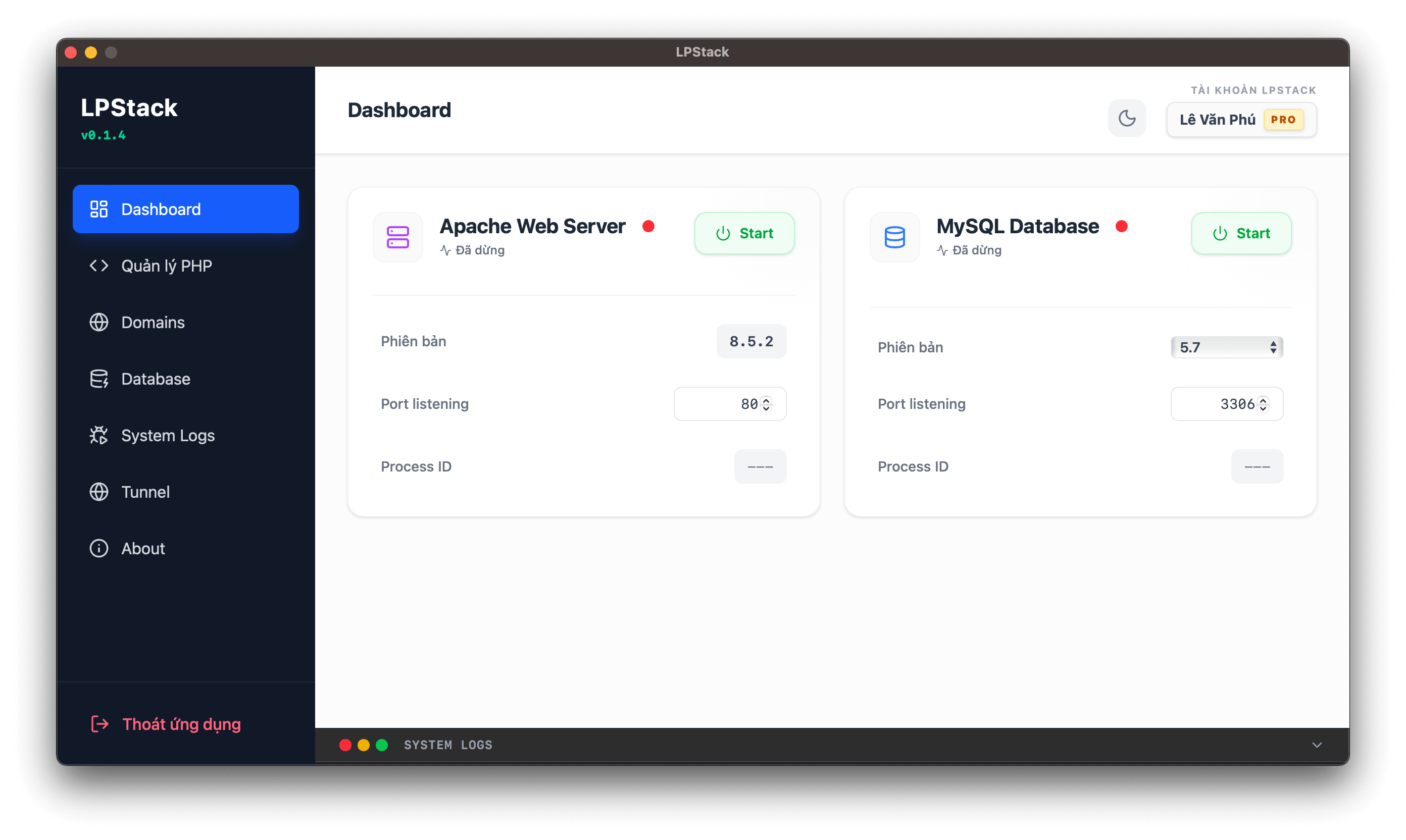
</noscript>As web developers with years of experience, we needed a smarter, more modern tool that could thoroughly address those recurring "pain points." That's why LPStack Server was officially created!
<noscript>
</noscript>As web developers with years of experience, we needed a smarter, more modern tool that could thoroughly address those recurring "pain points." That's why LPStack Server was officially created!
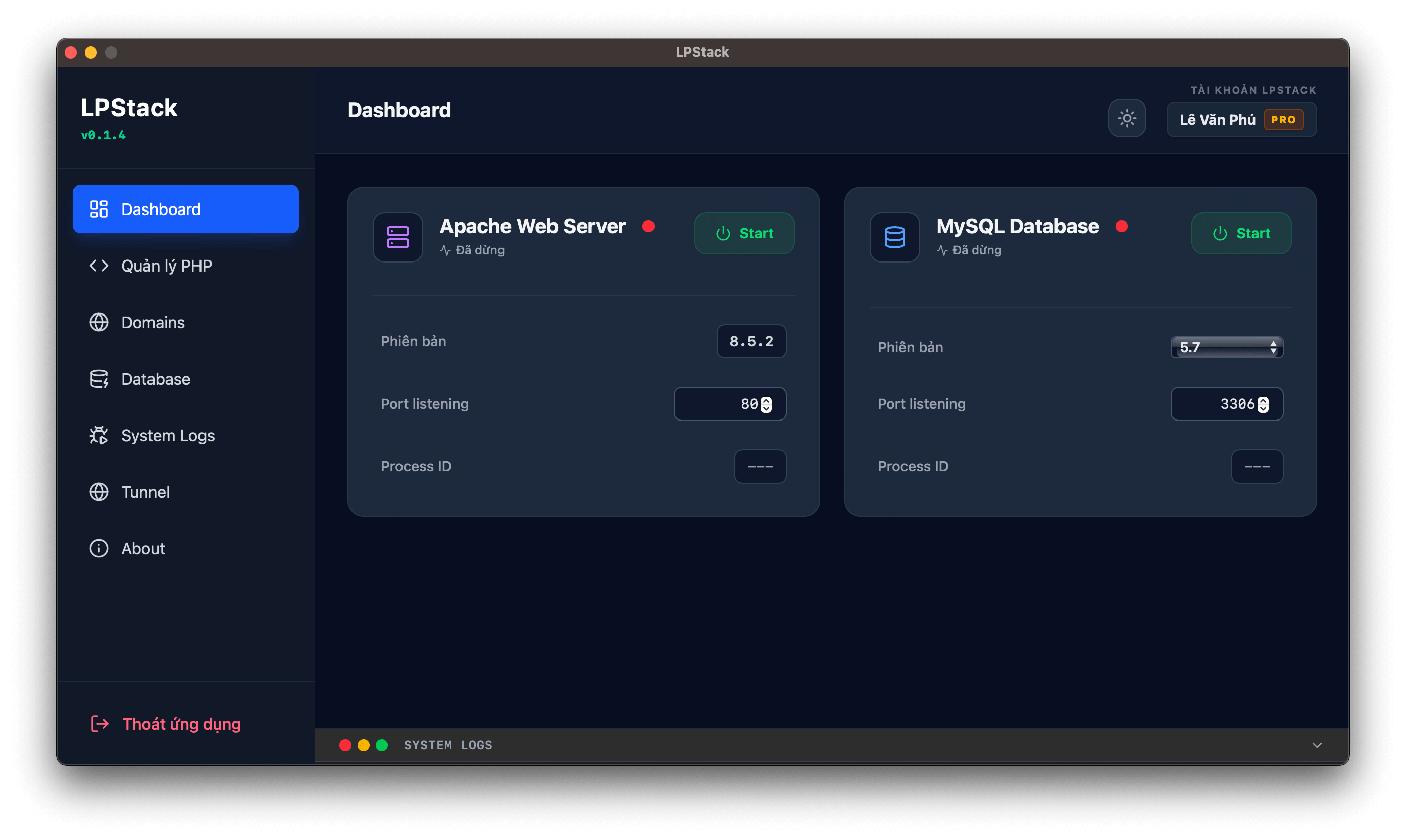
Today, the development team officially released the first MVP of LPStack – a lightweight, cross-platform Local Server. This is a minimalist, all-in-one solution focused on a smooth experience for developers who need to set up their environment quickly without being tied to the cumbersome XAMPP or AMPPS.
 <noscript>
</noscript>(P.S.: For senior developers, Environment or Tooling might not be a big problem if you're already familiar with Docker or installing services directly on macOS/Linux. However, LPStack aims to be a "quick and easy" tool for students, freshers, juniors, or anyone who wants to set up a new project in just a few seconds.)
<noscript>
</noscript>(P.S.: For senior developers, Environment or Tooling might not be a big problem if you're already familiar with Docker or installing services directly on macOS/Linux. However, LPStack aims to be a "quick and easy" tool for students, freshers, juniors, or anyone who wants to set up a new project in just a few seconds.)
Here are some of the "worthwhile" features in this MVP version:
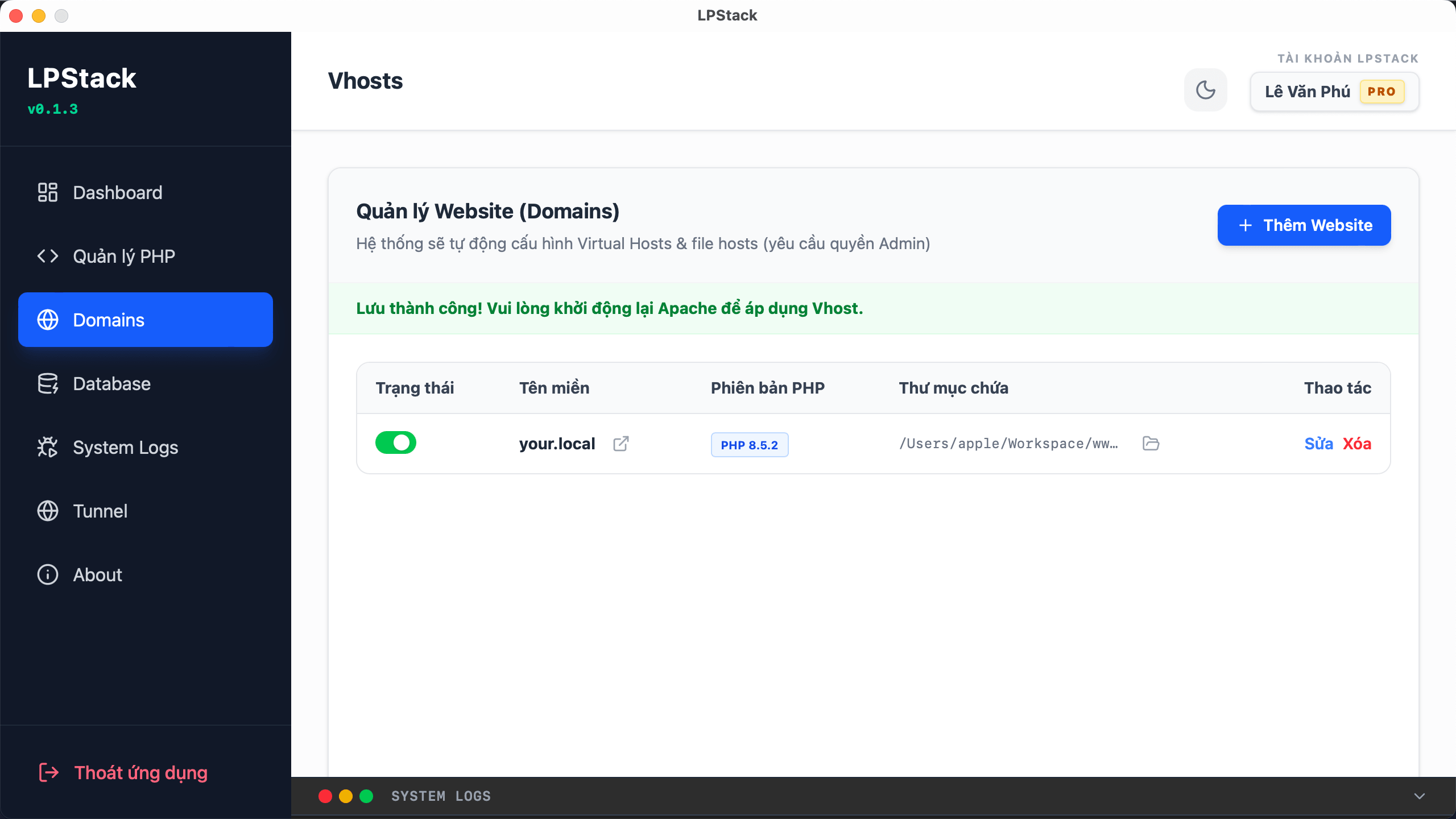
Virtual domain (Auto Vhost) is completely automated.
Forget about navigating complex paths or manually C:\Windows\System32\drivers\etc\hostsediting files anymore.httpd-vhosts.conf
 <noscript>
</noscript>
<noscript>
</noscript>
With LPStack, everything is completely automated:
You just need to type the project name (for example,
myproject.localorshop.test) and select the folder containing the source code.The system will automatically grant permissions, write the hosts file, and create a Virtual Host configuration for Apache immediately.
Your coding environment will become more professional and cleaner than ever before, accurately simulating the real domain when running in production.
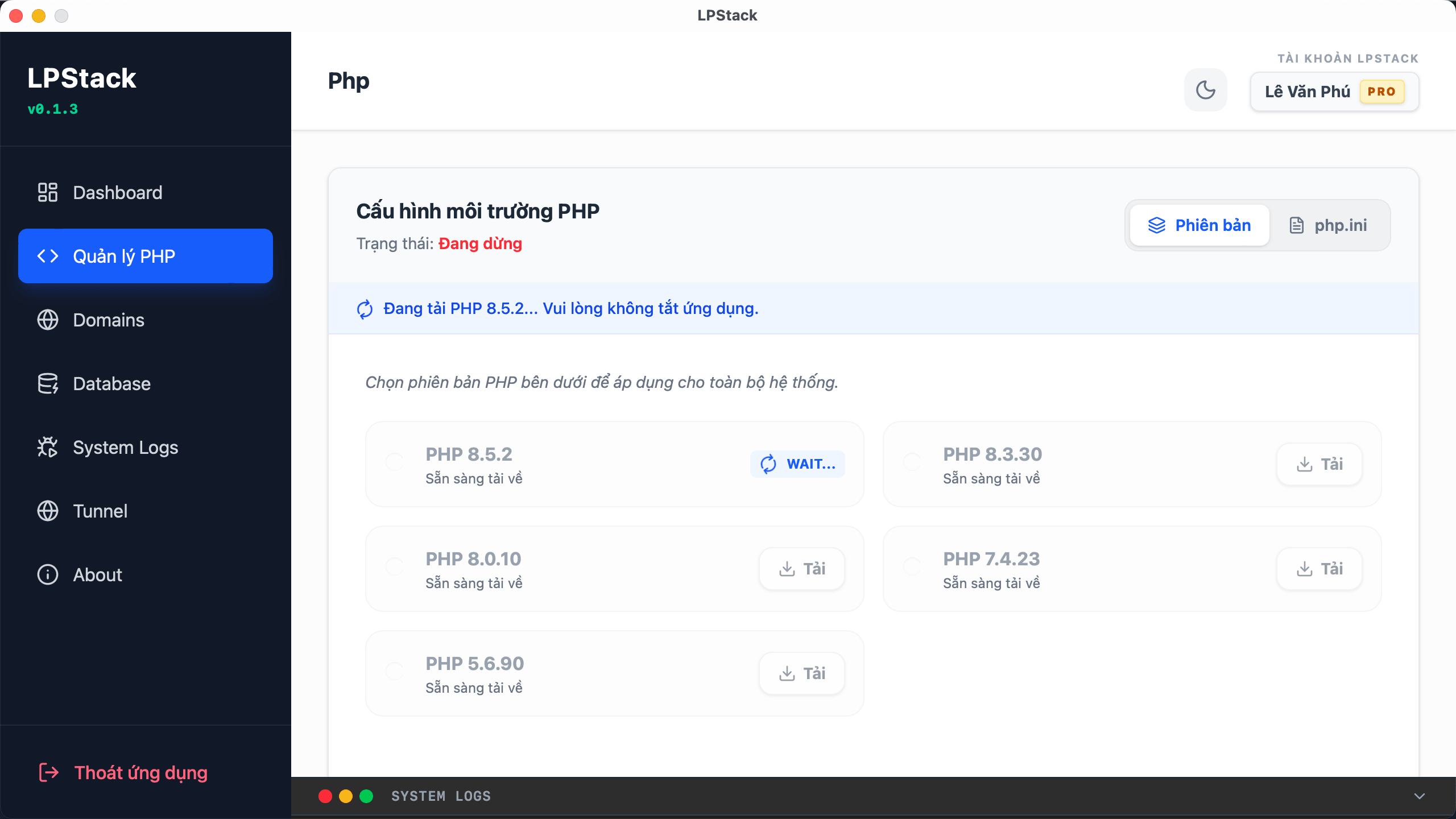
Switch PHP versions flexibly with just one click.
One of the biggest nightmares when using XAMPP is managing multiple projects with different PHP versions (older projects running PHP 7.4, the latest Laravel project requiring PHP 8.2).
 <noscript>
</noscript>
<noscript>
</noscript>
LPStack completely solves this problem with its built-in version manager:
Switching between PHP versions (7.4, 8.0, 8.1, 8.2...) is incredibly smooth with just a click of the mouse.
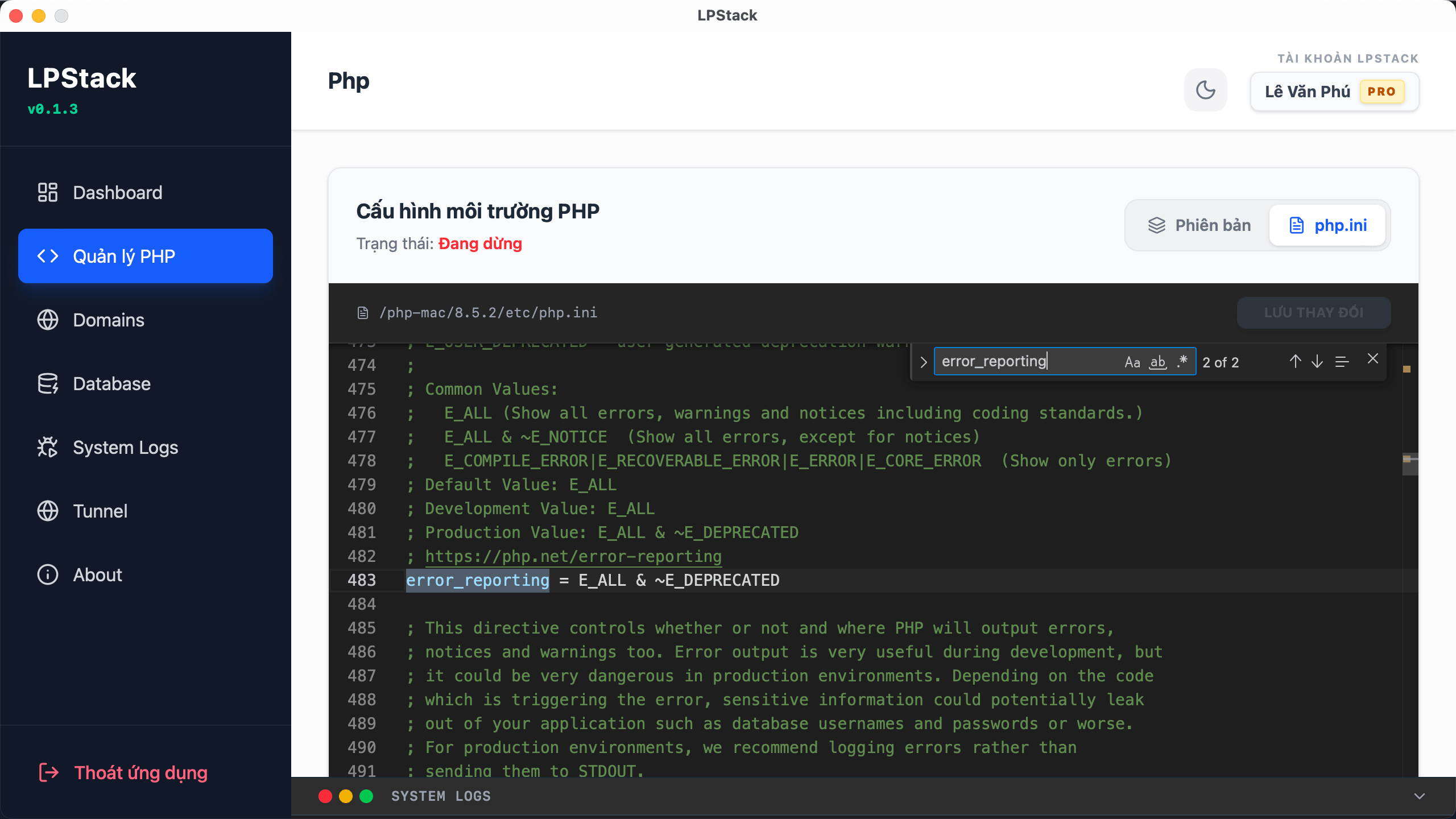
Configure
php.inidirectly within the application's UI without having to search for hidden text files deep within system folders.It provides full support for the most essential extensions for today's popular frameworks.
 <noscript>
</noscript>
<noscript>
</noscript>
Powerful native database management (Bye bye phpMyAdmin!)
phpMyAdmin is a good tool, but because it runs on a web browser, it often experiences slowdowns, consumes a lot of browser RAM, and frequently times out when importing .sqllarge files.
 <noscript>
</noscript>
<noscript>
</noscript>
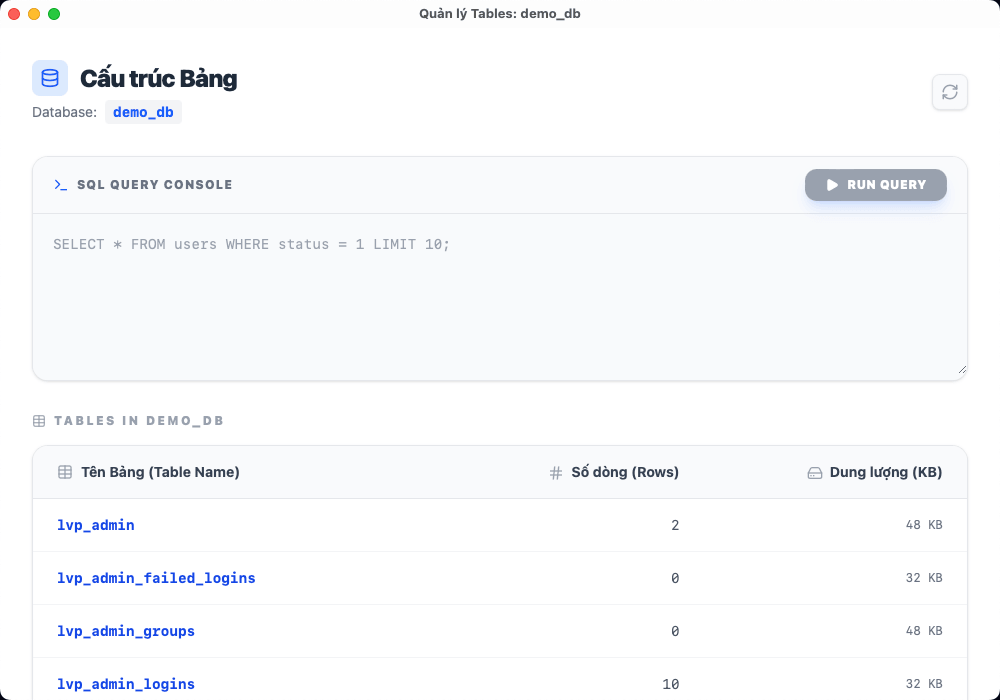
LPStack offers a completely different experience by integrating a native MySQL database manager directly into the software:
The native interface is incredibly smooth, with no lag during operation.
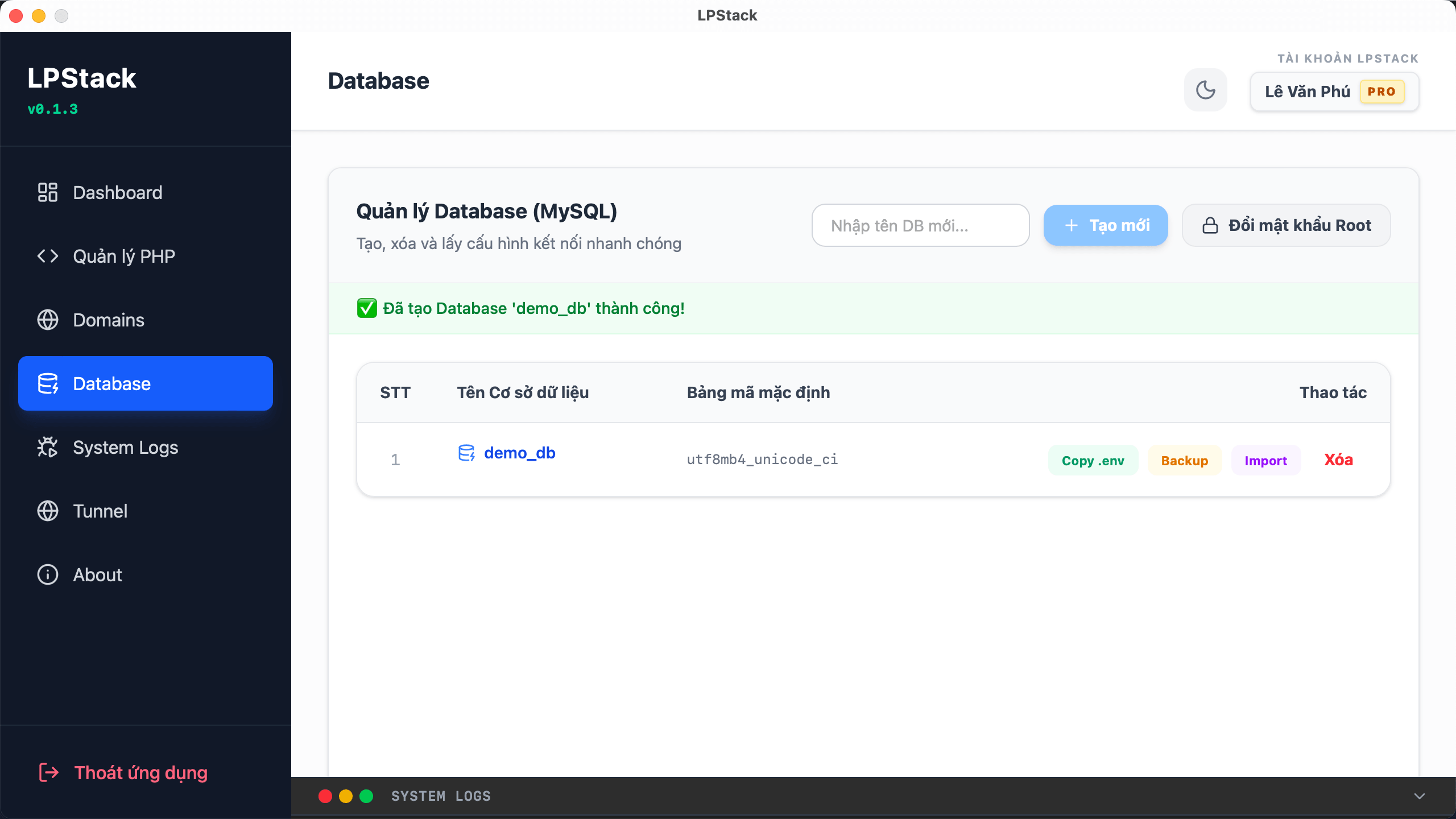
Creating databases and granting user permissions is easy.
 <noscript>
</noscript>
<noscript>
</noscript>
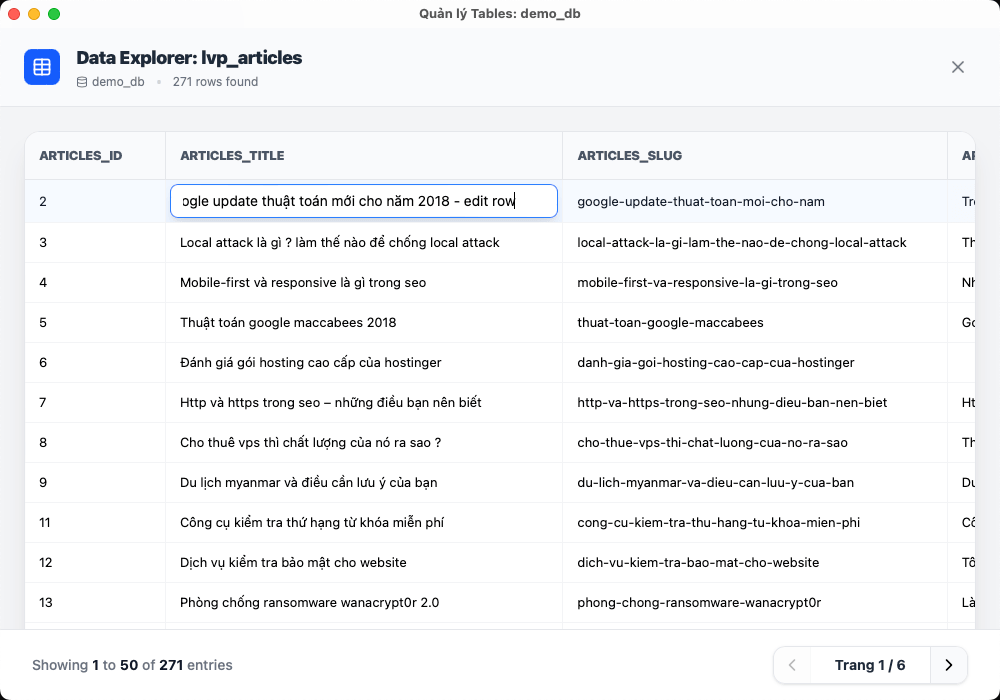
Powerful import/export capabilities: Handles large database files smoothly without fear of the "legendary" timeout errors.
Quickly test real-time query statements.
rootEspecially noteworthy: The instant password reset feature is a lifesaver for those with "forgetful" minds who frequently forget local passwords.
 <noscript>
</noscript>
<noscript>
</noscript>
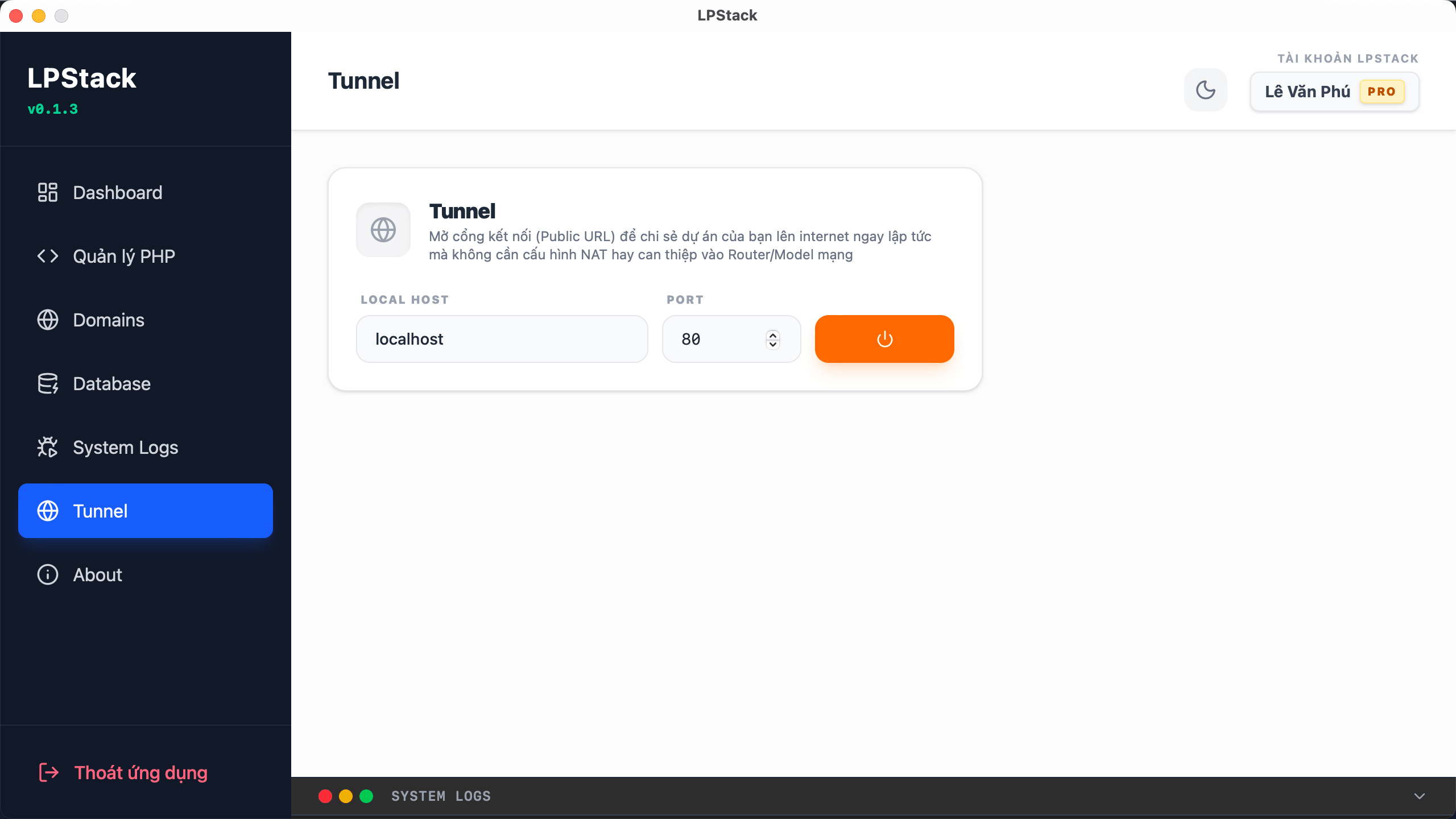
Share your internet (public tunnel) with a single button press.
This is definitely a "secret weapon" feature that every web developer needs. You no longer need to install Ngrok or spend money on expensive tunneling services.
Live Demo: Instantly export your running project
localhostto the internet via a secure HTTPS link. Send the link to the client for design review immediately without deploying to a server.Webhook & API Test: Perfect for developers to integrate payment gateways (VNPAY, MoMo), test webhooks from Zalo ZNS, Facebook API, etc.
Mobile Testing: Open a real phone, access the Public Tunnel link to test the responsive interface (UI Test) or test features directly on real devices.
 <noscript>
</noscript>
<noscript>
</noscript>
True cross-platform: Seamless operation across multiple platforms.
LPStack's coding environment is designed using modern technology, ensuring it runs smoothly and doesn't consume excessive system resources when running in the background.
It operates extremely stably on a Windows (x64) environment .
Native support for macOS (Intel chips) .
Note: Native support for macOS using Apple Silicon chips (M-series / ARM) is being finalized and will be updated soon.
Proudly made in Vietnam - Join us!
Developed and researched by Vietnamese technology engineers, LPStack was born from the concerns and sleepless nights spent coding by the LPTech team. We understand the work culture, practical needs, and challenges of the domestic programming community.
Using LPStack is not only a way to optimize your own work performance, but also a practical way to support "Make in Vietnam" software products. We are committed to continuously listening to the community to deliver the highest quality updates.
Ready to upgrade your coding environment?
We are eager to receive feedback and suggestions from fellow developers on how to experiment with and test the features, so that LPStack can become even better and a must-have tool on every web developer's computer.
Download LPStack completely free now at: https://server.lpw.vn/downloads (translate.google.com)
Thank you for your support! For any feedback, bug reports, or feature suggestions, please comment below this post or send them directly to: tech@lptech.asia .
Do you think this article has enough depth and effectively conveys the message of "supporting Vietnamese products"? Please let me know if there are any areas where the writing style needs adjustment!



