Kookaburra Code
Cross-Platform, Object-Oriented Programming language. With Kookaburra
Status: Beta
Brought to you by:
azproductions

| File | Date | Author | Commit |
|---|---|---|---|
| .github | 2021-05-03 |
 AZ Productions
|
[eb1ac3] Delete test.txt |
| blogs | 2021-07-01 |
AZ Productions
|
[f4e21b] Update ms-store.md |
| docs | 2021-07-15 |
 codefactor-io
|
[7e8840] [CodeFactor] Apply fixes |
| docs-img | 2021-07-02 |
AZ Productions
|
[9b77fd] Add files via upload |
| docs-preview | 2021-07-02 |
AZ Productions
|
[6e404c] Add files via upload |
| packages | 2021-05-25 |
AZ Productions
|
[06979c] Delete localtcp.kbproject |
| snippets | 2021-07-16 |
AZ Productions
|
[66f12f] New Barchart snippet, works in 0.7.0 pre-1 only. |
| src | 2021-07-16 |
AZ Productions
|
[92e1d7] Update Program.cs |
| CONTRIBUTING | 2021-07-16 |
 KookaburraBot
|
[cc1a59] Update CONTRIBUTING |
| LICENCE | 2021-07-16 |
KookaburraBot
|
[00f275] Updated license, updated from servers. |
| PRIVACY | 2021-06-28 |
 Kookaburra
|
[96e13f] Create PRIVACY |
| README.md | 2021-07-16 |
AZ Productions
|
[248b29] Update README.md |
| TOS.md | 2021-06-28 |
Kookaburra
|
[332a6b] Update TOS.md |
 Kookaburra



Kookaburra is a simple programming language. With Kookaburra you can choose between the powerful CLI, or start coding with its intuitive syntax. The syntax is simple and efficient. Create apps/games and more that are fine-tuned to perfection. Kookaburra is completely free to use, with local files and no data/telemetry collection. Our aim is to power creativity and inspire young developers. That's why we care about privacy and safety. We love hearing feedback to improve Kookaburra.
Use this command to download it with wget
wget https://github.com/AZProductions/Kookaburra/releases/download/0.6.8/KookaburraShell_linux_0.6.8
Or by using curl
curl https://github.com/AZProductions/Kookaburra/releases/download/0.6.8/KookaburraShell_linux_0.6.8
And run it by typing
./KookaburraShell
Run Kookaburra and open a .kookaburra file with
./KookaburraShell /filelocation/example.kookaburra
In kookaburra you can choose between using the terminal and scripting with '.kookaburra' files.
In this guide we wil only cover the topic of programming you own applications.
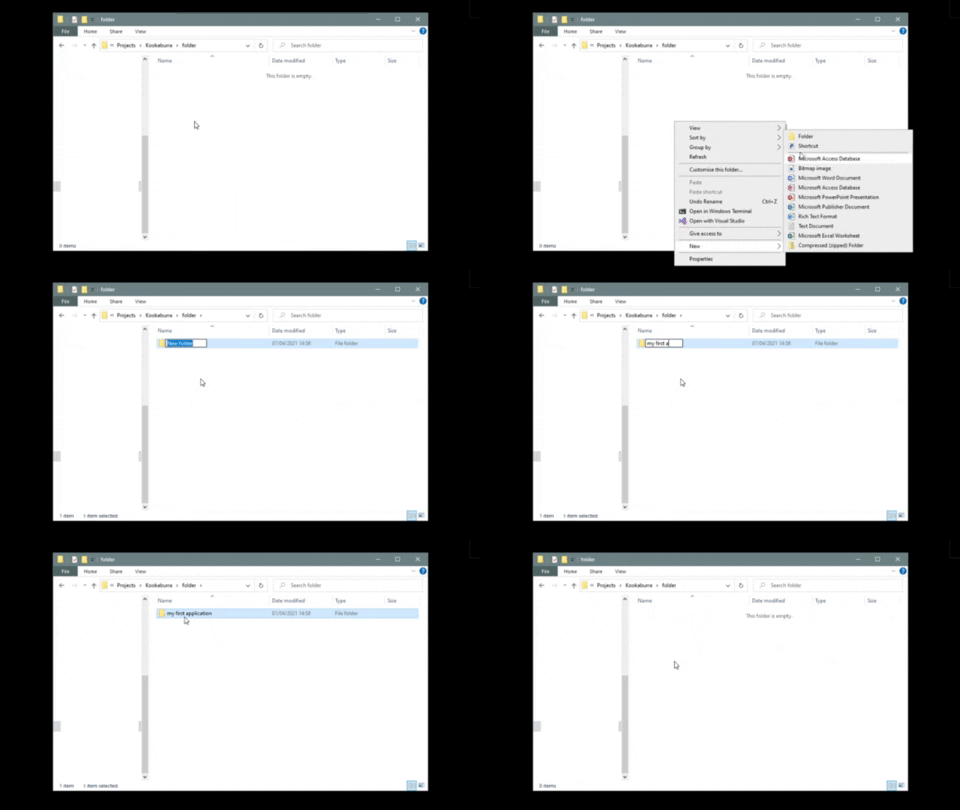
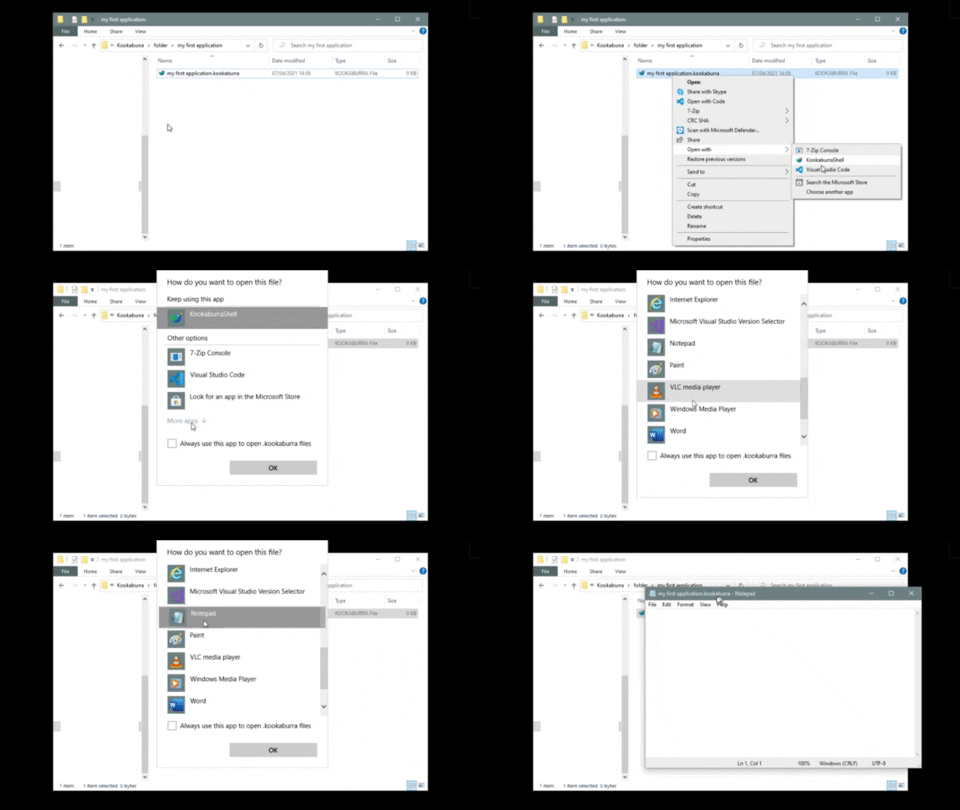
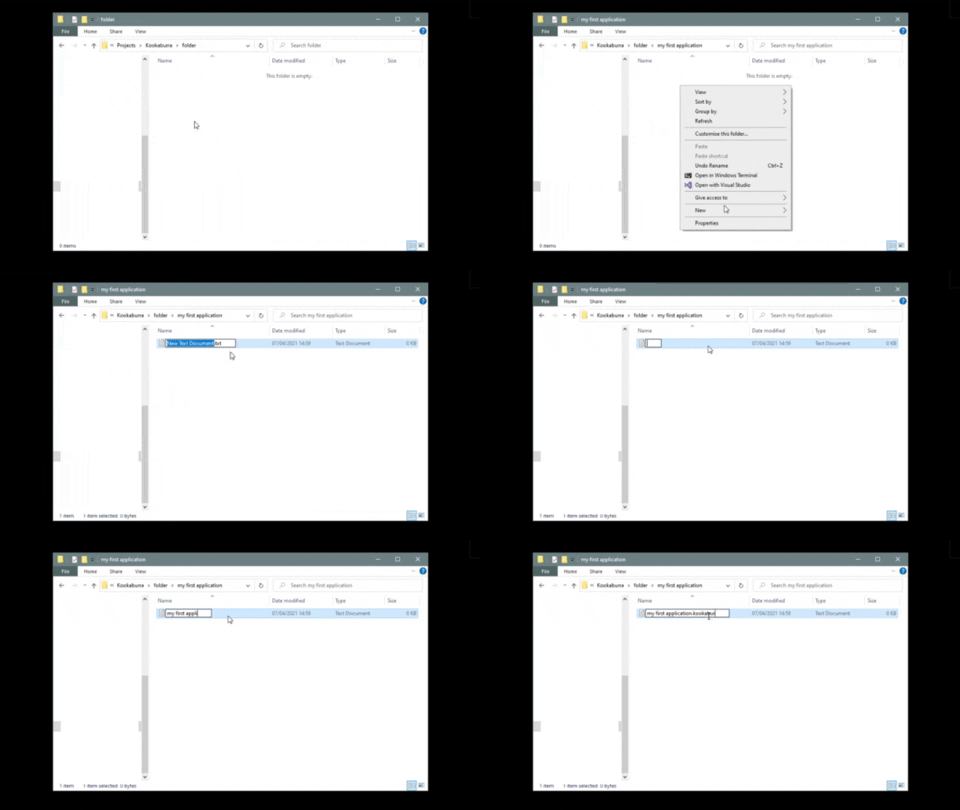
Availible on the website. (azproductions.github.io)
| Command | description |
|---|---|
cp |
Copy files from one place to another. |
rm |
Delete files. |
rmdir |
Delete folders. |
mkdir |
Make folders. |
mkfile |
Make files. |
cd |
Change to a directory or file. |
cd .. |
Go back a directory. |
ls or dir |
Go back a directory. |
clear or cls |
Clears the console window. |
whoami |
Shows the pc name and username. |
drives |
List all drives in your computer. |
browse |
Opens file-explorer in the current directory. You can also use explore or explorer. |
ipconfig |
Show all internet settings from your computer. |
download |
Download files from an internet server. |
password |
Generate passwords. |
tree |
Renders a detailed list of all the files and folders in a directory. |
# 'app.debug-off' - remove debug text.
import FileIO
print @"Location:"
string location = app.read()
print "-------------"
print @"value:"
string value = app.readline()
new filewriter(location, value)
print @"finished, value = "
print @value
print @"."
app.read()
app.debug-off
print "- Colors in Kookaburra - "
app.color = blue
print "Blue"
app.color = red
print "Red"
app.color = green
print "Green"
app.color = yellow
print "Yellow"
app.color = white
print "white"
app.read()
We at AZ Software take security very seriously, that's why on every release page we always show the checksum. You can use online tools to check if the SHA-256 match up.
We recommend you to scan the donwnloaded file with an Antivirus before opening or executing the file.
You can also open the file in a code/text editor and read exactly what the file does.