Menu
▾
▴

Running experiments
Preparations for running an experiment
- First of all make sure that you followed the installation outlined in the installation section
- If you intend to do a distributed experiment you have to make sure that your network and security settings are correct, in order to allow remote hosts to communicate between each other through their IP addresses and configured service ports
- Execute node0, this will open the configuration GUI. You can do this through the run.sh script or using the following (while placed on the node0 directory) command:
java -classpath lib/jason.jar:bin/classes:lib/weka.jar:lib/cartago.jar:lib/c4jason.jar:lib/jacamo.jar:lib/moa.jar:lib/moise.jar:lib/pentaho.jar:lib/sizeofag-1.0.0.jar jason.infra.centralised.RunCentralisedMAS experimenter.mas2j - Execute a defaultNode in each computer of interest (you can run various instances on the same computer using different ports), you need at least one of such nodes. The execution could be through the run.sh scrip inside the defaultNode directory, the IP and Port must be passed. You can also execute a node through the following command (while placed on the defaultNode directory, you also need to pass the IP and Port):
java -classpath bin:lib/cartago.jar:lib/experimenter.jar:lib/moa.jar:lib/weka.jar:lib/pentaho.jar:lib/modl_gkclass.jar defaultClient.Main IP:Port
How to configure and launch an experiment
The GUI interface present several configurable fields that must be set.
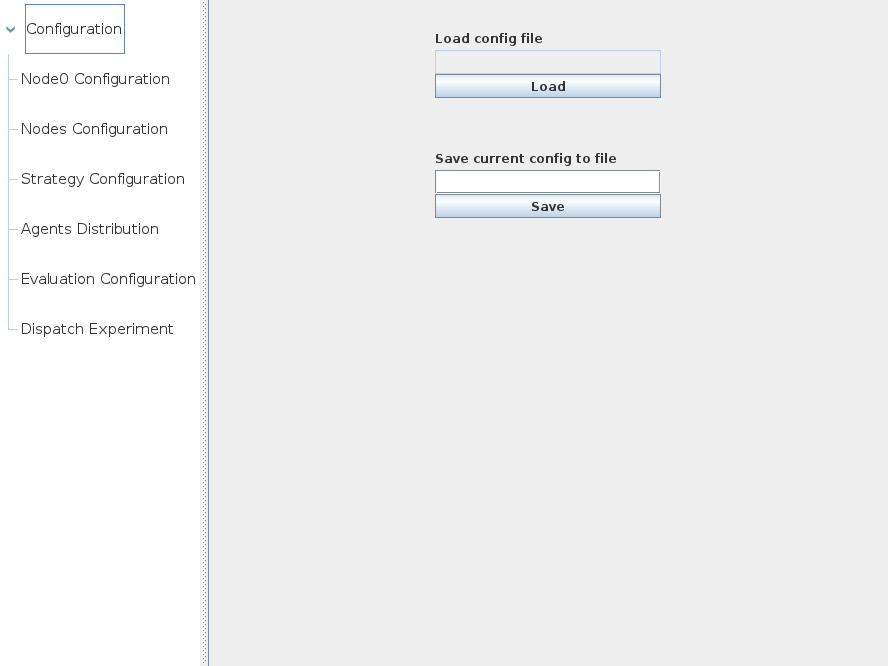
These fields are divided in the following categories:
- Main configuration: it is possible to load existing configurations or save a current one on an XML file
- Node0 configuration: to establish the IP where node0 is running, this is useful if the computer has more than one network interface, it peeks an IP address by default.
- Nodes Configuration: this configuration allows node0 to recognize which default nodes participate in an experiment. For each default node some configuration fields are in order:
- name: a logical name to refer to the node
- IP and port: the IP and port of the node
- Data file path: the path where the data of the node is stored. This data is the data that will be used in the DDM process, and it is considered as training data.
- Strategy Configuration: a strategy can be loaded via its XML definition file. When a strategy is successfully loaded, it is possible to establish the values of the special parameters that defines.
- Agents Distribution: this section can only be configured if the nodes configuration and the strategy configuration is done. In this section it is possible to configure, for each agent program (remember that the strategy defines agent programs), how many copies (if any) of that agent program are going to be assigned to a particular node. Note that this configuration is strategy dependent.
- Evaluation configuration: in this section it is possible to configure the data sources and the general evaluation mode. There are several main options (note that currently only WEKA arff files are supported):
- Single file: the experiment will only consist of a single data file already present in each node (each node defines a single training file). When configuring the data path of each node, the configured path indicates this file. The test file residing in node0 has to be specified
- Round files: the experiment will consist of a series of files on the same directory for each node, the files are already present in each node. The files follow a naming convention. For example, australian1.arff indicates the first file, australian2.arff the second, an so on. The following sub fields must to be also configured:
- Base train name: indicates the part of the file name that it is common to all the data files. Following the example of the naming conventions mentioned before, the appropriate value here would be australian.arff
- Test file base name with path: as there are several files for training, there are as many test files. In this field a path to the directory on node0 where the test data is located followed by a base name for each test file is supplied. An example of this field could be: /tmp/australian.arff
- Number of round files: indicates how many data files there are
- Hold out: this option takes into account that no training data is already present on each node, the data will be delivered to each node following the configuration:
- Dataset File: a WEKA arff file that represents the data that will be partitioned, using the hold out method, into training and test fragments. The training fragment will be further split in several parts, one for each default node.
- Test data path: the path on node0 where the test files will be placed. Note that the training files will be placed on each default node on the directory indicated on the configuration of each node
- Train percentage: a hold out parameter, indicates the percentage of the data that will be used for training, the rest is reserved by testing.
- Number of repetitions: as the name indicates, how many times the process will be repeated. If, for example, the value 10 is indicated, that means that 10 training files will be created in each default node and 10 test files will be created in node0
- Cross validation: similar to hold out but using the Cross validation method. With this method it is necessary to indicate the number of folds, the number of folds also has an impact on the number of files shared. A value of 10 creates 10 training data files in each default node and 10 test files on node0. If the number of repetitions value is greater than 1, then the actual number of files shared is the product of the number of folds and repetitions. Note that the first two options (single and round files) represents what we call "Static mode" data sources, which means the data files are already present on the nodes; and the last two (Hold out and Cross validation) represent "Dynamic mode" data sources, because these methods deliver data files to each node. Also note that combining Dynamic and Static mode is possible and desirable if the same data partitions are meant to be used with several different strategies in order to compare them. For this, simply run the first experiment with Dynamic mode and then switch to Static mode (most likely Round files) for the remaining experiments.
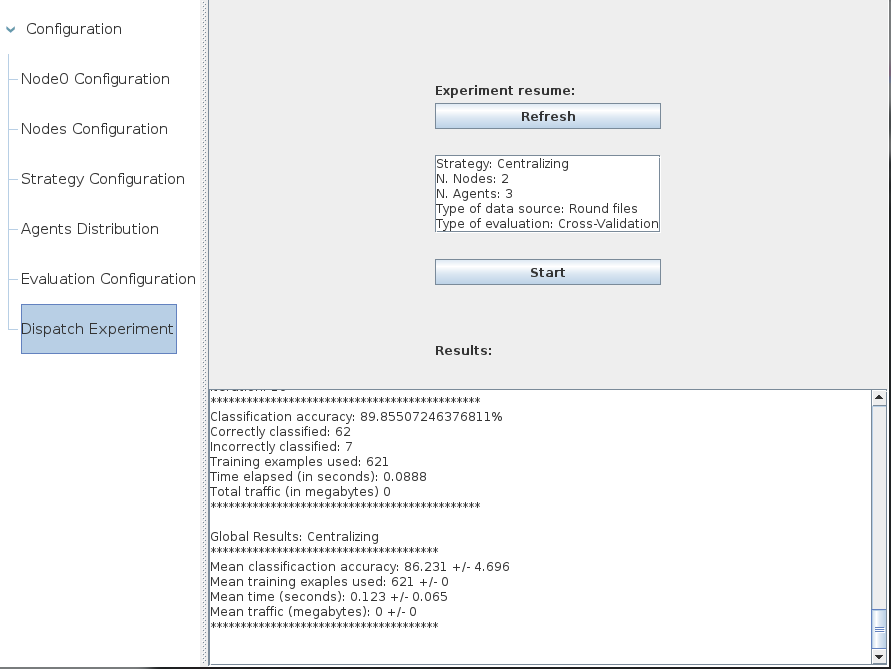
- Dispatch Experiment: once all the other configurations had been set the experiment can be run. The results for each iteration and the final summary is presented in this section.