EQ APO - GUI News
Graphical user interface for Equalizer APO
Status: Beta
Brought to you by:
gsundesigns

New version with some bug fixes and now with a mini VU meter you can open just clicking once on the program's tray icon.
Now the program will ask you to find the "config.txt" file, and will save a "data.ini" file with the location in it (you can find that file in " %AppData%\GSUN Designs\EQ APO - GUI\version\data.ini ").
This was made to prevent some troubles and bugs with some languages and some system configs...... read more
 2014-08-22
Labels:
1.2.5
2014-08-22
Labels:
1.2.5
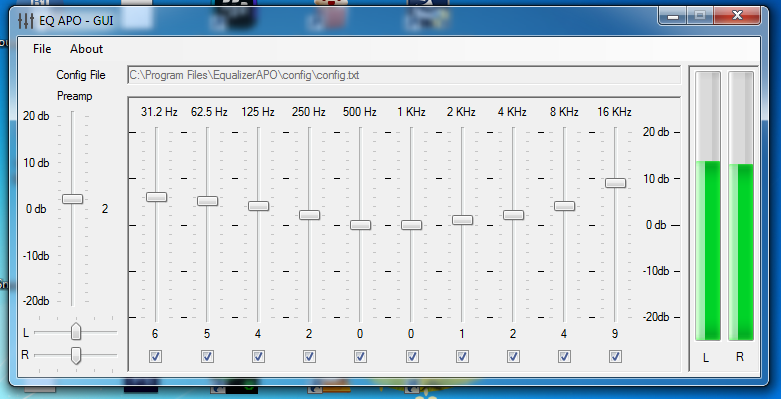
This new version comes with a lot of fixes and a VU meter to monitor the volume level in real time.
Thanks to Simplified Audio API and a "Vertical Progress Bar" vb class I found around the web.
Screenshot:
2014-08-11
Now I'm working on a live stereo VU meter to monitor the volume level while using the Equalizer.
A couple of tests and new dlls to help me achieve this.
Screenshot:

2014-08-11
Labels:
VU meter

