CatTail Viewer: dmesg, debugs, and logs! Home
Monitors logs or other commands such as dmesg output on Linux systems.
Status: Beta
Brought to you by:
strict

Release Date..: 12-13-2011
Written in Gambas3 by:
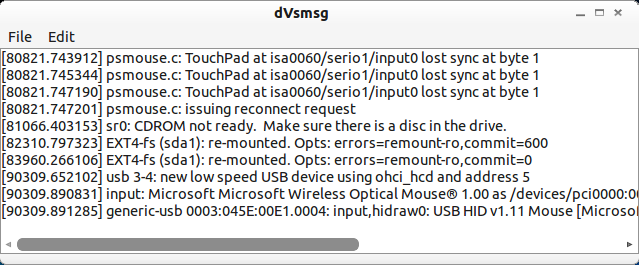
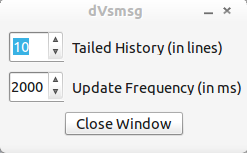
The main window consists of a TextEdit control that fills the form, displaying the processed output. A simple menu appears at the top of the form giving users access to the settings panel. The frequency at which dmesg or another log file is polled in milliseconds and the number of lines back to view can be adjusted to suit your tastes.
The source code and binaries are in the downloads section. If you want to run this from the source code you need to have the Gambas3 IDE installed. If you are running Ubuntu linux you can add this PPA to your sources.list for access to a recent development build. If you only plan on running the executable you only need the package "gambas3-runtime" installed.
I wanted to teach myself Gambas3, so I started this project. I was trying to figure out a project idea that I could 'cut my teeth' on before attempting something more complex, and a co-worker suggested a dmesg output monitor to include in my custom Linux LiveCD. I always wanted a tool that could monitor dmesg output and, although I've seen some widgets that did a similar job, none have 'hit the nail on the head' for my tastes. This seemed like a good starting point for me as I am coming from a self-taught VB.net 2003 background, and this would give me a chance to familiarize myself with the environment and the subtle differences in syntax.
