AnyFileCompressor Wiki
A little tool that compresses files fast and good.
Status: Alpha
Brought to you by:
mjprogs


Just double-click the executable file and the program is running. If you want to compress a file, click on the big button on the left. A open dialog will open up. Select a file and click on "Compress!". The program will compress the file and it's clusters.
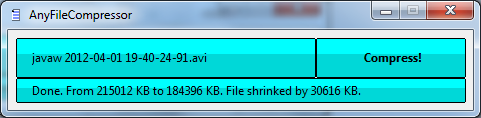

Those screenshots are all. See? It is really easy to use and it's very straight.