Download
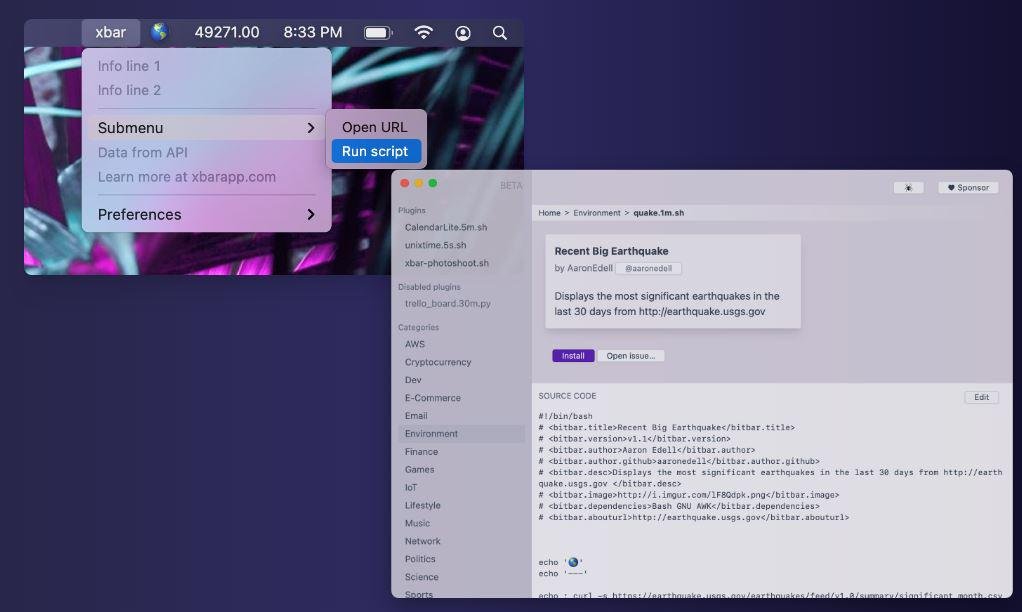
xbar (the BitBar reboot) lets you put the output from any script/program in your macOS menu bar. xbar underwent a complete rewrite from the ground up in Go. You can browse all the plugins online, or write your own. To write a plugin, just write some form of executable script that outputs to the standard output. To write a plugin, you need to be able to produce some kind of executable (usually a script) that prints out lines of text. Variables are stored in JSON files alongside your plugin. The key is the name of the Variable and the name of the environment variable. The values are the user's preferences. You can programmatically modify the JSON files to adjust the values. Use the refresh control API above to refresh plugins after changing variables. Be sure to include appropriate Metadata to enhance the plugin's entry on xbarapp.com.
Features
- Hundreds of pre-built plugins to choose from
- Information you care about, at a glance
- Write your own plugins—in any language
- Most plugins will come with a default, but you can change it to anything you like
- Anything that can write to standard out is supported
- Variables are stored in JSON files alongside your plugin
Project Samples