
 Download
Skim is a PDF reader and note-taker for OS X. It is designed to help you read and annotate scientific papers in PDF, but is also great for viewing any PDF file. Skim requires OS X 10.10 or higher.
Features
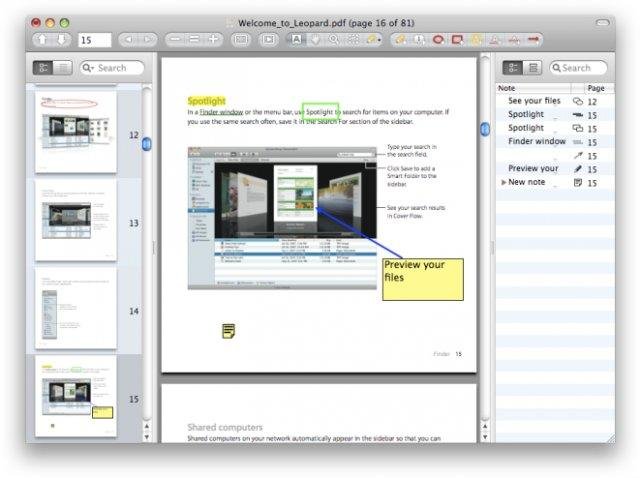
- Viewing PDFs
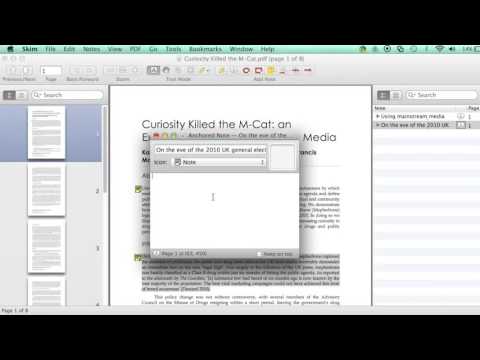
- Adding and editing notes
- Highlighting important text, including one-swipe highlight modes
- Making "snapshots" for easy reference
- Navigation using table of contents or thumbnails, with visual history
- View all your notes and highlights
- Convenient reading in full screen
- Giving powerful presentations, with built-in transitions
- Handy preview of internal links
- Focus using a reading bar
- Magnification tool
- Smart cropping tools
- Extensive AppleScript support
- Bookmarks
- Saving passwords in Keychain
- Export notes as text
- Automatic download of remote PDFs
- Support for Apple Remote Control
- Interaction with LaTeX, SyncTeX, and PDFSync
- Integration with BibDesk and other third party applications
- Spotlight support
- Highly customizable
- And much more...
Project Samples
License
BSD LicenseFollow Skim
Other Useful Business Software
Connecteam is an award-winning all-in-one employee management solution for daily operations, communications, and human resource management.
Rate This Project
Login To Rate This Project
User Reviews
-
Very useful and delicate app!
-
Excellent PDF reader, really well done and with sound scripting support (which is much appreciated), thank you!
-
Irritated by Adobe Reader and unable to afford the full Adober suite anymore, I saw Skim recommended for academics like me who have to review lots of PDFs. Great for that purpose! No complaints...praise to the coders!
-
Great
-
I LOVE Skim, but version 1.6.9 has a bug: it places an annoying black rectangle over the part of page containing an error, which remains there after correcting and after quitting Skim. So I re-installed 1.6.8 and all is well! Thank you for your (usually faultless) work! Much appreciated.